PROLiNK® PRC3801 Wireless AC1200 MU-MIMO Dual-Band Gigabit Router
4.16 Port Filtering
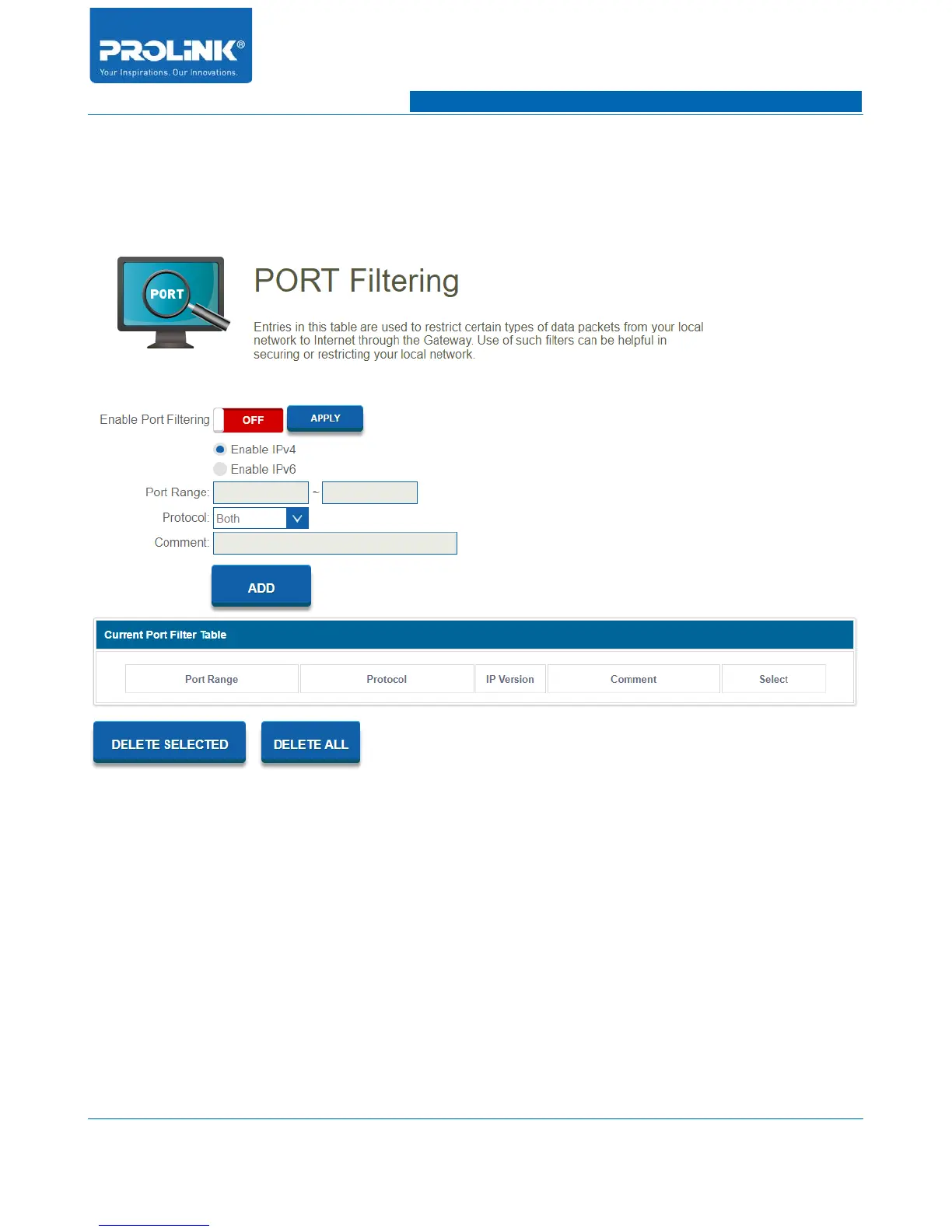
Go to Firewall → Port Filtering to enter the configuration page. Port Filtering will deny certain port
from being used in the network to secure from any thread.
• Enable Port Filtering: Enable and disable Port Filtering function.
• Port Range: Enter port number range of application.
• Protocol: Select protocol type for TCP, UDP or both.
• Comment: Add reference for Port Filtering.
57



 To Next Page