PROLiNK® PRC3801 Wireless AC1200 MU-MIMO Dual-Band Gigabit Router
Wireless Schedule
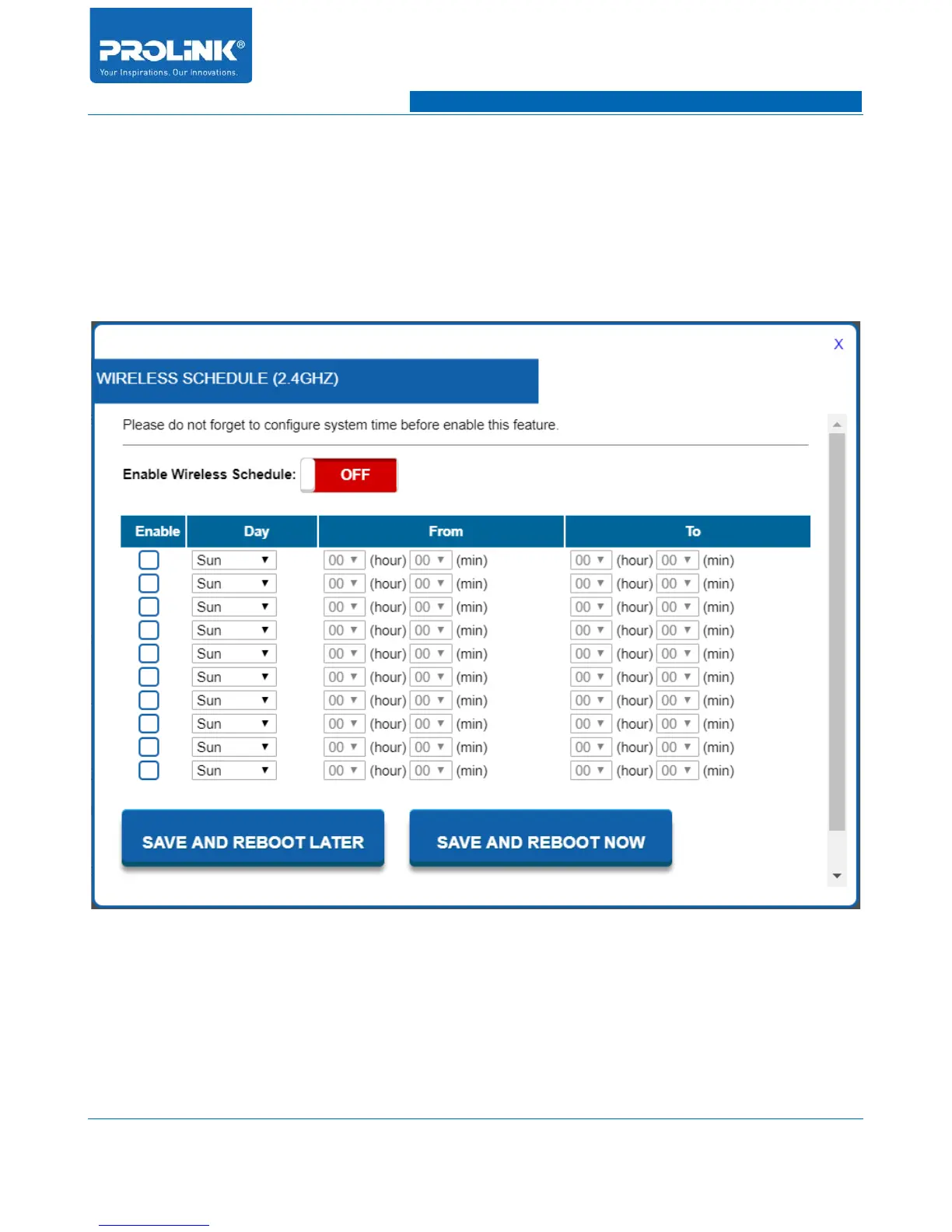
Wireless Schedule is to allow client connected to the AP on specific day and time. To Enter the
Wireless Schedule of 2.4GHz, navigate to Setting → Wireless 2.4G → Wireless Schedule. Once click
a window will appear showing the Wireless Schedule (2.4GHz). To start enable the wireless schedule
you need to click “Enable Wireless Schedule” slider on the page. After enable, you can set all the
schedule. All the setting in wireless schedule is base on day and time.
• Enable: Check the box to enable the wireless schedule of specific setting.
• Day: Choose day to allow wireless 5GHz connection.
• From: Choose time to begin allowing wireless 5GHz connection.
• To: Choose time to end allowing wireless 5GHz connection.
32



 To Next Page