PROLiNK® PRC3801 Wireless AC1200 MU-MIMO Dual-Band Gigabit Router
4.17 Port Forwarding
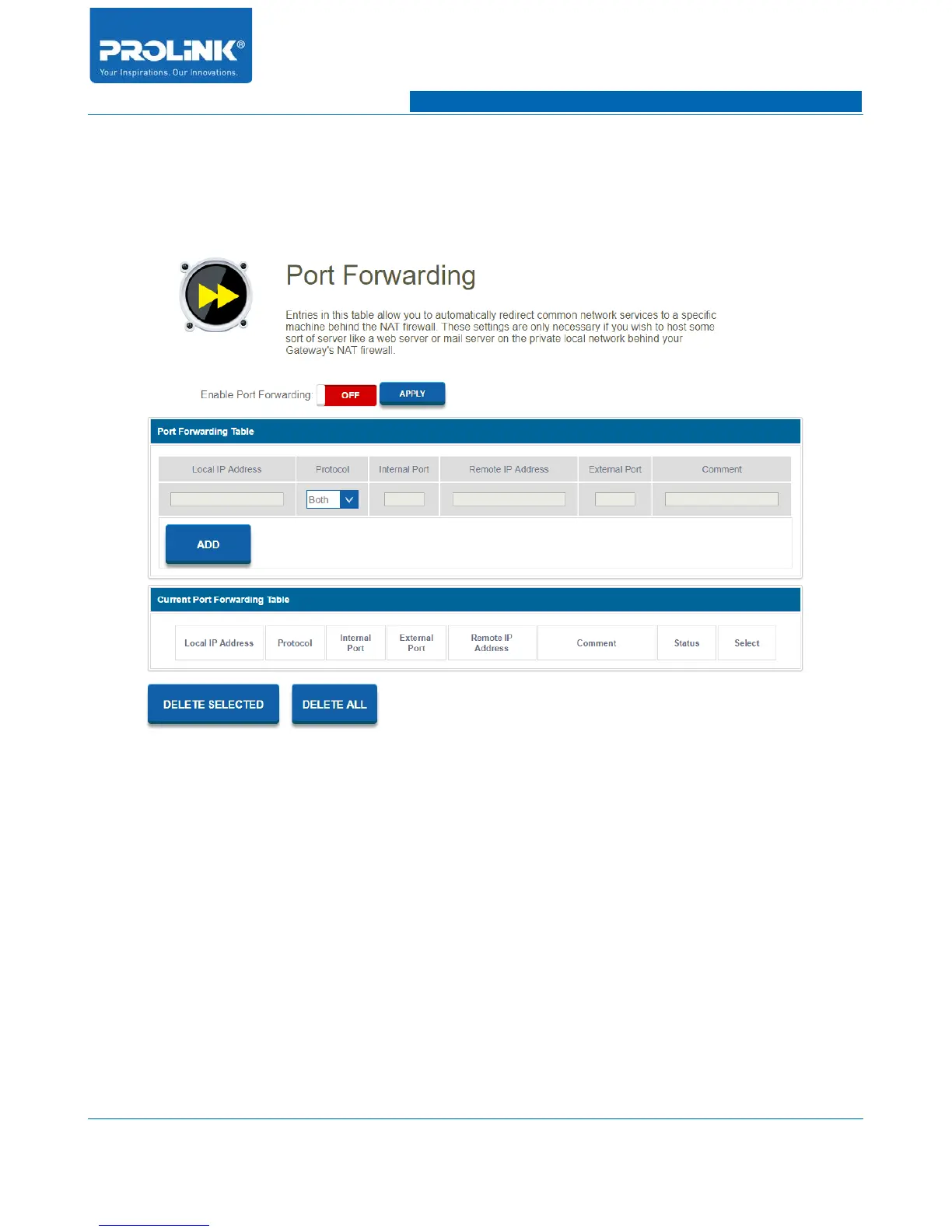
Go to Firewall → Port Forwarding to enter the configuration page. Port Forwarding allow you to
automatically redirect common network services to a specific machine behind the NAT firewall.
• Enable Port Forwarding: Enable or disable Port Forwading.
• Local IP Address: Enter local IP address of the computer on your local network that you want
the incoming service.
• Protocol: Select incoming protocol type. You could select TCP, UDP or both protocol.
• Internal Port: Specify an internal port to send..
• Remote IP Address: Enter remote IP address of external IP Address. You could set to 0.0.0.0
for any IP address.
• External Port: Specify an external port to receive.
• Comment: Add Port Forwarding reference.
58



 To Next Page