PROLiNK® PRC3801 Wireless AC1200 MU-MIMO Dual-Band Gigabit Router
• Subnet Mask: An address code that determines the size of the network. Normally use
255.255.255.0 as subnet
• Default Gateway: Enter IP address of your Default Gateway. By default it is 0.0.0.0/
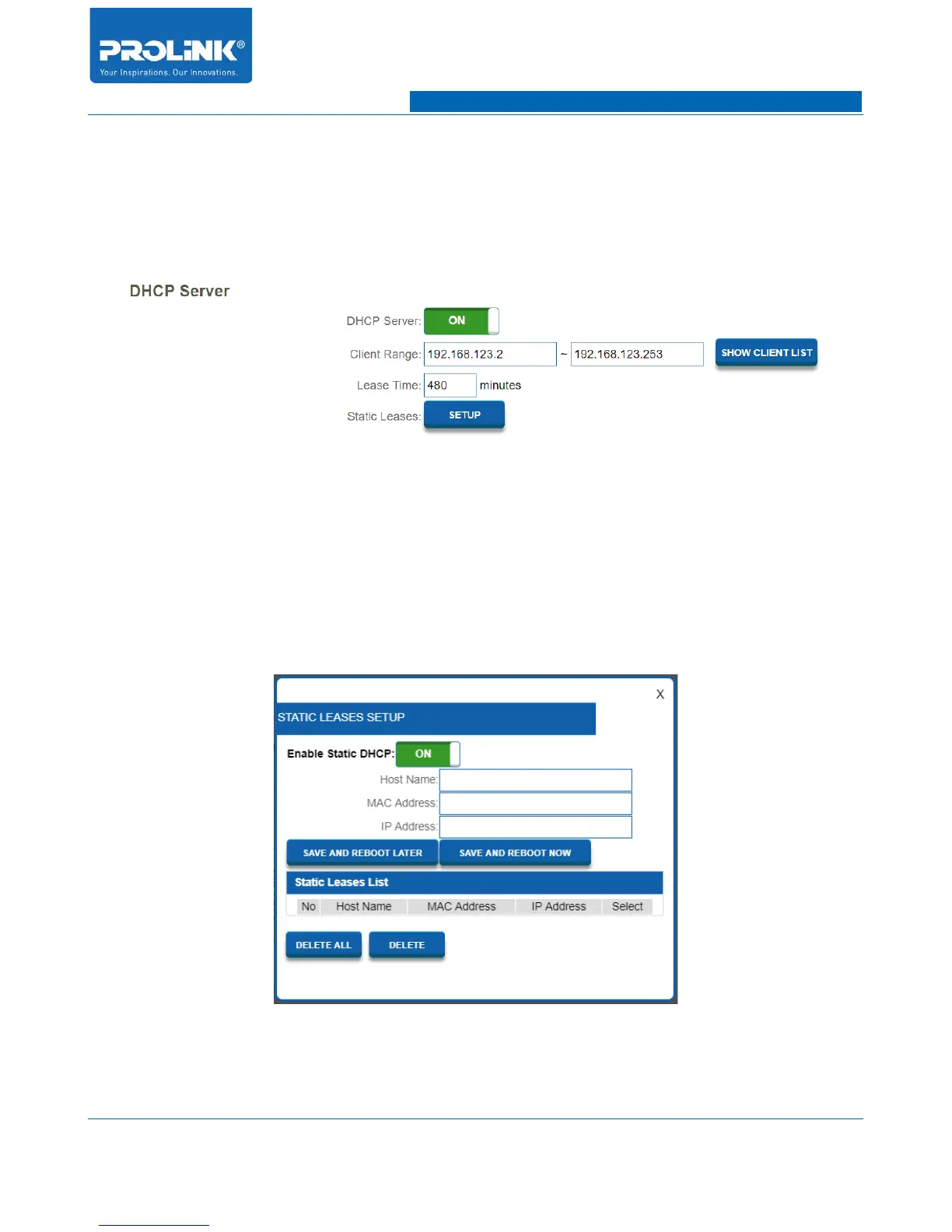
DHCP Server
• DHCP Server: Enable or disable the DHCP Server.
• Client Range: Enter the starting and ending IP addresses for the DHCP server’s IP assignment.
If you manually assign IP address to the device, make sure the IP address are outside of this
range or you may have an IP conflict.
• Lease Time: Enter the length of time for the IP address lease in minutes.
• Static Leases: Enter the length of time for the IP address lease in minutes.
◦ Enable Static DHCP: Enable or Disable Static DHCP functionality.
34



 To Next Page