PROLiNK® PRC3801 Wireless AC1200 MU-MIMO Dual-Band Gigabit Router
◦ Host Name: Enter device name of the specific MAC Address and IP Address.
◦ MAC Address: Enter MAC address of device or client.
◦ IP Address: Enter IP Address of device or client
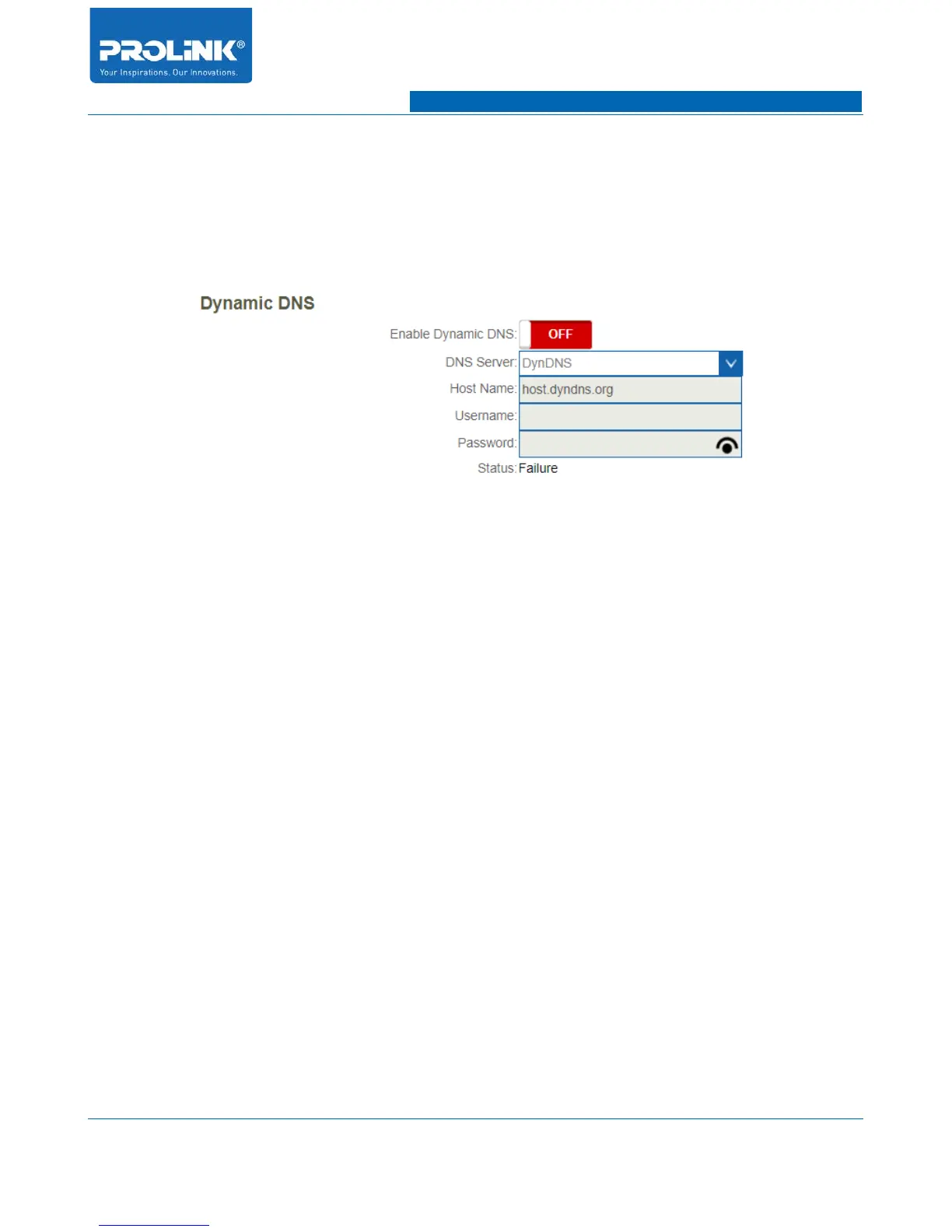
Dynamic DNS
• Enable Dynamic DNS: Enable and disable Dynamic DNS functionality.
• DNS Server: Select available DNS server to configure Dynamic DNS from drop-down menu.
• Host Name: Enter address of your dynamic DNS server.
• Username: Enter your dynamic DNS User Name.
• Password: Enter your dynamic DNS Password.
• Status: Dynamic DNS activation status. Activated Dynamic DNS will show “Success”.
35



 To Next Page