PROLiNK® PRC3801 Wireless AC1200 MU-MIMO Dual-Band Gigabit Router
WPS
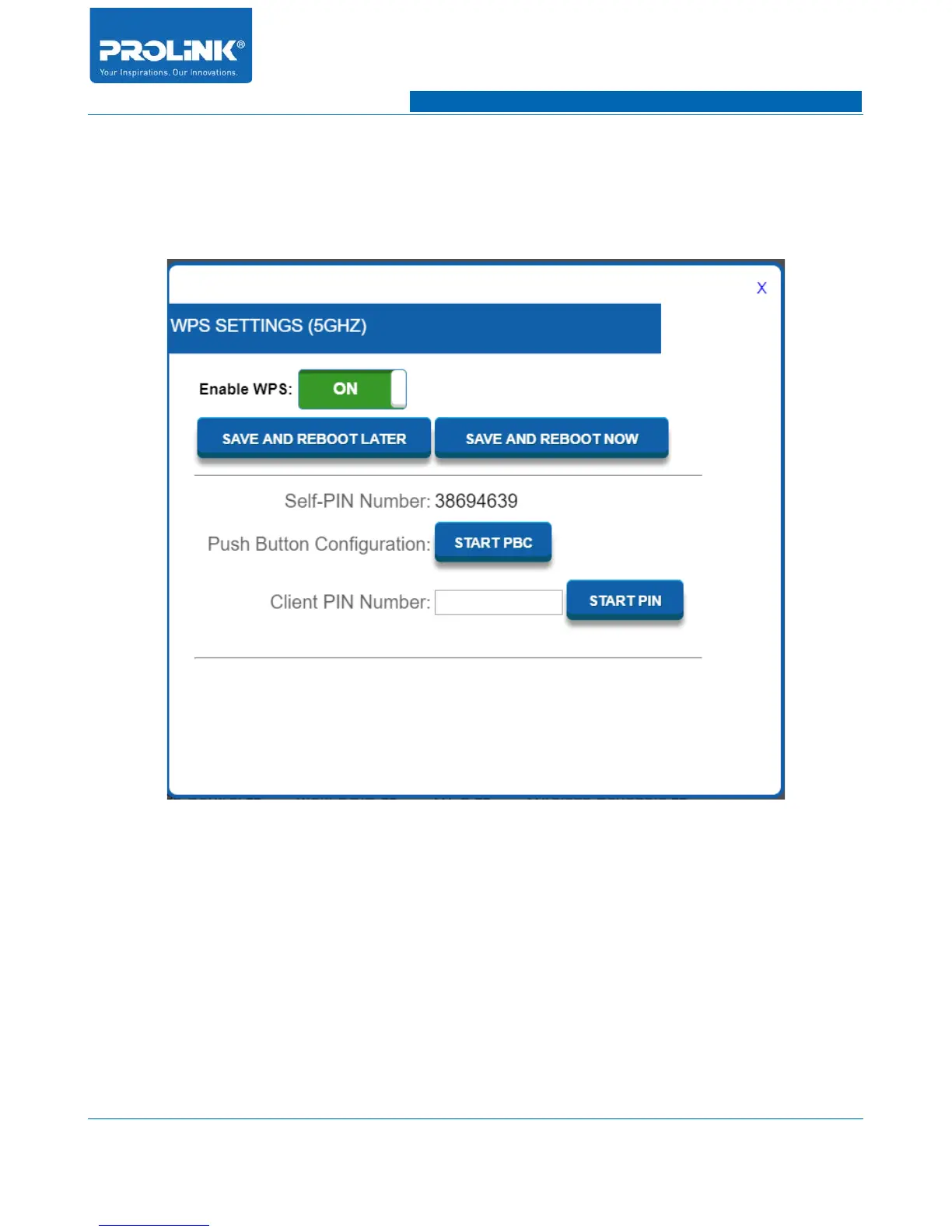
To open the WPS setting go to Setting → Wireless 5GHz and a window will appear for WPS setting.
There are three method available to configure the WPS either through Self-PIN number, Push Button
Configuration or Client PIN Number.
• Self-PIN Number: Client can connect with AP by using the given pin from PRC3801. You will
need to enter the Self-PIN Number into client WPS PIN.
• Push Button Configuration: Connect with AP via WPS Push Button. To connect press the
“START PBC” and within 2 minutes client need to enable WPS Push Button function to make
the connection between AP and Client.
• Client PIN Number: Connect with AP using WPS PIN from client. To connect enter the
provided WPS PIN from client into Client PIN Number box and click “START PIN”.
21



 To Next Page