PROLiNK® PRC3801 Wireless AC1200 MU-MIMO Dual-Band Gigabit Router
4.14 IP Filtering
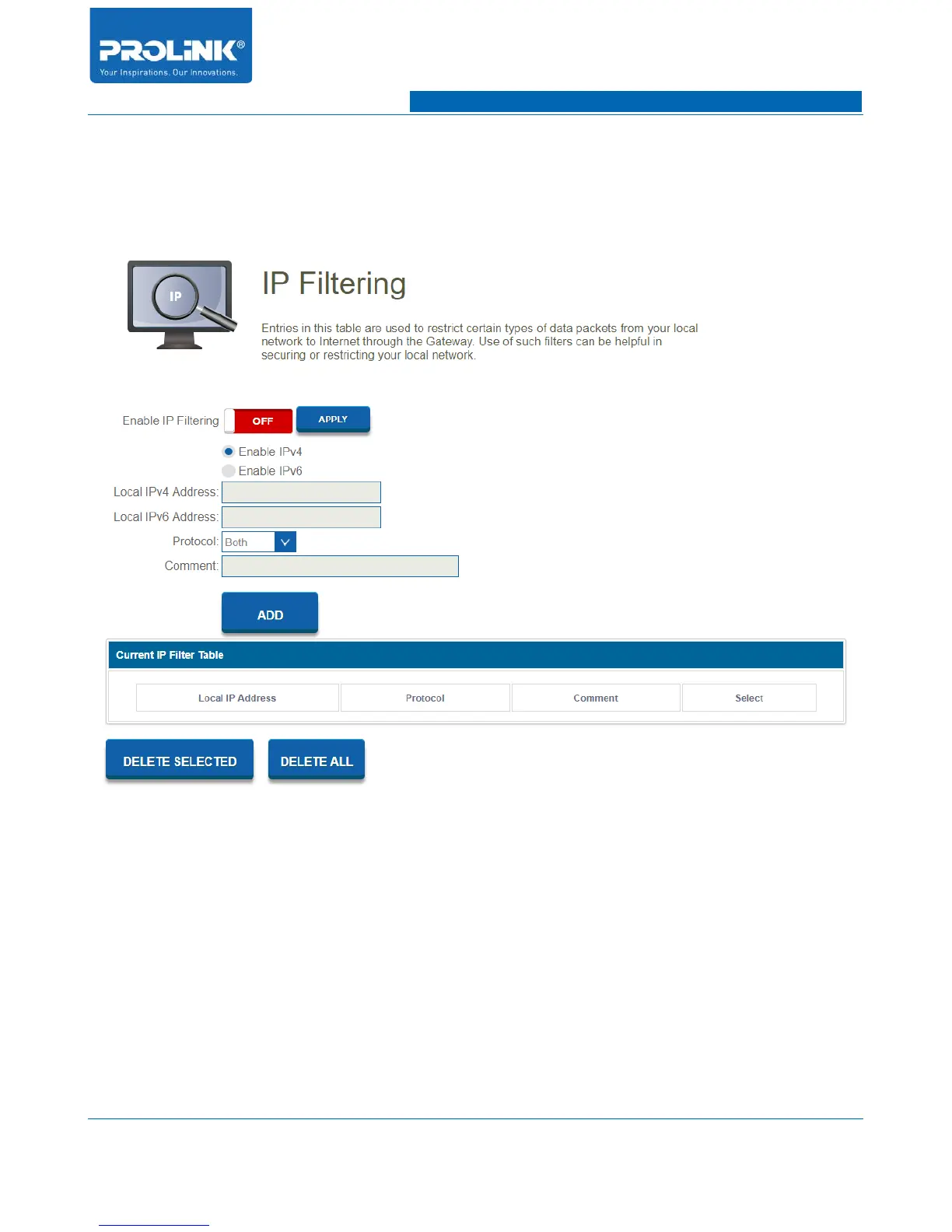
Go to Firewall → IP Filtering to enter the configuration page. IP Filtering allow you to restrict certain
types of data packets from your local network to Internet through the Gateway.
• Enable IP Filtering: Enable or disable IP Filtering function.
• Enable IPv4: To enable IP filtering method using IPv4.
• Enable IPv6: To enable IP filtering method using IPv6
• Local IPv4 Address: Enter IPv4 Address of client device.
• Local IPv6 Address: Enter IPv6 Address of client device.
• Protocal: Select type of protocol to be filter. Selection is either TCP, UDP or both.
• Comment: Add a comment for references.
55



 To Next Page