PROLiNK® PRC3801 Wireless AC1200 MU-MIMO Dual-Band Gigabit Router
Adding MAC Address into list
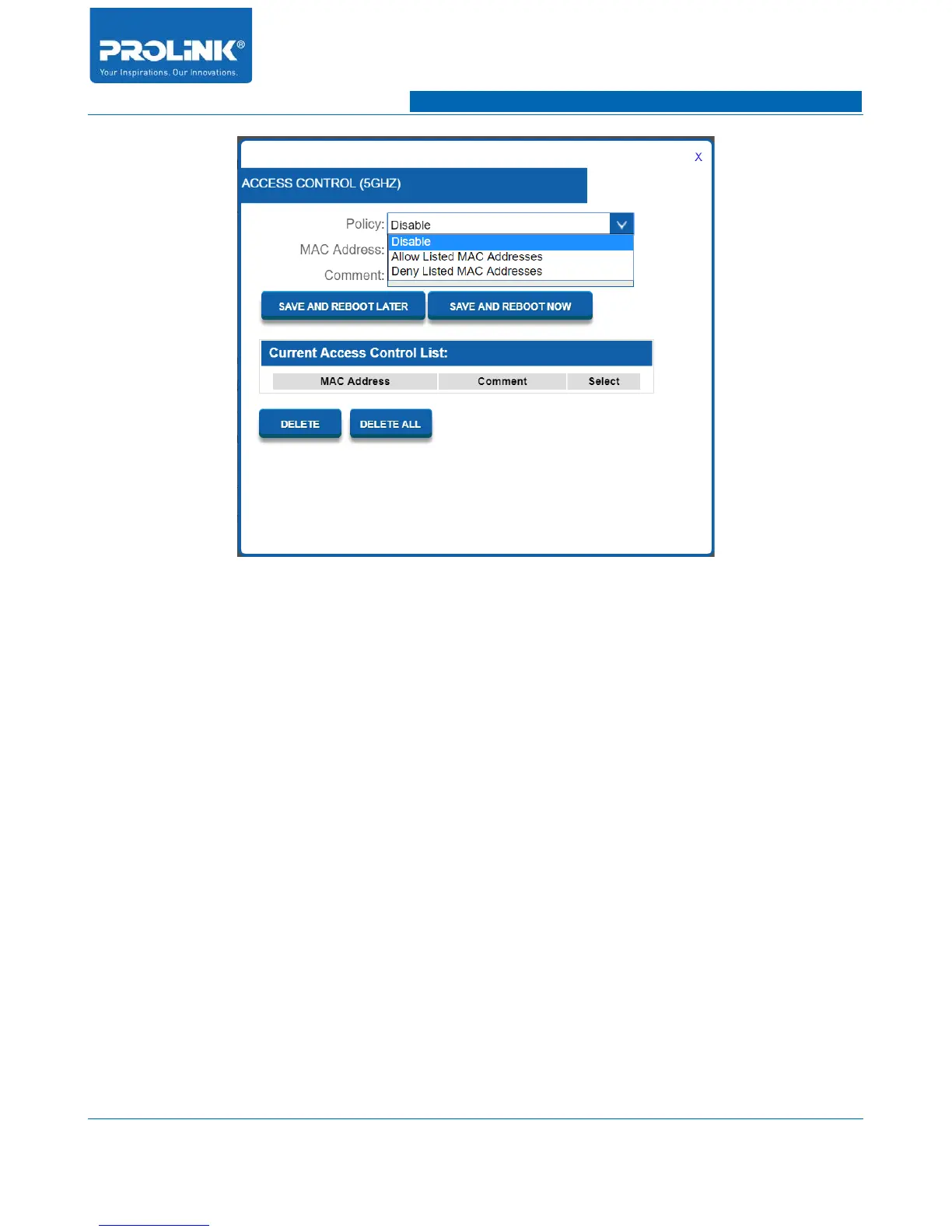
1. Select Policy “Allow Listed MAC Addresses” if you want allow specific client to connect with
5GHz wireless signal or “Deny Listed MAC Addresses” if you want to restricted specific client
to connect with 5GH wireless signal.
2. Enter MAC address of specific client you would like to assign with the selected policy.
3. Add any comment, if required.
4. Click “SAVE AND REBOOT NOW” to save the MAC Address.
Removing MAC Address from list
1. For specific MAC Address you want to remove from the list, select the specific MAC Address.
2. Click “DELETE” to specifically remove specific MAC Address or click “DELETE ALL” to
remove all the MAC Address in the list.
Multi SSID
PRC3801 is capable to add up to 4 guest SSID in one single band therefore total SSID available is 5
SSID in one single band. To open the configuration, navigate to Setting → Wireless 5GHz → Multi
SSID and a window will pop up as below picture.
19



 To Next Page