PROLiNK® PRC3801 Wireless AC1200 MU-MIMO Dual-Band Gigabit Router
4.7 IPv6 WAN Setting
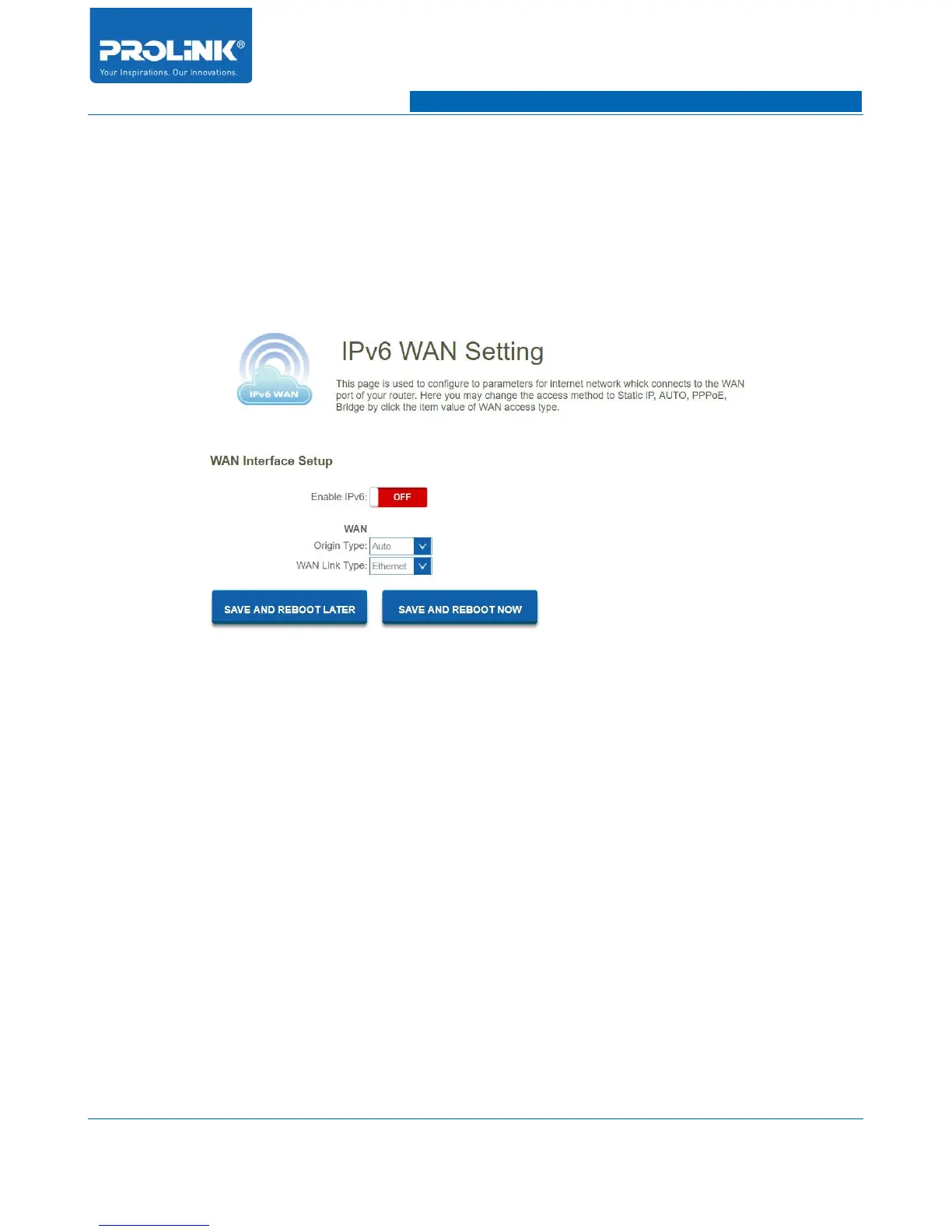
Go to IPv6 → IPv6 WAN Setting to enter IPv6 WAN Setting page. This page is used to configure
parameter for internet network which connects to WAN port of your router. This will allow you to
enable IPv6 function and set up the parameters of the router’s WAN. In this setting you may change
WAN origin type and WAN Link type. In Origin type you can choose either Auto or Static and WAN
Link Type you could choose Ethernet or PPPoE.
• Enable IPv6: Enable or disable IPv6 configuration.
• Origin Type: Select either Auto or Static. In Auto you could choose the DHCP type for
Stateless Address Auto or Stateful Address Auto Configuration. In Static you need to fill in the
Static IP address table.
• WAN Link Type: Select IPv6 WAN type either by using Ethernet or PPPoE.
45



 To Next Page