PROLiNK® PRC3801 Wireless AC1200 MU-MIMO Dual-Band Gigabit Router
4.11 Parental Control
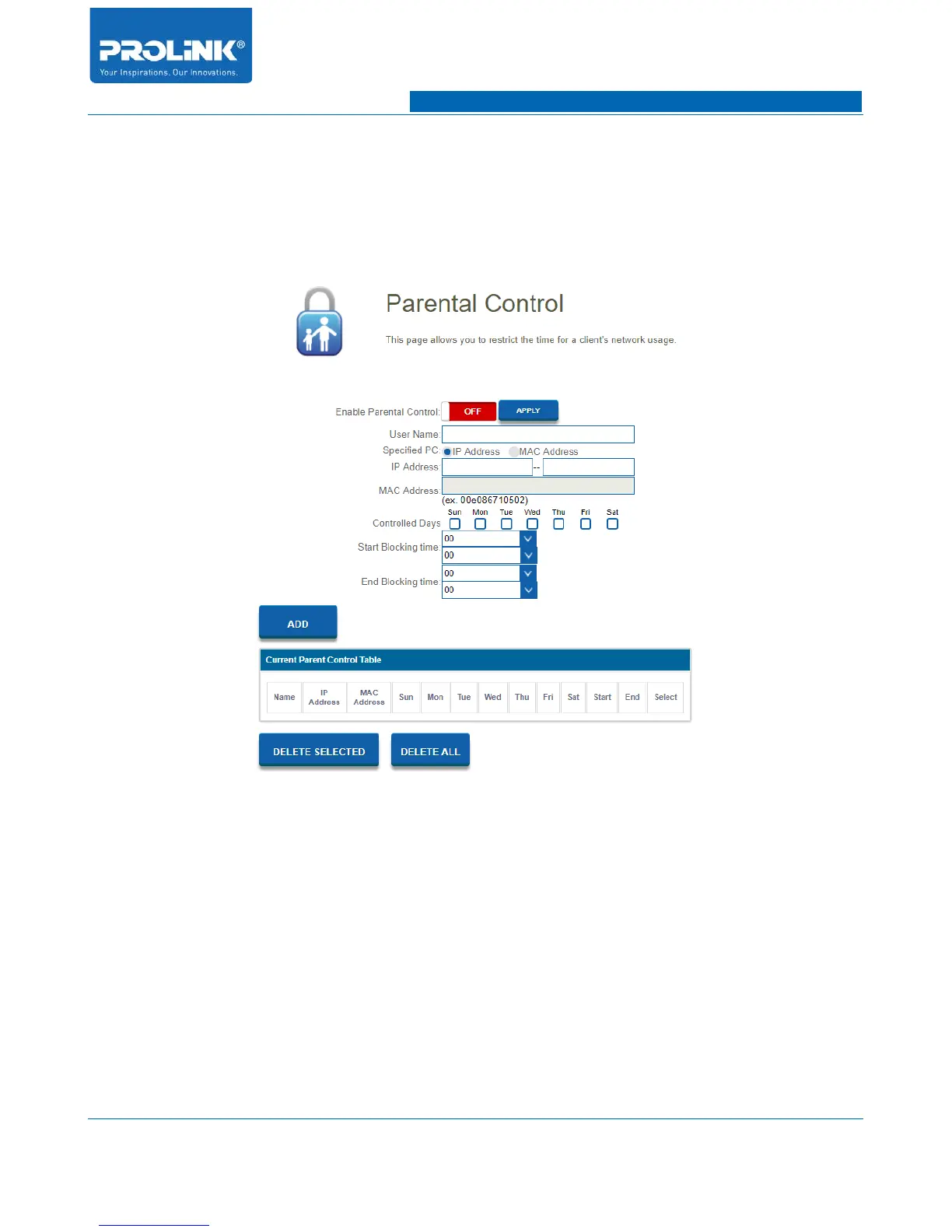
To enter Parental Control setting go to Main page and click on Parental Control. In this page you will
configure to restrict the time of Internet access for specific client on the network. You can either
specific base on MAC or IP address on client.
• Enable Parental Control: Enable and disable Parental Control
• User Name: Enter client or device name
• Specific PC: Selected to specify client or device using IP address or MAC Address.
• IP Address: Enter client or device IP Address (if specified PC is IP Address enable).
• MAC Address: Enter client or device MAC Address (if specified PC is MAC Address enable).
• Controlled Days: Select specific day of restriction to enable on selected client or device.
• Start Blocking time: Select start time in hour and minute of restriction.
• End Blocking time: Select end time in hour and minute of restriction.
51



 To Next Page