PROLiNK® PRC3801 Wireless AC1200 MU-MIMO Dual-Band Gigabit Router
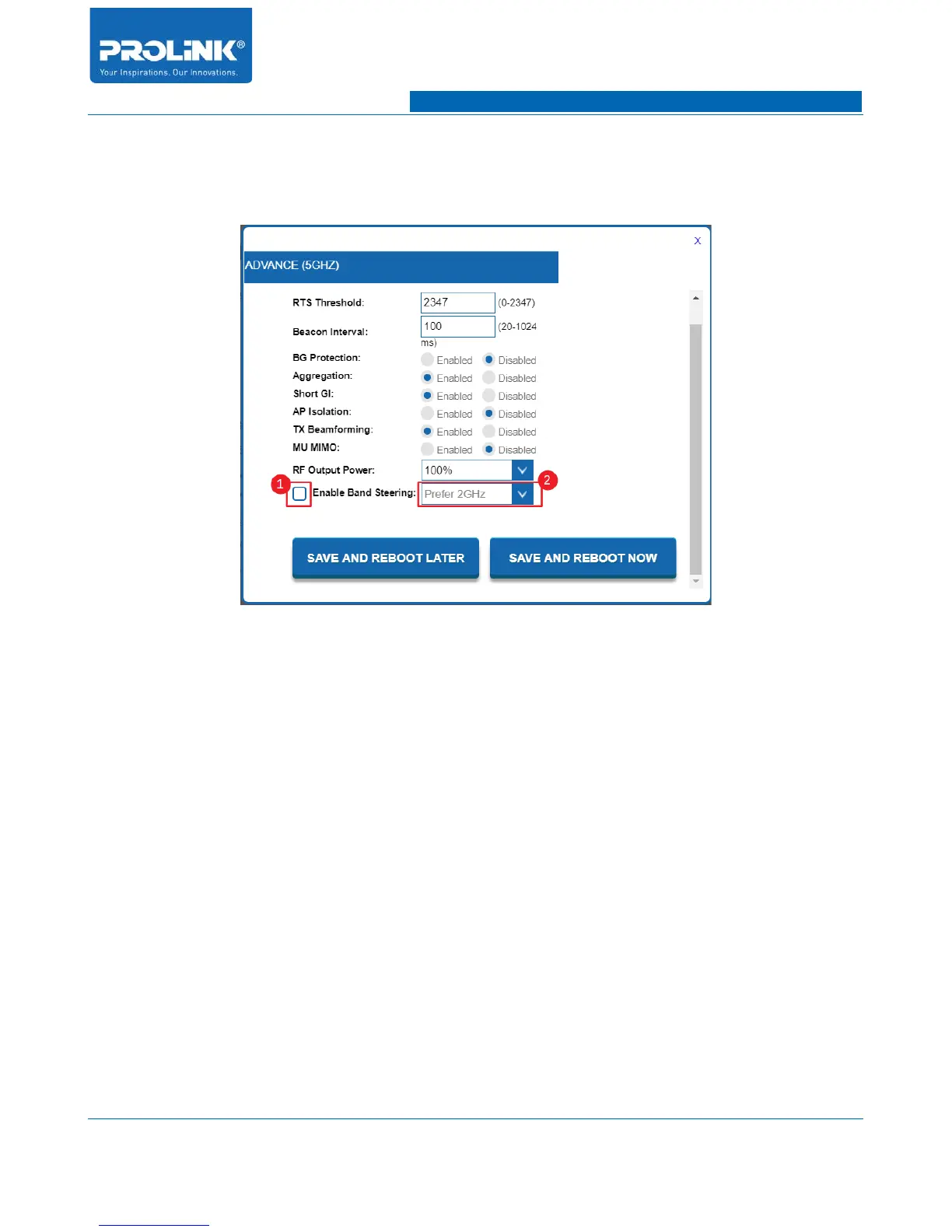
6. Window will appear list of all 5GHz Advance setting. From the list check the box to
“Enable Band Steering”. Then click on the drop-down menu to choose preferred frequency
band for Band Steering.
7. After select prefer band, next click “SAVE AND REBOOT NOW” for PRC3801 to save and
apply the Band Steering feature. Recommended to select “Prefer 5GHz”.
(3) How to set the unit as AP?
1. It is recommended to configure Network Setting of PRC3801 to be in same subnet with
Main Router. To configure Network Setting of PRC3801 before changing the operation
mode, login to PRC3801 Main Page. Go to Setting → Network to enter Network Setting
page.
77



 To Next Page