PROLiNK® PRC3801 Wireless AC1200 MU-MIMO Dual-Band Gigabit Router
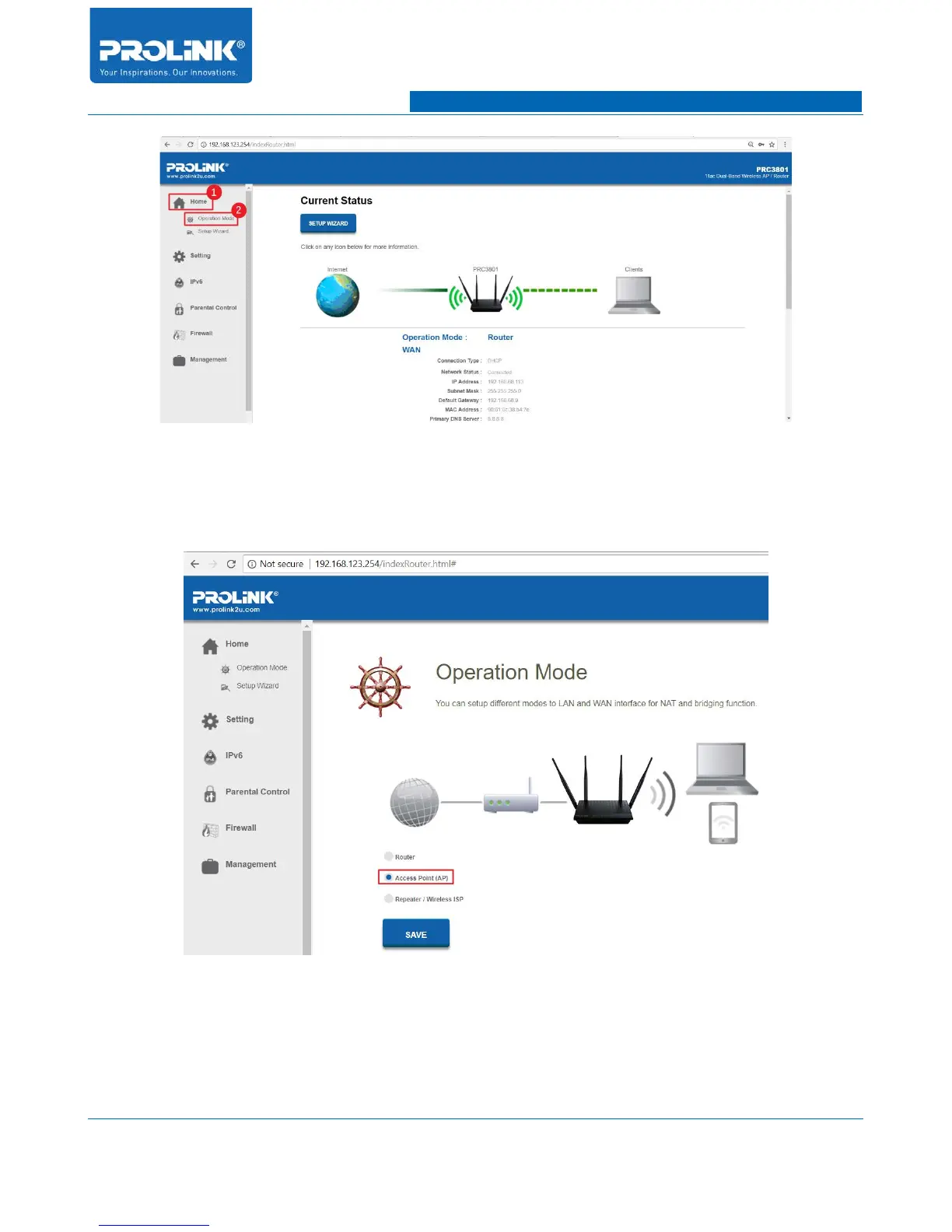
5. In Operation Mode page select Access Point (AP) then click “SAVE AND REBOOT”.
PRC3801 then will start to reboot to save the setting and change the current operating mode
to Access Point (AP) mode.
6. Connect LAN Port from Host Network (Main Router) to WAN or LAN port of PRC3801.
Once connect your PRC3801 is now is connected with Main Router in AP Mode.
79



 To Next Page