PROLiNK® PRC3801 Wireless AC1200 MU-MIMO Dual-Band Gigabit Router
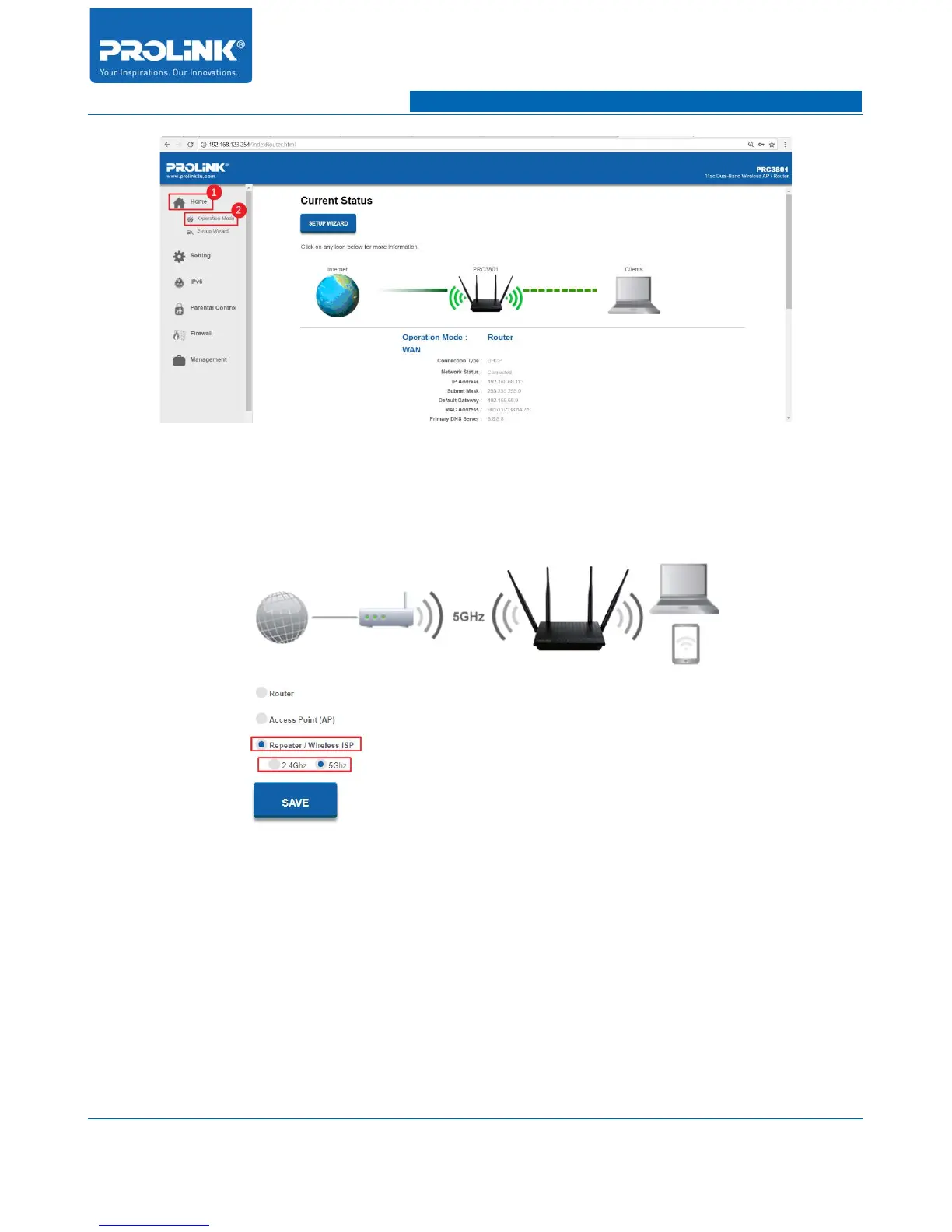
5. In Operation Mode page select Repeater/Wireless ISP then choose your prefer backhaul
connection between Main Router and Repeater. After finish setting up operation mode click
SAVE then PRC3801 will begin to reboot.
6. After reboot, login back to PRC3801. Go to Home → Setup Wizard and click on SETUP
WIZARD button to configure the Repeater Mode.
81



 To Next Page