PROLiNK® PRC3801 Wireless AC1200 MU-MIMO Dual-Band Gigabit Router
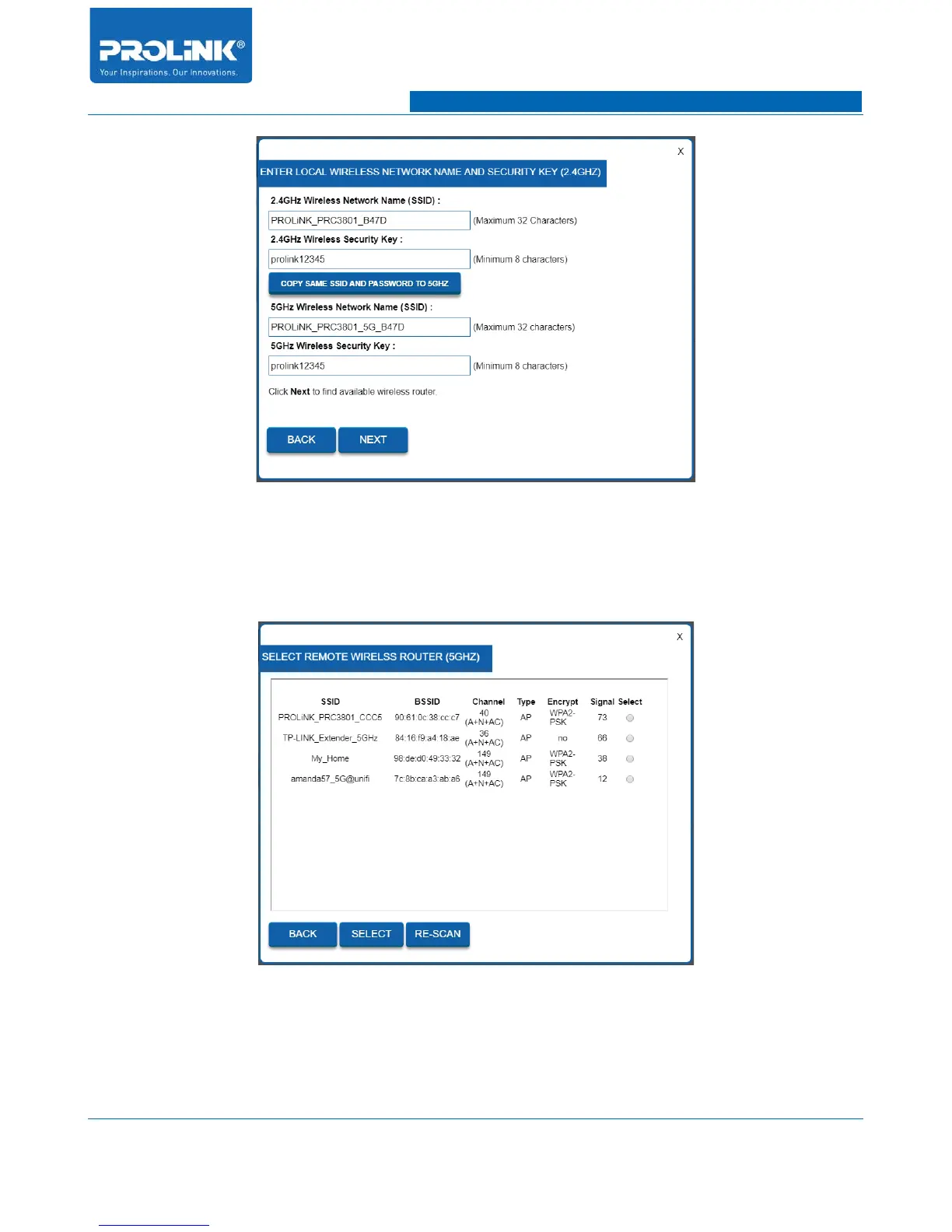
9. After reboot, you need to select your Main Router or Host Network connection. Select your
Main Router SSID then click SELECT button.
10. Next you need to enter Security Key of Main Router SSID to have internet access to
PRC3801. Enter correct key and click CONNECT. If the key is correct PRC3801 will
attempt to make connection.
83



 To Next Page