6. Set the mass concentration for the feed chemical and press key
[P]
.
7. Set the density of the feed chemical - after pressing key
[P]
, the
continuous display appears.
8. Using key
[i]
change to the "Concentration" continuous display (ppm
or %).
9. You can enter the desired mass concentration using the
[Arrow keys]
.
CAUTION!
– Observe the decimal point.
–
The mass concentration is affected by both
changes in the stroke rate and the stroke length.
The value in the continuous display cannot be freely
changed using the [Arrow keys] as the least significant
figure values changes in jumps, the value of which
depends on the input data.
Possible values of the adjustable variables
Adjustable variable Lower value Upper value Increment
Contact separation in l/con‐
tact
1 1000 1
Mass concentration in % 0.5 100 0.1
Density in kg/l 0.5 2.0 0.1
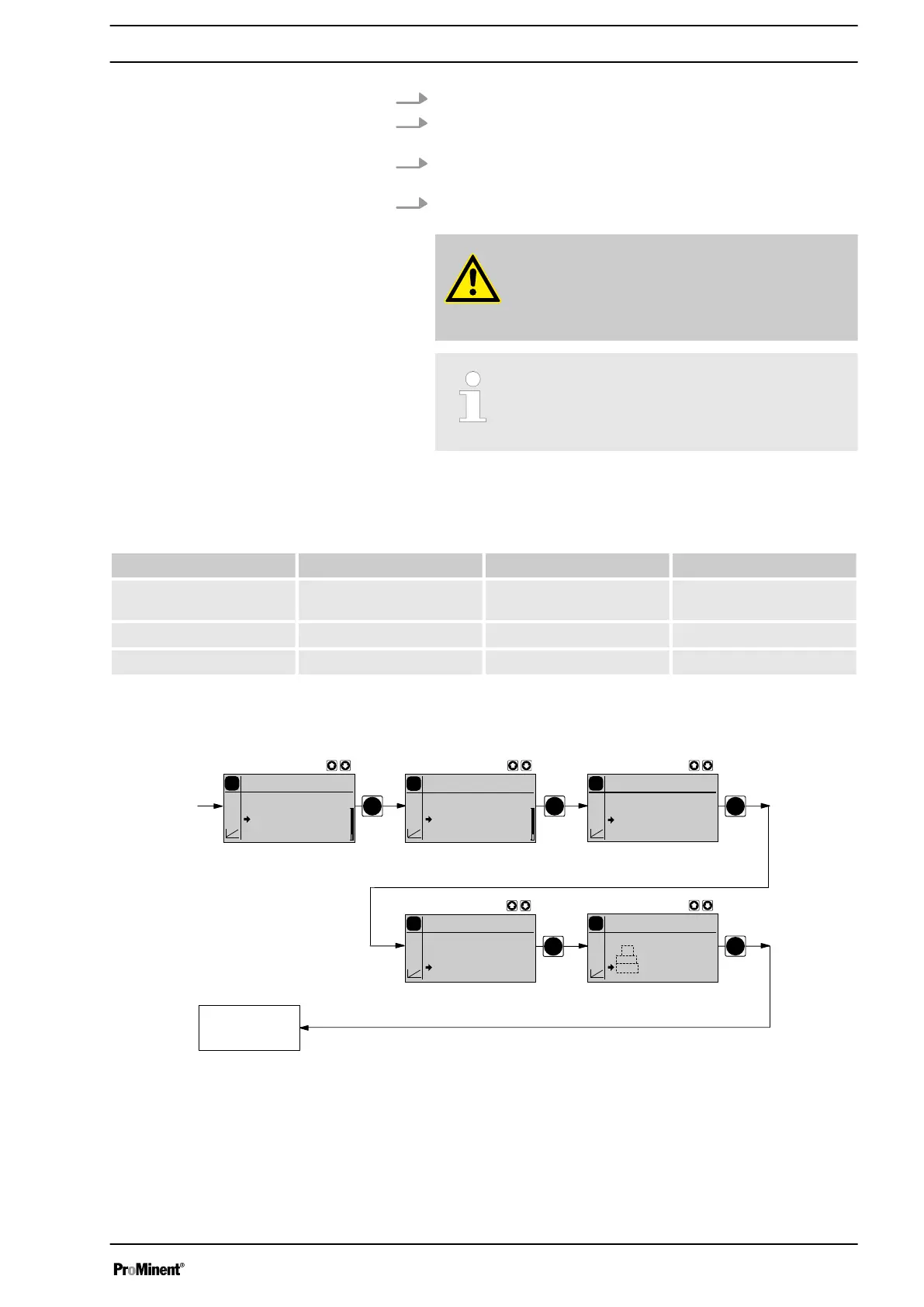
10.6.1.4 ANALOG operating mode (Settings for the "Concentration" function)
PP
P
P
P
Continuous
display
P
Concentration
Analog
off
on
P
Settings
Analog
Analog
Concentration
Auxiliar
Calibration
P
Main
Analog
Mode
Settings
Security
Clear
P
Concentration
Analog
2 m³/h
35.0 %
1.26 kg/l
P
Concentration
Analog
2 m³/h
35.0 %
1.26 kg/l
The "Concentration input" in operating mode
‘ANALOG’
, is intended for
metering of a substance into a pipeline containing a medium flowing at a
constant rate in such a way that it exists in the flow with a specific mass
concentration.
Set up
53



 To Next Page