MVI56E-MNETC/MNETCXT ♦ ControlLogix Platform MVI56E-MNETC/MNETCXT Configuration
Modbus TCP/IP Client Enhanced Communication Module - Client/Server User Manual
ProSoft Technology, Inc. Page 57 of 172
September 20, 2018
Rack 1
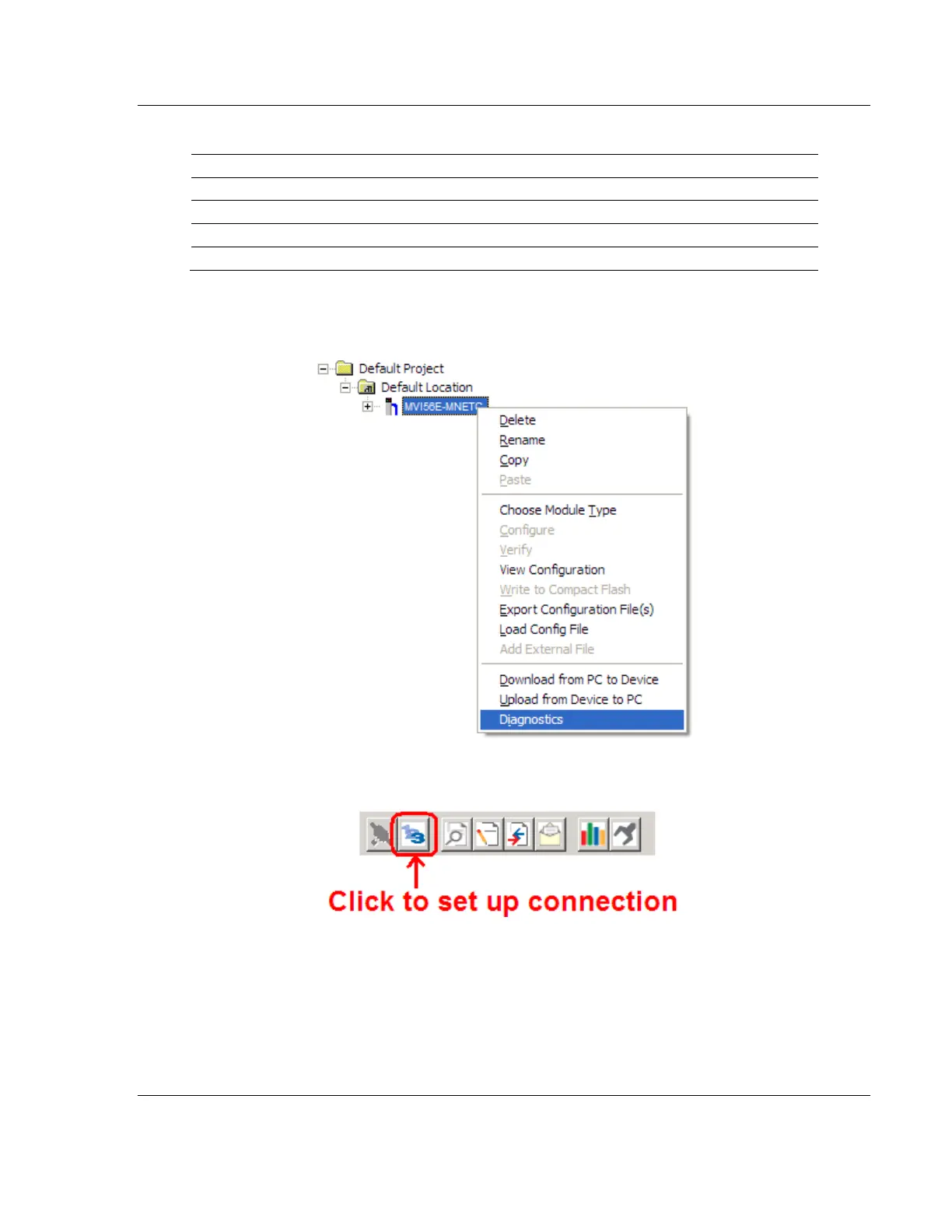
1 In ProSoft Configuration Builder, right-click the MVI56E-MNETC/MNETCXT
icon and then choose DIAGNOSTICS.
2 In the Diagnostics window, click the SET UP CONNECTION button.


 To Next Page