Configuring the MVI56E-MCMR Module MVI56E-MCMR ♦ ControlLogix Platform
User Manual Modbus Communication Module with Reduced Data Block
Page 102 of 223 ProSoft Technology, Inc.
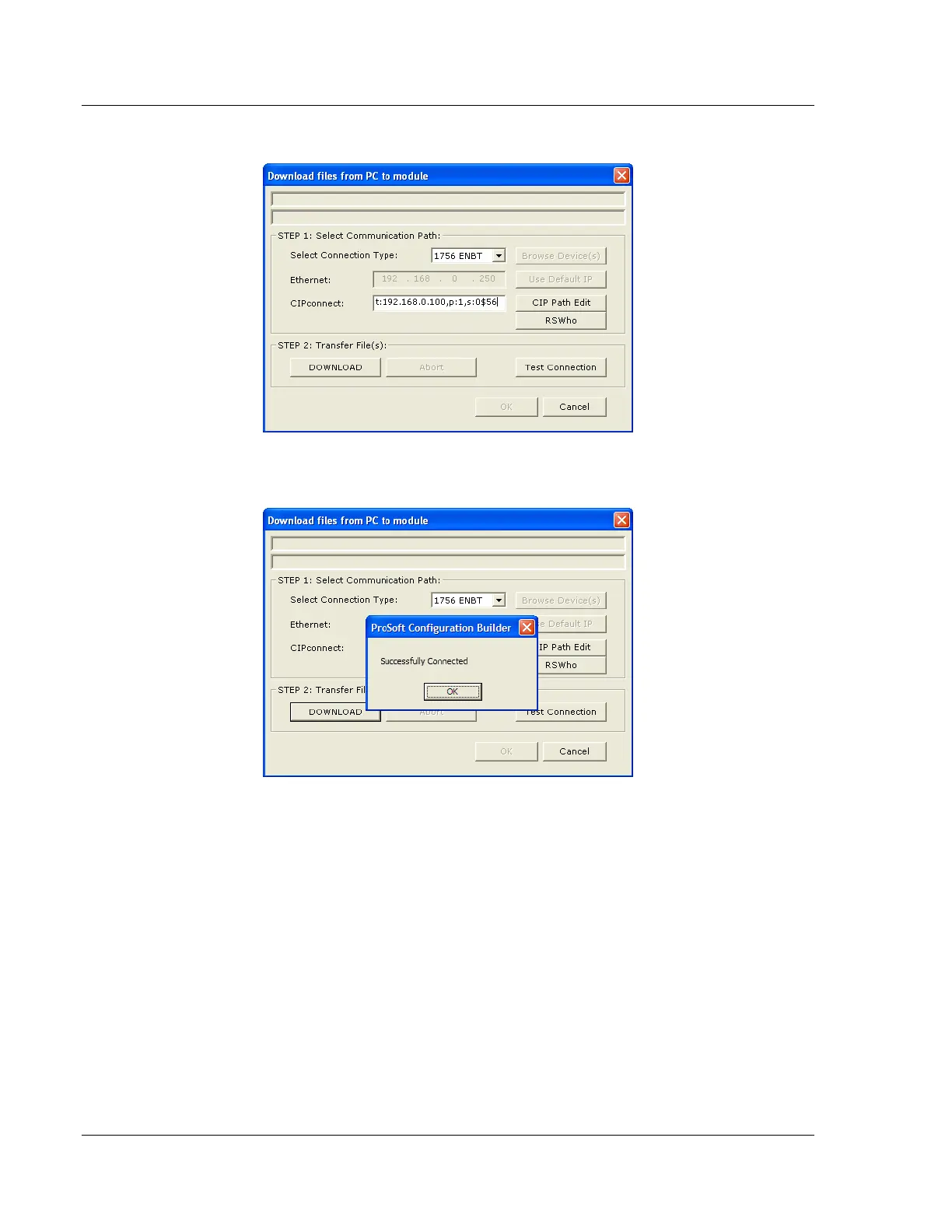
3 Check the new path in the Download dialog box.
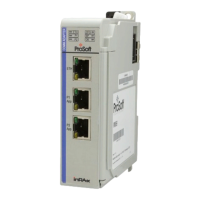
4 Click TEST CONNECTION to verify that the physical path is available. The
following message should be displayed upon success.


 To Next Page