Start Here MVI56E-MCMR ♦ ControlLogix Platform
User Manual Modbus Communication Module with Reduced Data Block
Page 32 of 223 ProSoft Technology, Inc.
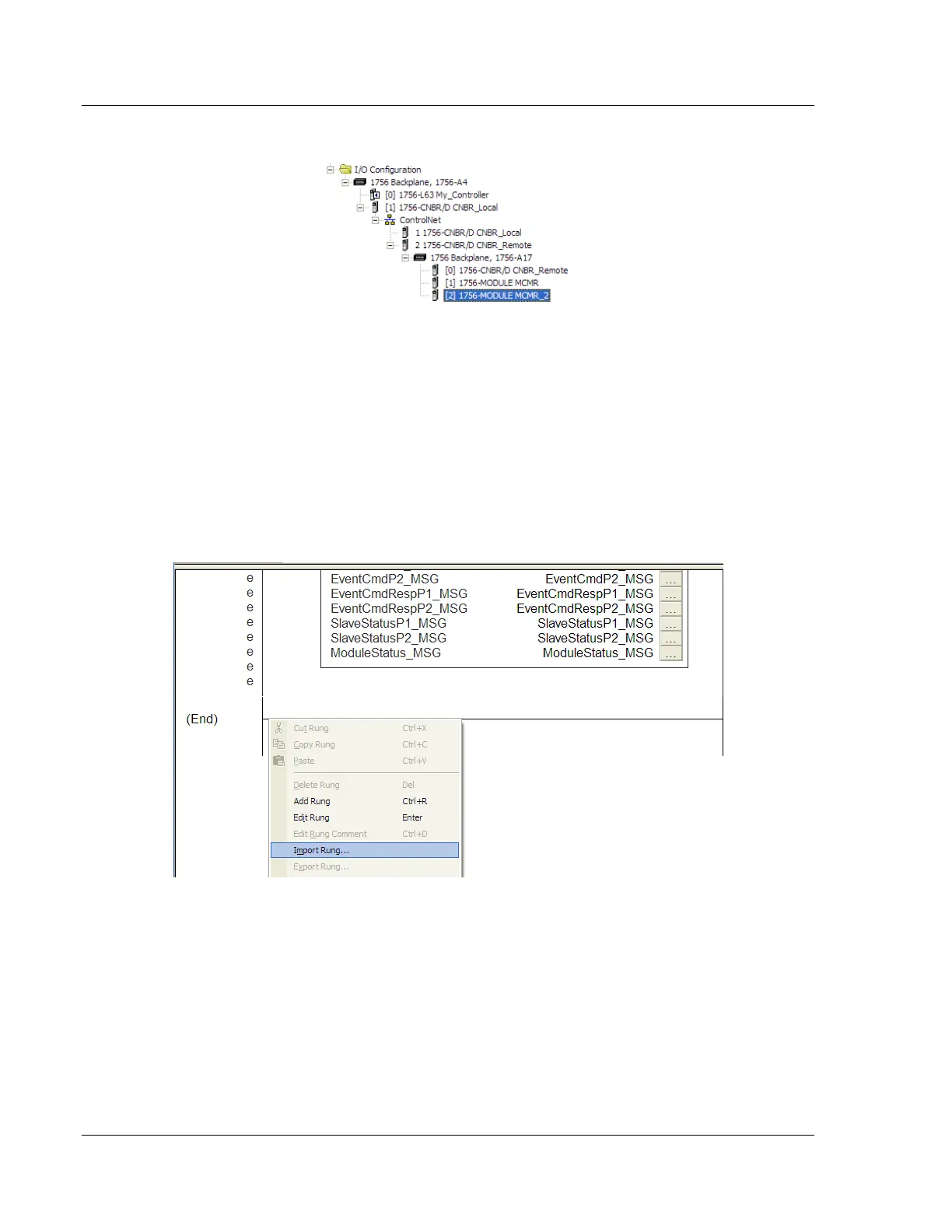
4 Click OK to confirm. The new module is now visible:
5 Expand the TASKS folder, and then expand the MAINTASK folder.
6 On the MAINPROGRAM folder, click the right mouse button to open a shortcut
menu. On the shortcut menu, choose NEW ROUTINE. As an alternative to
creating a separate New Routine, you could skip to Step 8 and import the
AOI for the second module into the same routine you created for the first
module.
7 In the NEW ROUTINE dialog box, enter the name and description of your
routine, and then click OK.
8 Select an empty rung in the new routine or an existing routine, and then click
the right mouse button to open a shortcut menu. On the shortcut menu,
choose IMPORT RUNG…



 To Next Page