RDM0001/3_2 Page 33 of 70 © 2015 - 2017 Protec Fire Detection plc
13.3 Device Detail
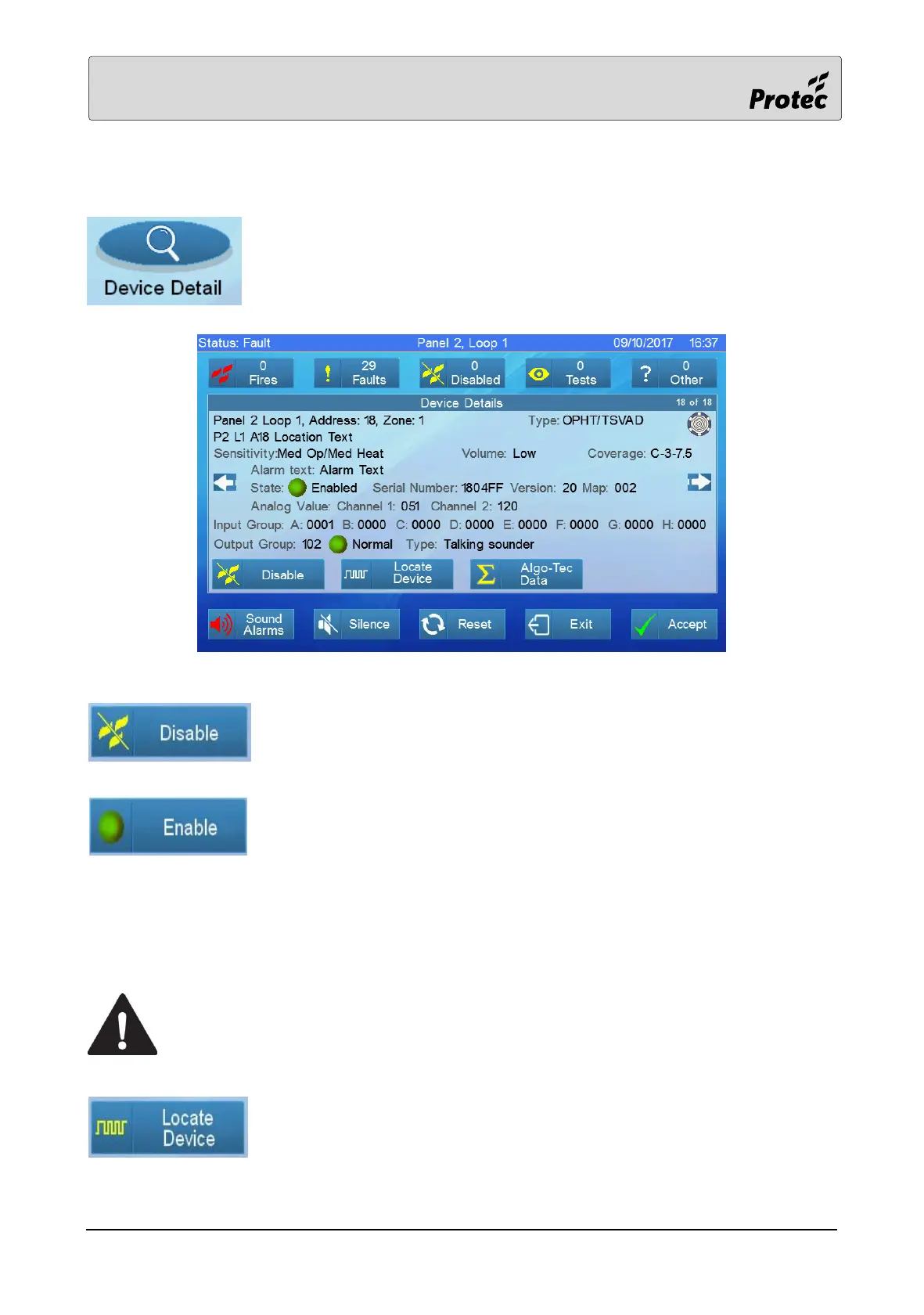
Touching Device Detail displays the list of panels on the system. Select a Panel
(section 12.4), Loop Card (section 12.5), Loop (section 12.6) and a Device
(section 12.7).
Touch Disable to disable the device
If the device is already disabled, touch Enable to cancel the device
disablement
Each device has a serial number. This serial number is associated with an address number by the
panel. In order to assist with the location of devices, it is possible to force a device to flash its address
details. This process is known as Remote Visual Address Verification (RVAV).
Putting a device in RVAV mode prevents it from detecting a fire event. A multiple
address device such as a 16 way board loses the ability to detect a fire event from all
its 16 addresses.
Touch Locate device to instruct the device to flash its address using its LED



 To Next Page