RDM0001/3_2 Page 43 of 70 © 2015 - 2017 Protec Fire Detection plc
13.12 Device Disablement
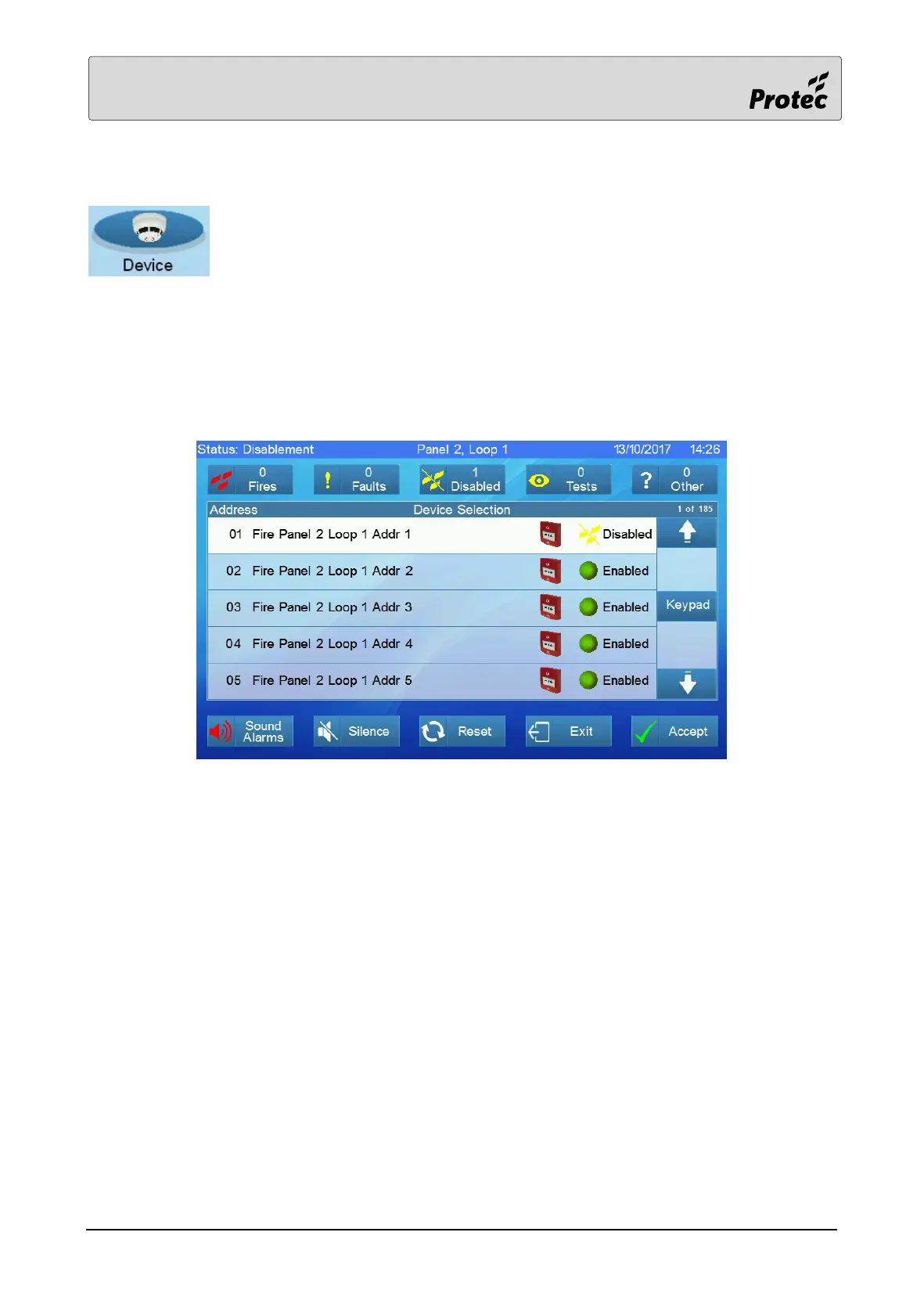
Touching Device displays the list of panels on the system. Select a Panel (section
12.4), Loop Card (section 12.5) and a Loop (section 12.6). A list of devices on the
loop will be presented.
Touch a device address to disable its input, touch it again to normalise it (cancel the disablement).
Disabling a device without an input e.g. a sounder, is possible but does not prevent the sounder from
activating.



 To Next Page