Configuration
165
‘Results resolution’ is used to set the results resolution at either ‘Normal’ or
‘High’.
Alignment results and units used Result resolution normal Result resolution high
Coupling results ( mm / mrad ) 2 decimal places x.xx mm 3 decimal places ( 1 µm res. )
x. xxx mm
Foot results ( mm ) 2 decimal places x.xx mm 2 decimal places x.xx mm
Coupling results
( mils / mils per inch )
1 decimal place 1 decimal place
Foot results
( mils )
1 decimal place rounded off to
1/2 mil ( 0.5 mil, 1 mil, 1.5 mils )
1 decimal place xxx.x
8.2.4 Licence manager
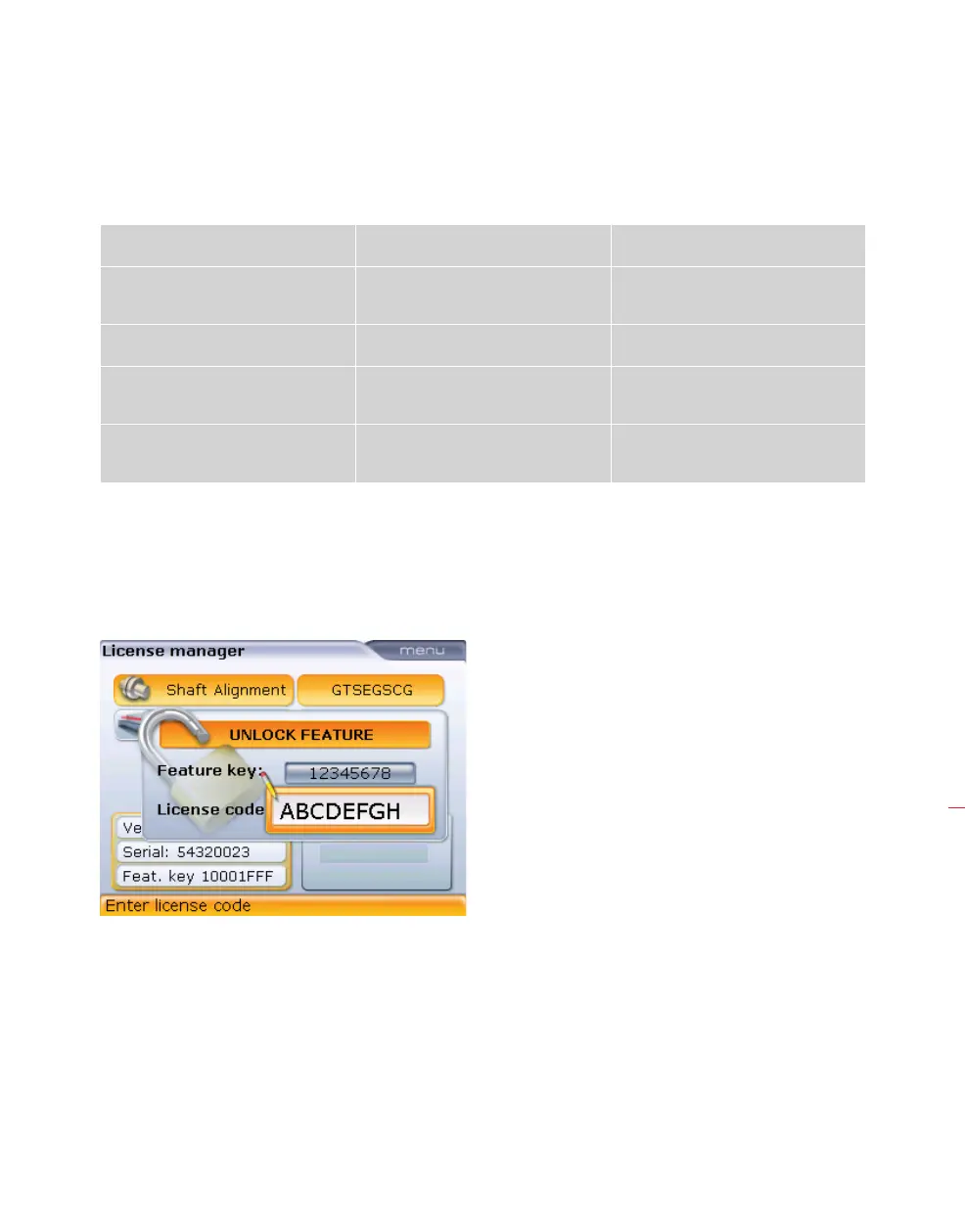
This option is used to licence all possible system applications. The “Licence manager”
screen is opened by highlighting the ‘Licence manager’ icon using the navigation keys
then confirming selection by pressing
e.
Use the data entry keys to enter the application licence code. Press
e to activate
the application.
Use the navigation keys to
highlight the ‘Feature key’
and ‘Licence code’ boxes.
Enter the received key and
code values using the data
entry keys.



 To Next Page