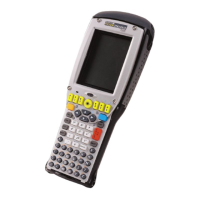
Psion Teklogix 7530 Hand-Held Computer User Manual79
CONFIGURATION 5
5
5.1 Remote Desktop Connection ........................83
5.2 Pocket PC Compatibility ..........................83
5.3 The Control Panel ..............................83
5.4 Control Panel Icons .............................84
5.5 Basic Setup .................................88
5.5.1 Display Properties ..........................88
5.5.1.1 Display Contrast .......................88
5.5.1.2 Display Backlight ......................89
5.5.1.3 Display Appearance .....................91
5.5.2 Keyboard Properties .........................92
5.5.2.1 Key Repeat..........................92
5.5.2.2 Keyboard Backlight .....................93
5.5.2.3 Keyboard One Shot Modes .................94
5.5.2.4 Keyboard Macro Keys ....................95
5.5.2.5 Unicode Mapping ......................97
5.5.3 Volume And Sound Properties ....................99
5.5.3.1 Volume Adjustments .....................99
5.5.4 Power Management Properties ................... 100
5.5.4.1 Battery Capacity ...................... 100
5.5.4.2 Power Saving Schemes .................. 101
5.5.4.3 Suspend Threshold..................... 102
5.5.4.4 Charger Details ...................... 103
5.5.5 Stylus Properties .......................... 103
5.5.5.1 Setting Double-Tap Sensitivity .............. 104
5.5.5.2 Touchscreen Calibration .................. 104
5.5.6 Certificate Assignment ....................... 105
5.7 Scanner Properties Setup ......................... 118
5.7.1 Scanner Options .......................... 118
5.7.2 Bar Codes.............................. 121
5.7.2.1 Code 39 Settings...................... 122
5.7.2.2 Code 128 Settings ..................... 124


 To Next Page