Chapter 5: Configuration
Modifying A Community Setting
138
Psion Teklogix 7530 Hand-Held Computer User Manual
5.8.2.2 Modifying A Community Setting
To modify an existing community:
• Highlight the community you want to alter.
• Choose the
Change button.
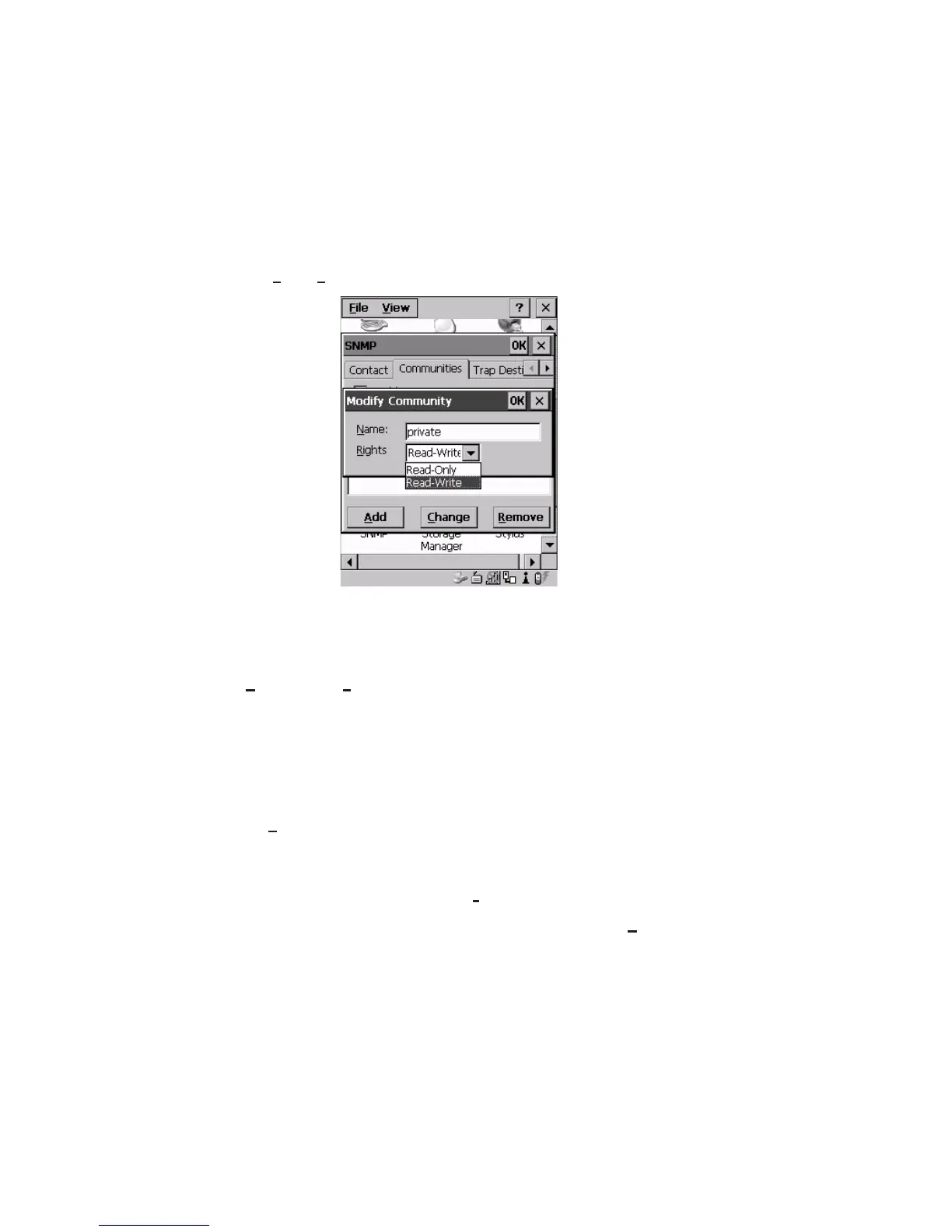
Figure 5.54 Changing Or Removing A Community
A Modify Community dialogue box is displayed, listing the community you highlighted.
• Edit the
Name and/or Rights, and press <ENTER> to save your changes.
5.8.2.3 Removing An Existing Community
To remove an item:
• Highlight the community you want to remove in the
Communities tab and then
choose the
Remove button.
A
Delete Confirmation screen is displayed.
• To remove a community, choose the
Yes button.
• If you decide not to remove the community, choose the
No button.


 To Next Page