Psion Teklogix 7530 Hand-Held Computer User Manual33
Chapter3:Getting To Know Your 7530
Charging The Battery
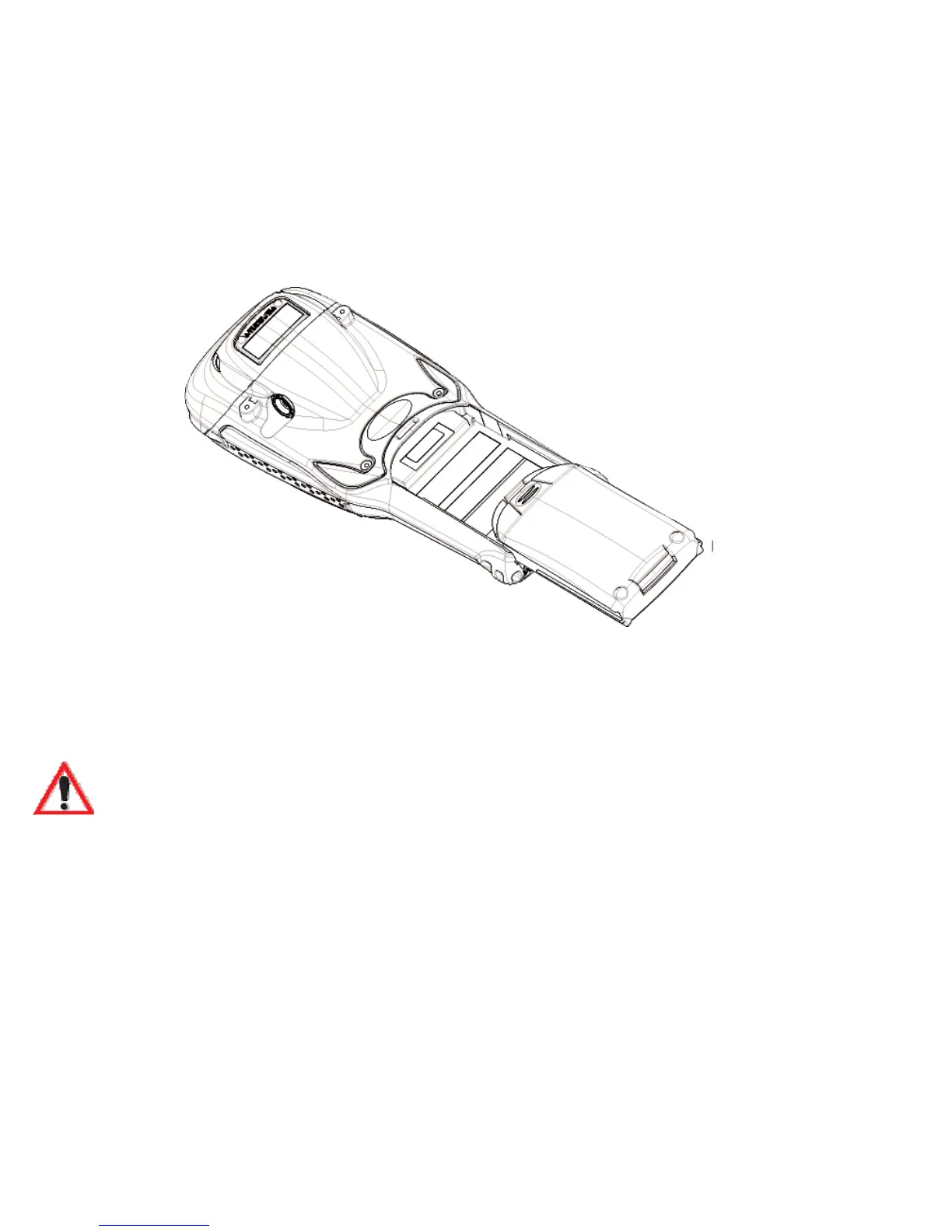
Installing The Battery Pack
To install the battery pack:
• Slide the battery pack with the contoured plastic facing you into the 7530.
Click the battery into place.
Figure 3.3 Installing The Battery Pack
• If your computer is equipped with a hand strap, insert the hook at the end of
the hand strap into the slot at the base of the battery.
3.2.3 Charging The Battery
Important: FOR DETAILED INFORMATION about 7535 chargers and
docking stations, refer to Chapter 7: Peripheral Devices & Acces-
sories beginning on page 249. For battery safety, refer to “Lith-
ium-Ion Battery Safety Precautions” beginning on page 252.
All batteries must be charged before use. The 7530 battery can be charged with a
variety of chargers. These include:
• 6-Gang Charger (Model #HU3006) – charges up to six Lithium-Ion batter-
ies at one time.
• Portable Docking Module (Model #HU4001 or HU1005 and HU3220 or
HU3220) – charges the 7530 battery (with the battery installed in the unit).
• Combo Charger (Model #HU3002) – a desktop charger that charges the
7535 internal battery along with a spare battery pack.



 To Next Page