Chapter 2: Basic Checkout
Powering Up The 7530 And Configuring The Radio
16
Psion Teklogix 7530 Hand-Held Computer User Manual
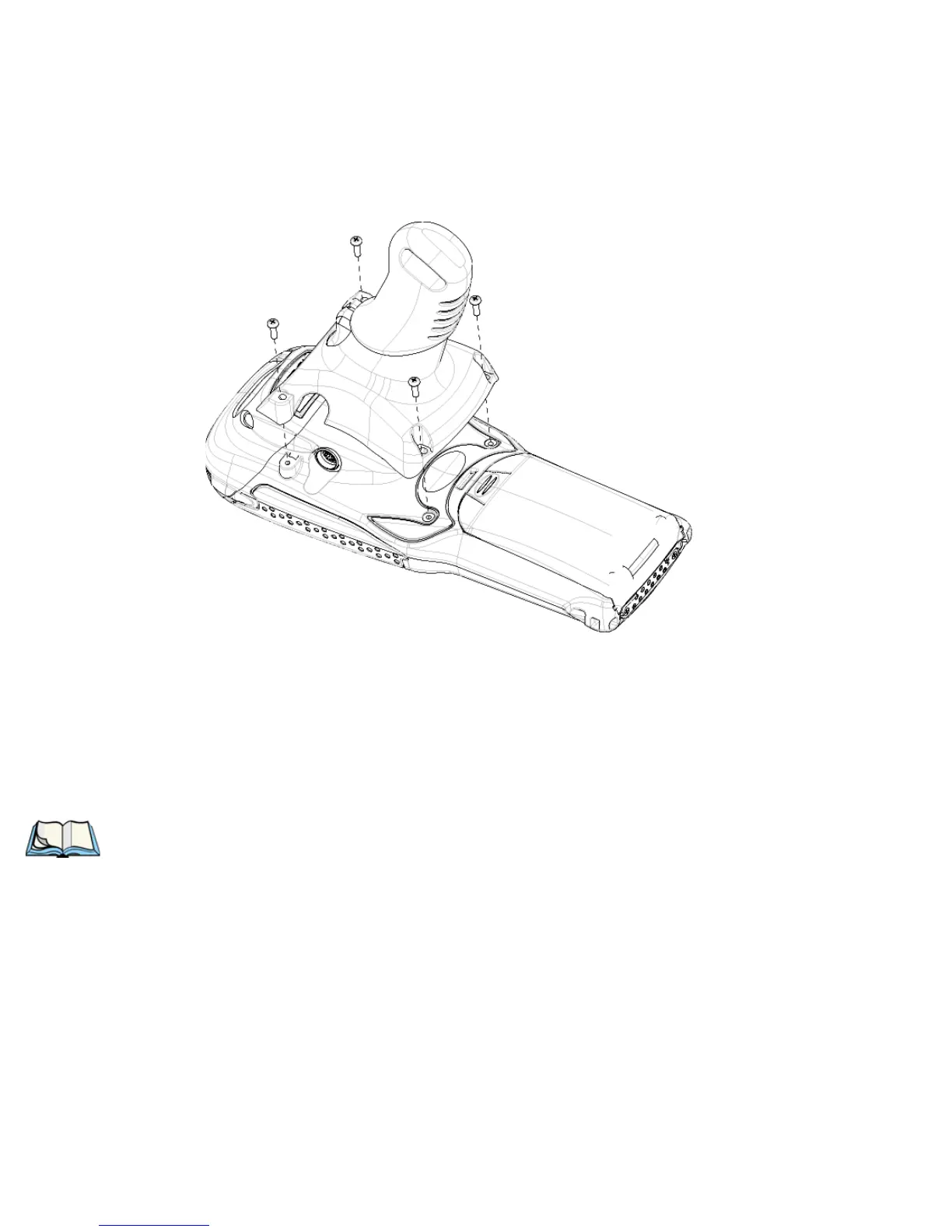
• Position the pistol grip so that it fits snugly over the back of the unit and
the inserts on the back of the 7530 align with the holes in the pistol grip.
Figure 2.3 Attaching The Pistol Grip
• Using a Phillips screwdriver, securely fasten the pistol grip to the back of
the 7530.
2.2 Powering Up The 7530 And Configuring The Radio
Note: Psion Teklogix offers a Portable Docking Module (PDM) along with its
power supply to help speed the checkout and confirmation process for
your 7530. The PDM can power your hand-held with or without a battery
installed in the 7530. Refer to Chapter 7: Peripheral Devices & Accesso-
ries beginning on page 249 for more information about this accessory.



 To Next Page