Psion Teklogix 7535 Hand-Held Computer User Manual 241
Chapter 6: Tekterm Application
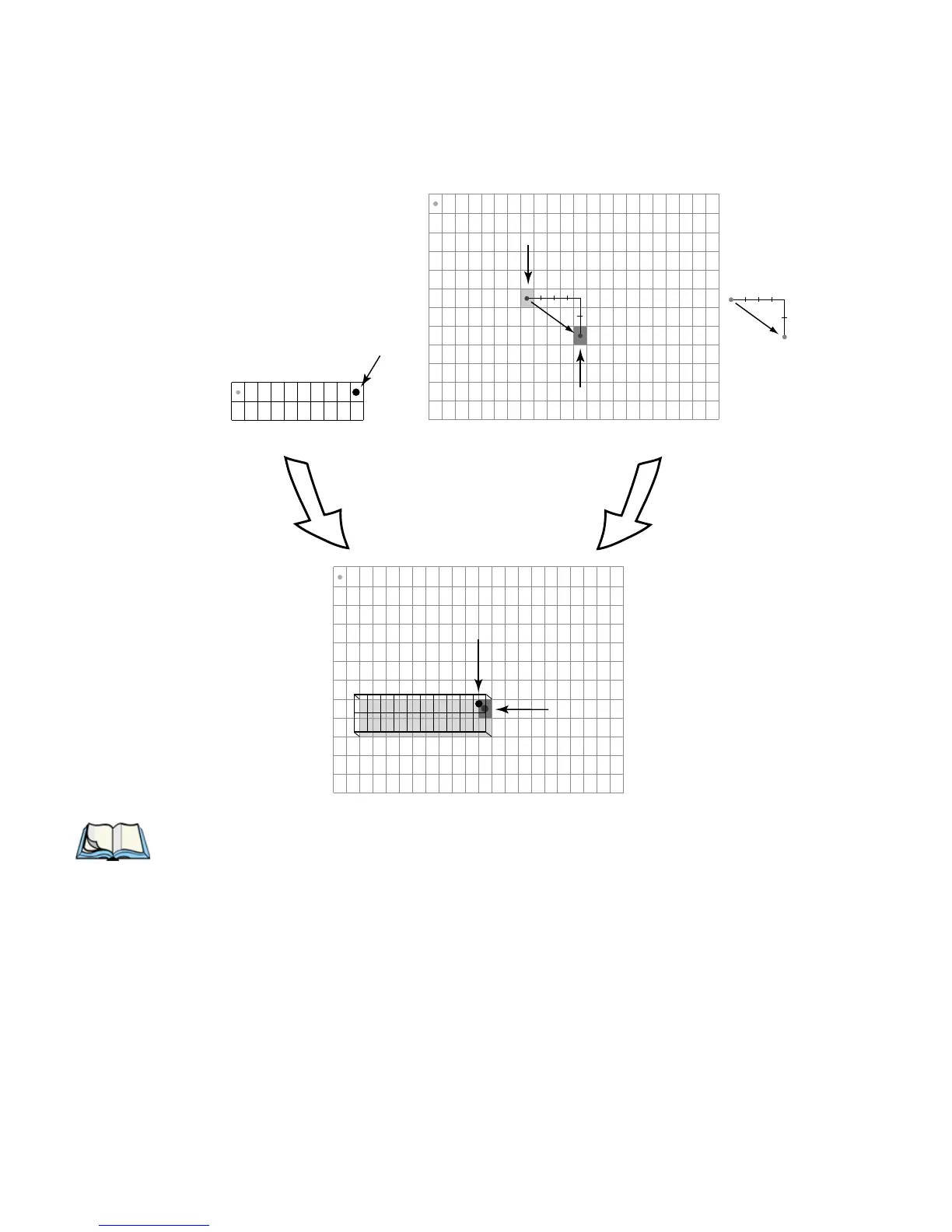
Scan-See Sub-Menu – Mapping The Viewport
Note: To enter negative values, press the “-” (minus) key and then, type the
number you want to use.
The <LEFT> arrow key can also be used to decrement the value assigned
to the parameter. Each time the <LEFT> arrow is pressed, the number is
decremented by one. For example, to enter a value of “–5”, start from
zero and press the left arrow key five times.
(9,0)
anchor
Scan-See Display
Terminal Display
superimposing
the anchor on the pivot
anchor
pivot
(11,8)
(11,7)
Scan-See Viewport
(2,7)
(11,7)
offset
+4
+2
(4,2)
offset
+4
+2
terminal
cursor
pivot
=
+
offset
(7,5)
terminal cursor
(0,0)
0123456789101112131415161718192021 . . .
(0,0)
0
1
2
3
4
5
6
7
8
9
10
11
. . .
0123456789101112131415161718192021 . . .
0
1
2
3
4
5
6
7
8
9
10
11
. . .
0123456789
0
1
(0,0)



 To Next Page