Chapter 2: Basic Checkout
Attaching The Hand Strap
14
Psion Teklogix 7530 Hand-Held Computer User Manual
Important: Do not use adhesives such as Loctite to secure the screws on the
carrying accessories. These chemicals may damage the plastic
casing.
2.1.3.1 Attaching The Hand Strap
Note: A Phillips head screwdriver is required.
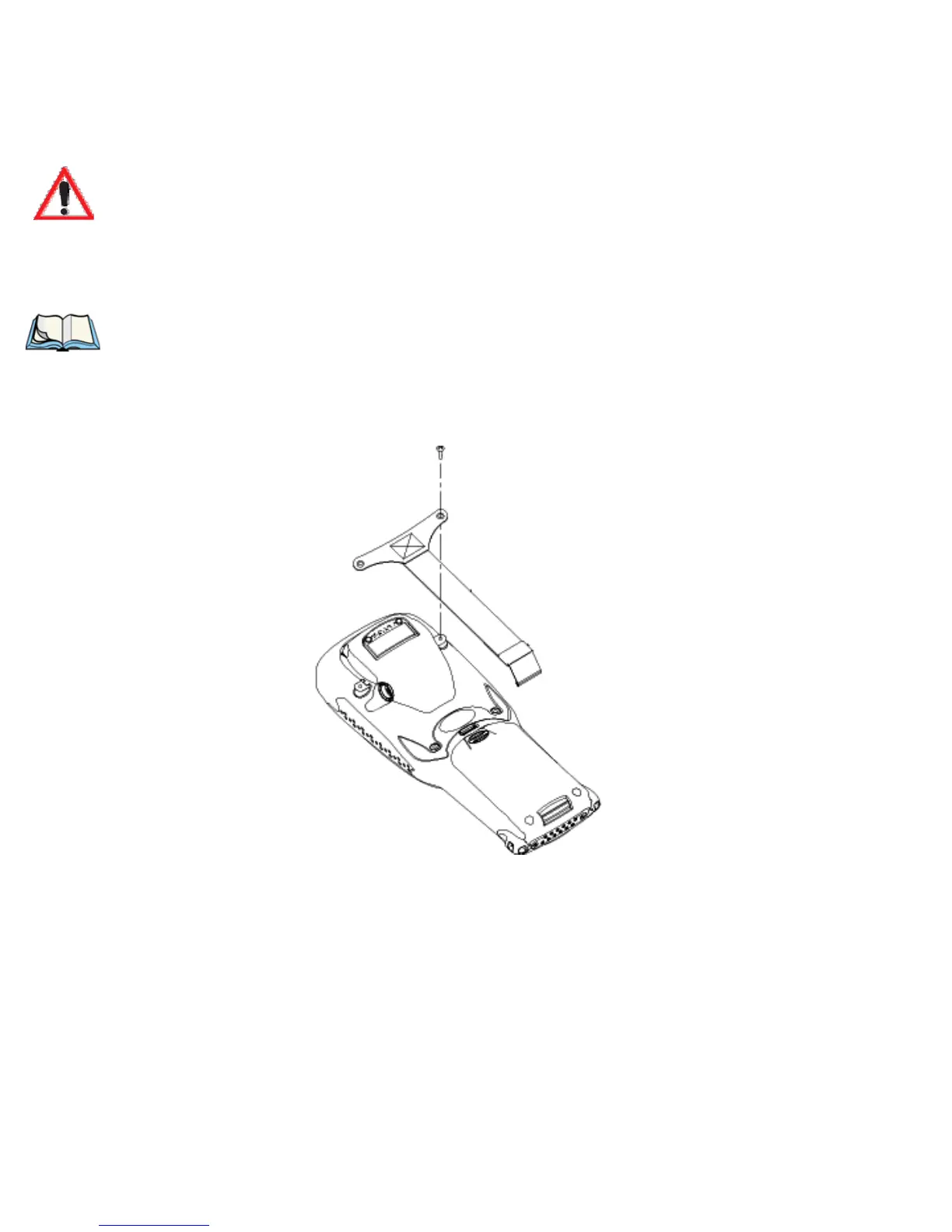
Two Phillips head screws are provided with the hand strap.
• Attach the strap to the two threaded inserts located at the back of the 7535
near the top of the unit.
Figure 2.1 Attaching The Hand Strap



 To Next Page