Page 36
3) While holding down the Enter key, press the power button to turn on,
and release when the screen lights up. The screen will flash in half
second interval to indicate “Bootloader Mode
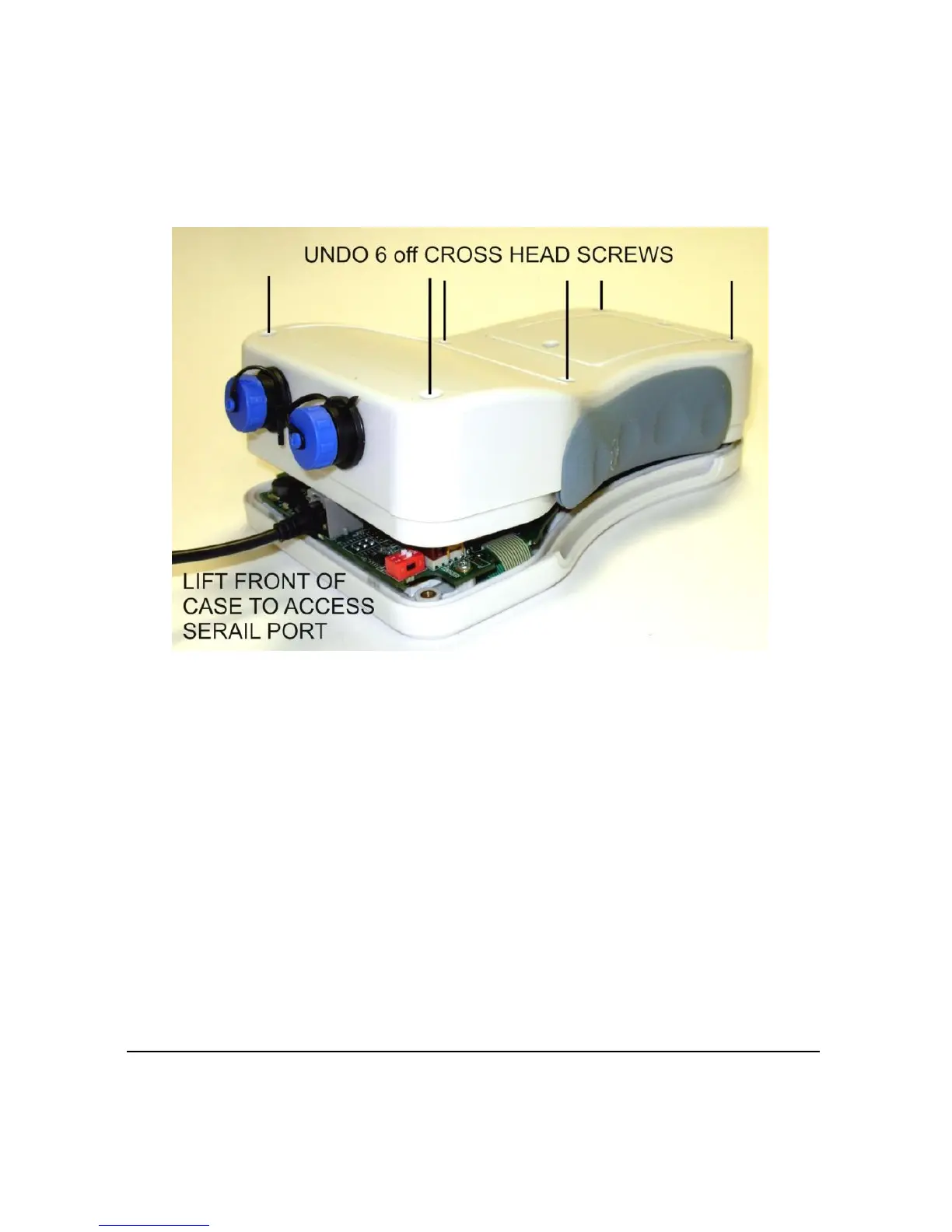
4) Remove the 6 screws from the back using a number 1 Phillips
screwdriver, taking care to avoid damaging the attached rubber washers
5) Lift the back slightly – avoid sudden force as critical cables are
connected between the front and back plates
6) Connect the serial to USB cable to the RJ11 socket located on the top
end of the internal Flow Pulse Handheld and the USB socket on
the computer
7) Identify the Com Port number for the USB to serial converter that is
connected from the Flow Pulse Handheld to the computer



 To Next Page