Page 46 of 76 Interface
2.5.8 Rated Withstand Voltage (Vf)
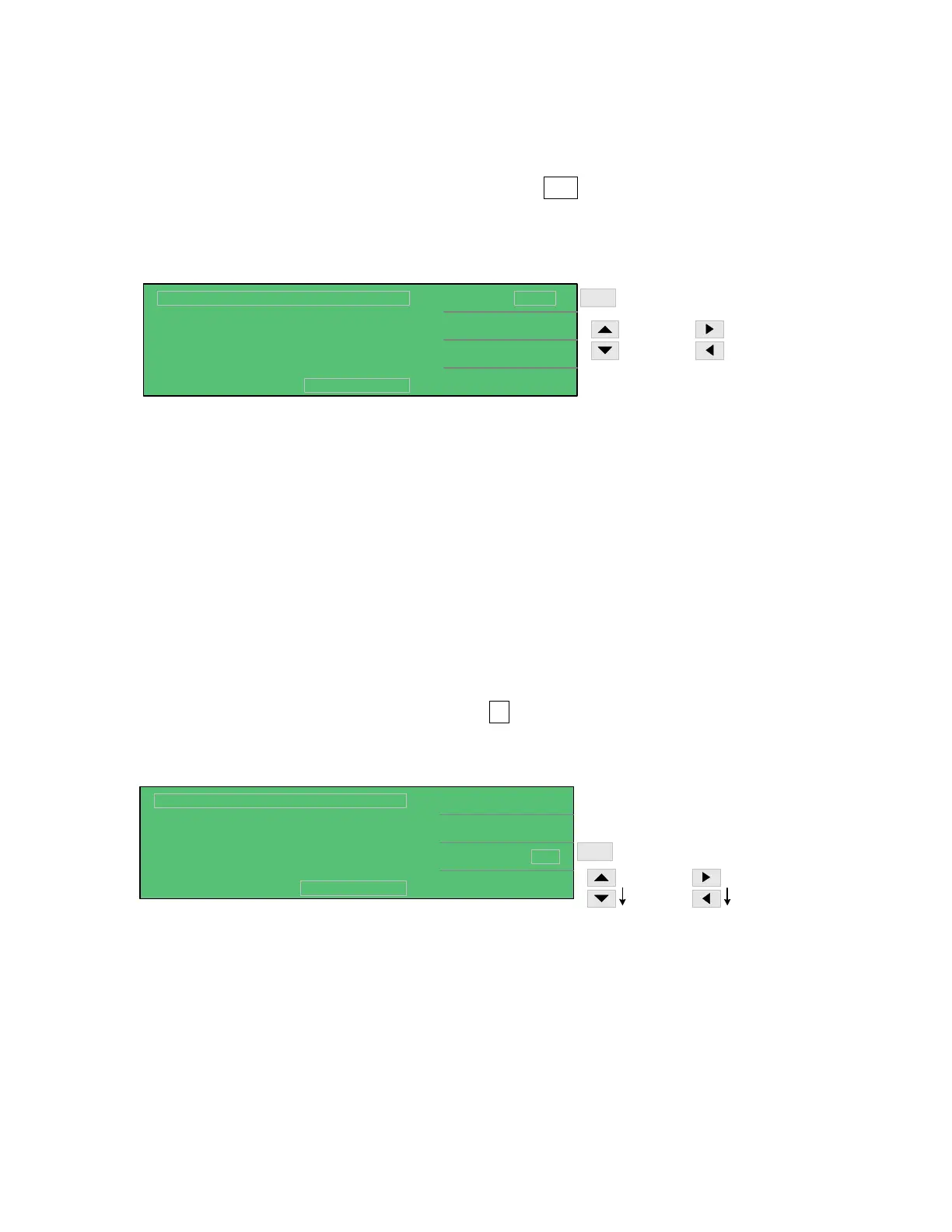
In the W.V. Test only, the rated withstand voltage (Vf) can be programmed from 1.00V to
650V. In MEAS DISPLAY press [F1] = Vf so that the 1.00 V box is highlighted. Use the up
arrow or down arrow keys to in/decrease the voltage in multi-V increments. The left and right
arrows will increase/decrease the voltage in 1V increments. The instrument default setting is
1.00V.
F1
1.0, 6.3 - 630V
630V - 6.3V
630V - 650V
6.3 - 1.0V
Select Vf
50.0 V
CHG Tend
Tr :
< MEAS DISPLAY: W.V. TEST >
S
Vf
C.C
:
:
DISCHARGECHARGE TEST
Vm = 0.0V
Tend :
:
Vt : V
0.15
58.00
58.0V / 30.15S
2.0 mA
Tr+ 30 s
5 s
UP arrow [⇑] key: 6.3 → 10.0 → 16.0 → 25.0 → 35.0 → 50.0 → 63.0 → 100.0 → 160.0 →
200.0 → 250.0 → 350.0 → 400.0 → 450.0 → 500.0 → 550.0 → 600.0 → 630.0.
DOWN arrow [⇓] key: 630.0 → 600.0 → 550.0 → 500.0 → 450.0 → 400.0 → 350.0 → 250.0
→ 200.0 → 160.0 → 100.0 → 63.0 → 50.0 → 35.0 → 25.0 → 16.0 → 10.0 → 6.3.
RIGHT arrow [⇒] key: increase voltage in 1V increments.
LEFT arrow [⇐] key: decrease voltage in 1V increments.
2.5.9 Measurement Time (Tend)
In the W.V. Test only, the measurement time can be programmed from 30 to 600seconds. In
MEAS DISPLAY press [F3] = Tend so that the 30 s box is highlighted. Use the up or down
arrow keys to in/decrease the measure time by 10 second increments. The left and right arrows
will increase/decrease the time in 1second increments. The instrument default setting is 30s.
F3
530 - 600s
by base-1
30 - 530s
by base-10
Select Tend
50.0 V
CHG Tend
Tr :
< MEAS DISPLAY: W.V. TEST >
S
Vf
C.C
:
:
DISCHARGECHARGE TEST
Vm = 0.0V
Tend :
:
Vt : V
0.15
58.00
58.0V / 30.15S
2.0 mA
30
5 s
Tr+ s
UP arrow [⇑] key: 30 → 40 → 50 → 60 → 70 → 80 → 90 → 100 → 200 → 300 → 400 → 500
→ 600.
RIGHT arrow [⇒] key: increase measurement time in 1 second increments.
DOWN arrow [⇓] key: 600 → 500 → 400 → 300 → 200 → 100 → 90 → 80 → 70 → 60 → 50
→ 40 → 30.
LEFT arrow [⇐] key: decrease measurement time in 1 second increments.



 To Next Page