User Interfaces SFC6400A/SFC1450A Synthesized Frequency Upconverter
4-20 TM106 – Rev. 1.1
4.3 Examples: Changing Parameters from the Front Panel
4.3.1 Changing Frequency: Numeric Keypad
Note: For this example, it is assumed that the Frequency is currently set to 4 GHz.
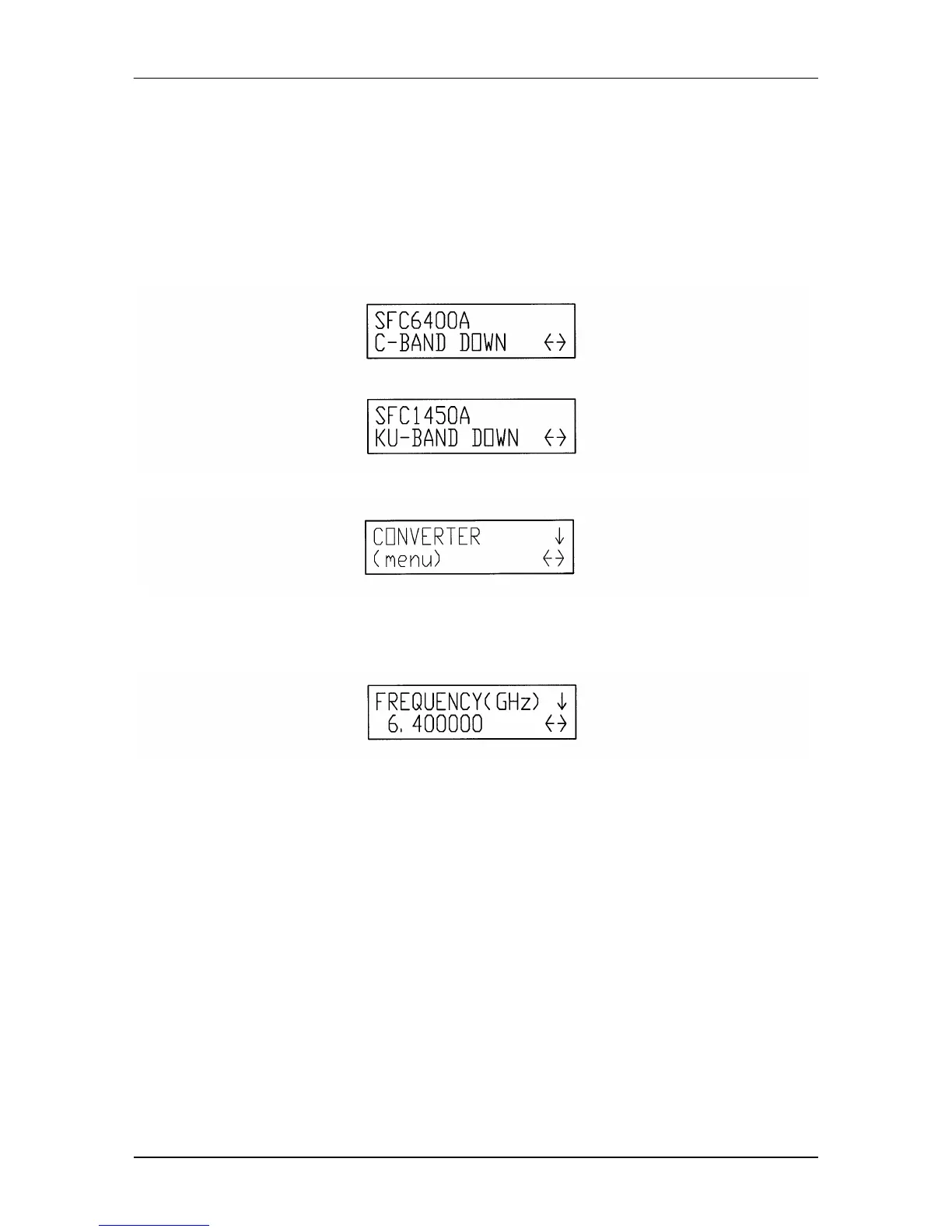
1. Upon powering up, the Initializing Screen can be seen on the Front Panel LCD Display for
several seconds. This screen indicates the current revision of firmware. Next displayed is
one of the following Boot Up Screens.
2. Press and release the Right Arrow Key once. The CONVERTER Menu is displayed.
3. Press and release the Left Arrow Key six (6) times. Notice that the Menu field "wraps"
around and ends up at the CONVERTER screen again.
4. Press and release the Down Arrow Key. The FREQUENCY (GHz) Screen is displayed.
5. Press and release <ENTER> once. The cursor appears at the lower left corner of the LCD
Display.
6. Press and release the Right Arrow Key until the cursor is at the digit to the right of the
decimal point. Press and release <2> on the numeric Keypad. The “2” digit now appears
at that position and the cursor moves one location to the right.
7. Press and release <ENTER> once. The cursor is no longer visible, and the frequency field
now displays "6.400000".
4.3.2 Changing Frequency: Up/Down Arrow Keys
1. Upon powering up, the Boot-Up Screen is shown in the LCD display.
2. Press and release the Right Arrow Key once. The CONVERTER Menu is displayed.
3. Press and release the Down Arrow Key. The FREQUENCY (GHz) Screen is displayed.



 To Next Page