RaiseTouch User Manual Date:03/03/2020
- 36 / 80 -
www.raise3d.com
(1) Secure Settings using Secure Password
When enabled, you will need to input your secure password when editing the settings under Privacy
and Security, including reset settings and temperature limit settings.
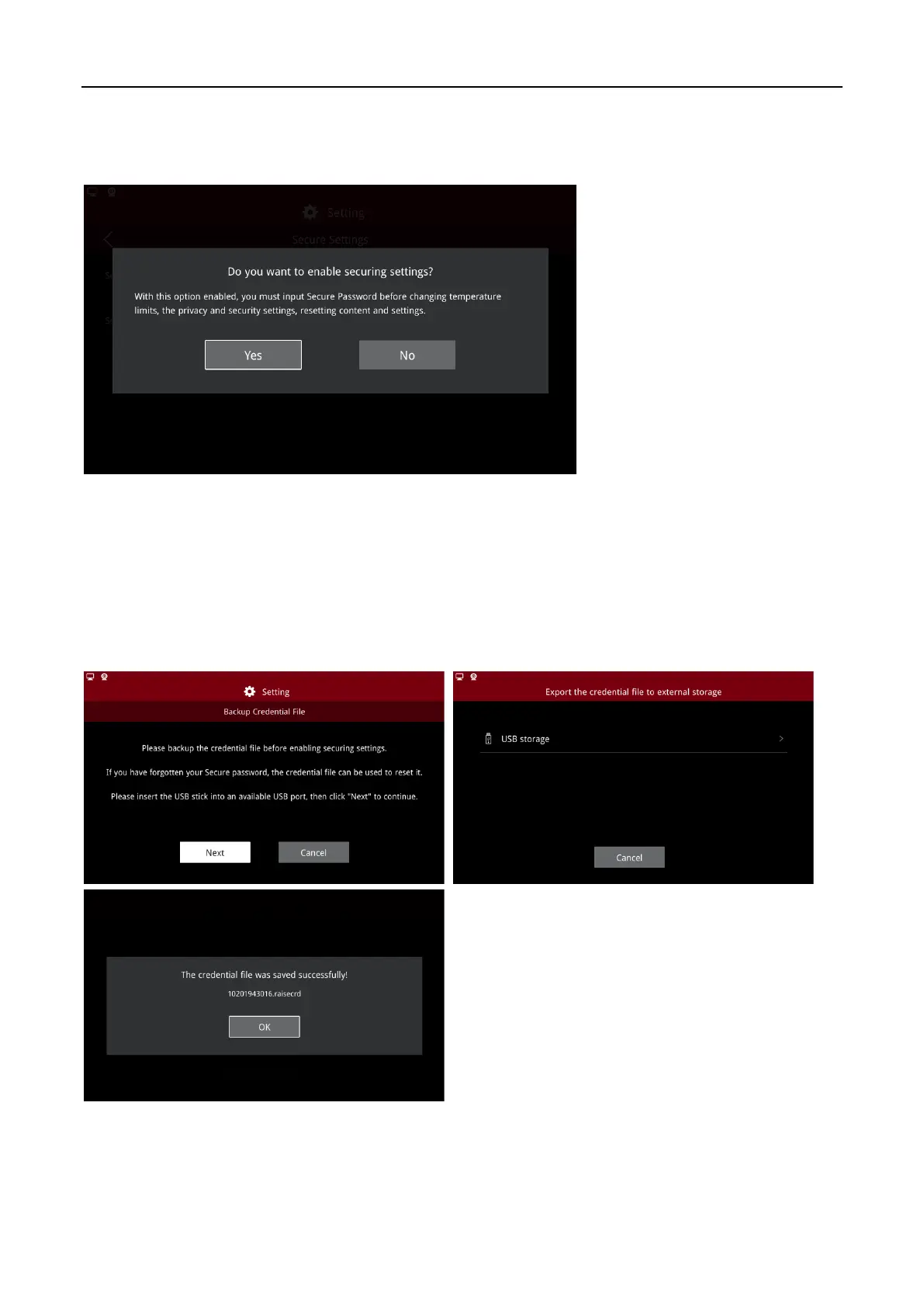
Enable Secure Settings
When enabling the SSH server for the first time, the secure password is a random number which can
be set.
When the SSH server has been previously enabled, the current security password defaults to the SSH
password.
In case you forget your secure password after enabling “Secure Settings”, the credential file will be
backed up automatically.
Export the Credential Files



 To Next Page