RaiseTouch User Manual Date:03/03/2020
- 76 / 80 -
www.raise3d.com
(3) Bed Leveling
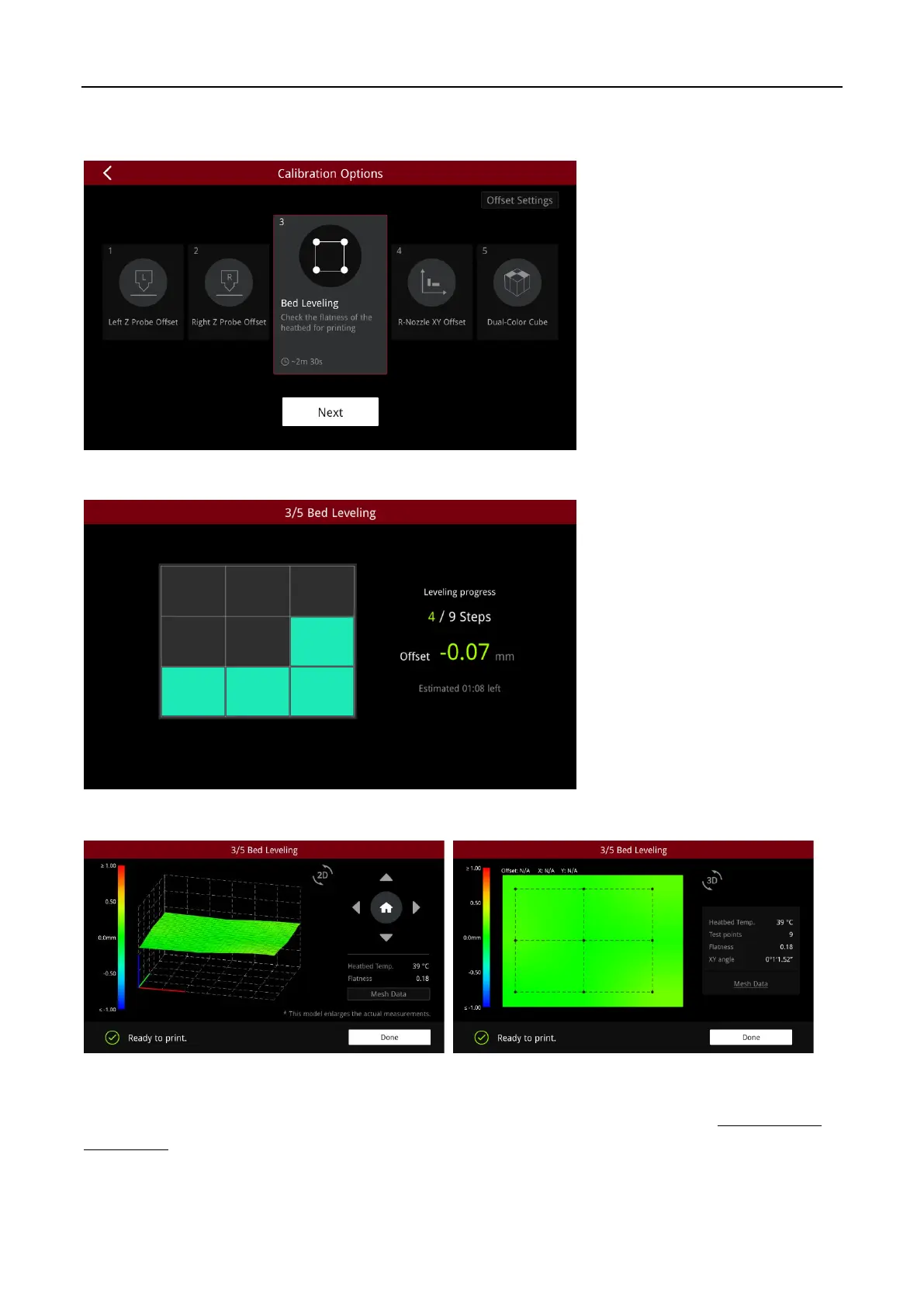
Click “Next” and start the “Bed Leveling”.
The leveling process takes about 3 minutes, please be patient.
The leveling result page is displayed as a 3D graph, you can click the “2D” button to switch.
Note:
When the prompt text “Ready to print” displays on the screen, it means the heatbed flatness is
good enough to printed directly. (You can manually level the bed according to the file
How to Level
the Bed.pdf
)



 To Next Page