RaiseTouch User Manual Date:03/03/2020
- 78 / 80 -
www.raise3d.com
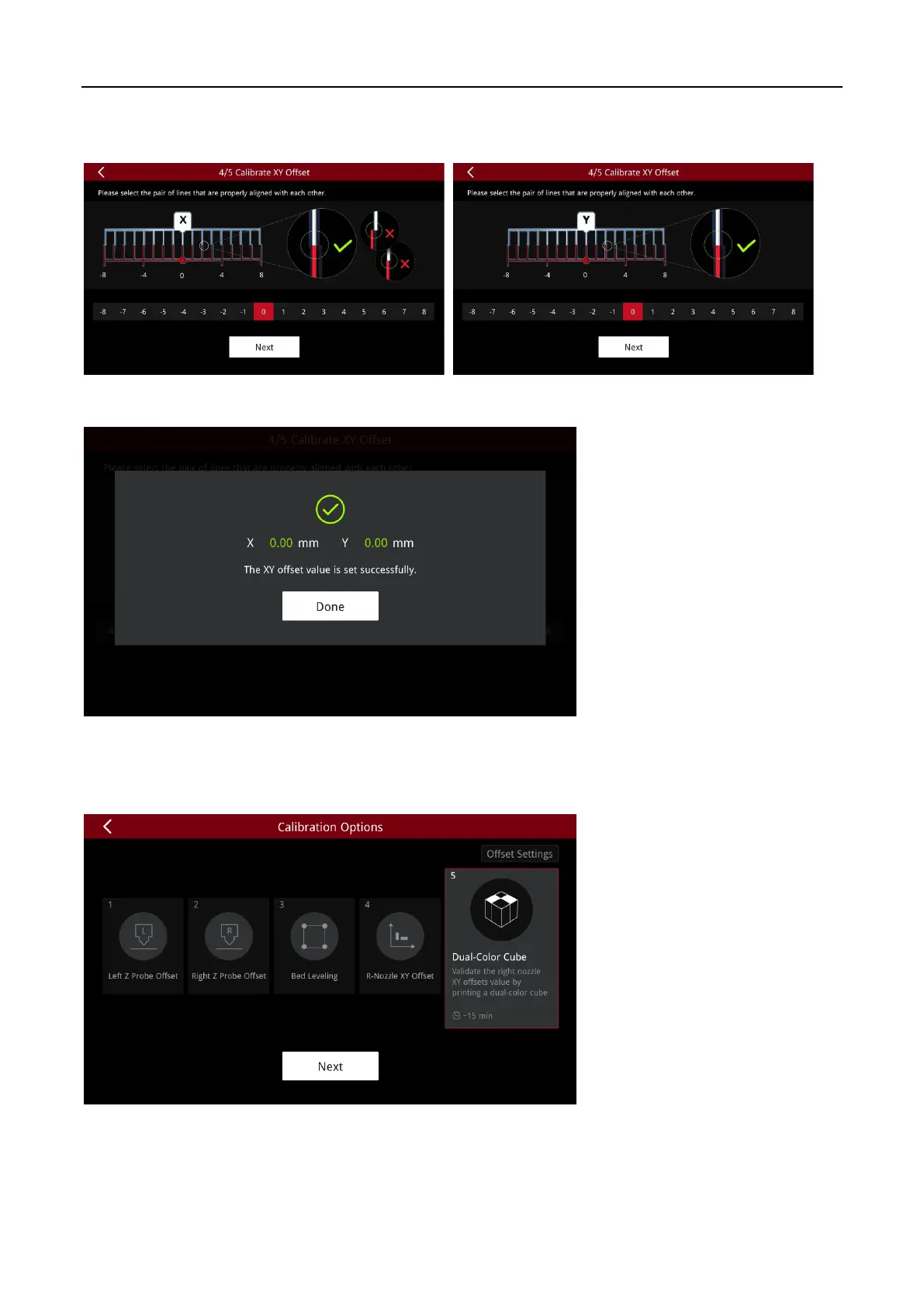
After printing, follow the instructions of the wizard to select a pair of top and bottom aligned lines.
Then Click “Next”.
The results are shown in the figure below:
(5) Dual-Color-Cube
The fifth step is to print a Dual-Color-Cube to verify that if the XY offset of the right nozzle is
measured correctly. Click “Next” to start.



 To Next Page