25
WARNING: This manual DOES NOT replace an adequate diving training !
Watch Mode
- Battery indicator (bottom)
The iDive Color shows the % of battery left in the bottom part of the display.
Green color (100%->50%): Everything is ok
Yellow color (50%->20%): Alert (do not make extremely demanding
dives or in cold or freezing waters)
Red color (<20%): Battery almost dead, recharge as soon as possible.
ATTENTION: It is suggested to not dive if the computer shows <30% of battery.
Do not dive if the computer shows <20% battery.
- Time and date(center)
Is possible to set the format of time and date from the DATE and TIME menu
The RATIO iDive Color can show 2 different time zones..
You can set UTC1 (main) and UTC2 (second time) from the DATE and TIME menu
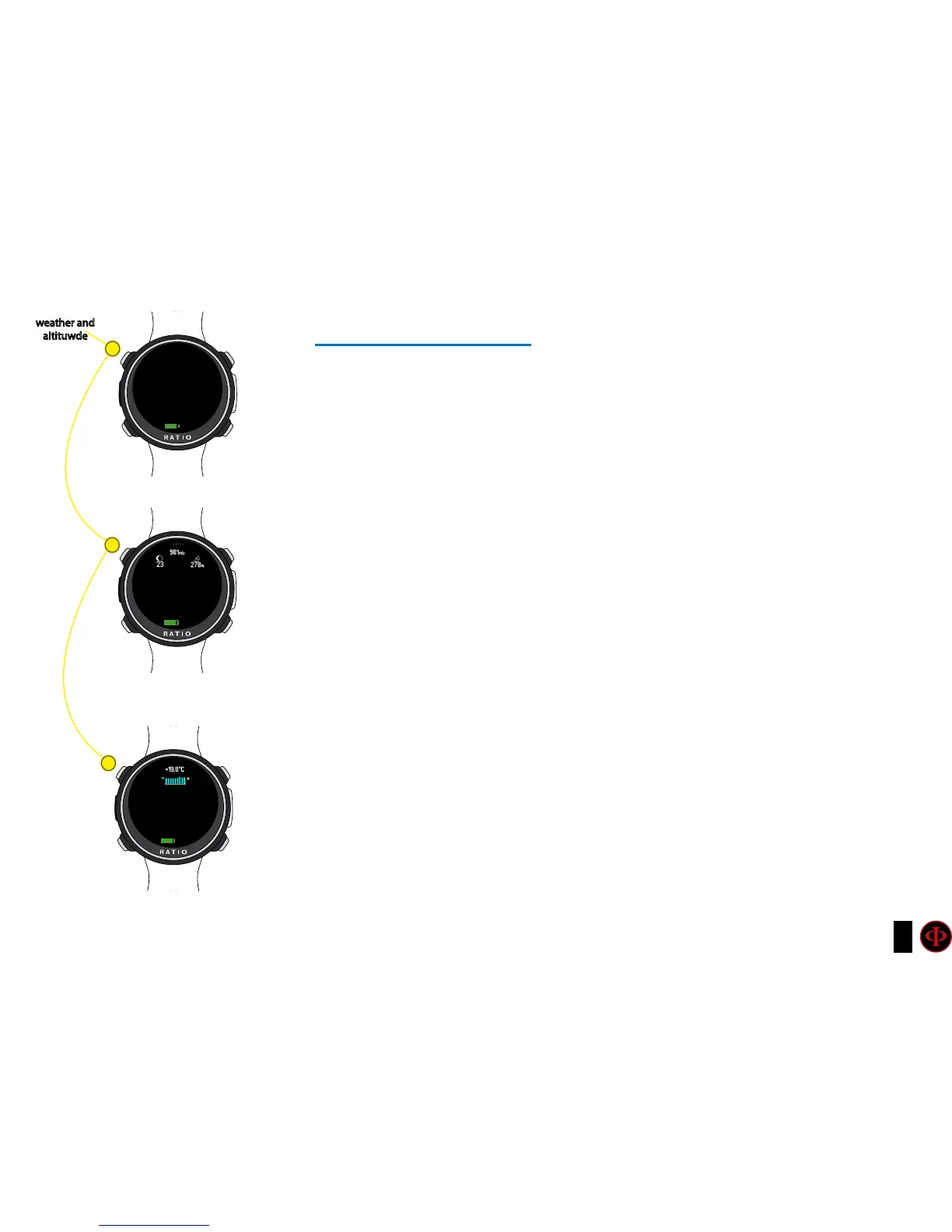
Weather information
Pressing A button the iDive Color shows in the upper part of the display:
- Moon phase of today (left)
- Atmospheric pressure in mbar (center)
- Altitude
Press again A button to diplay
- Temperature (upper-center)
- Weather forecast (bottom-center)
weather and
altituwde
A
A
A
12:30
05/12/2018 WE
95%
95%
95%
12:30
12:30
05/12/2018 WE
05/12/2018 WE



 To Next Page