41
WARNING: This manual DOES NOT replace an adequate diving training !
MIX Table
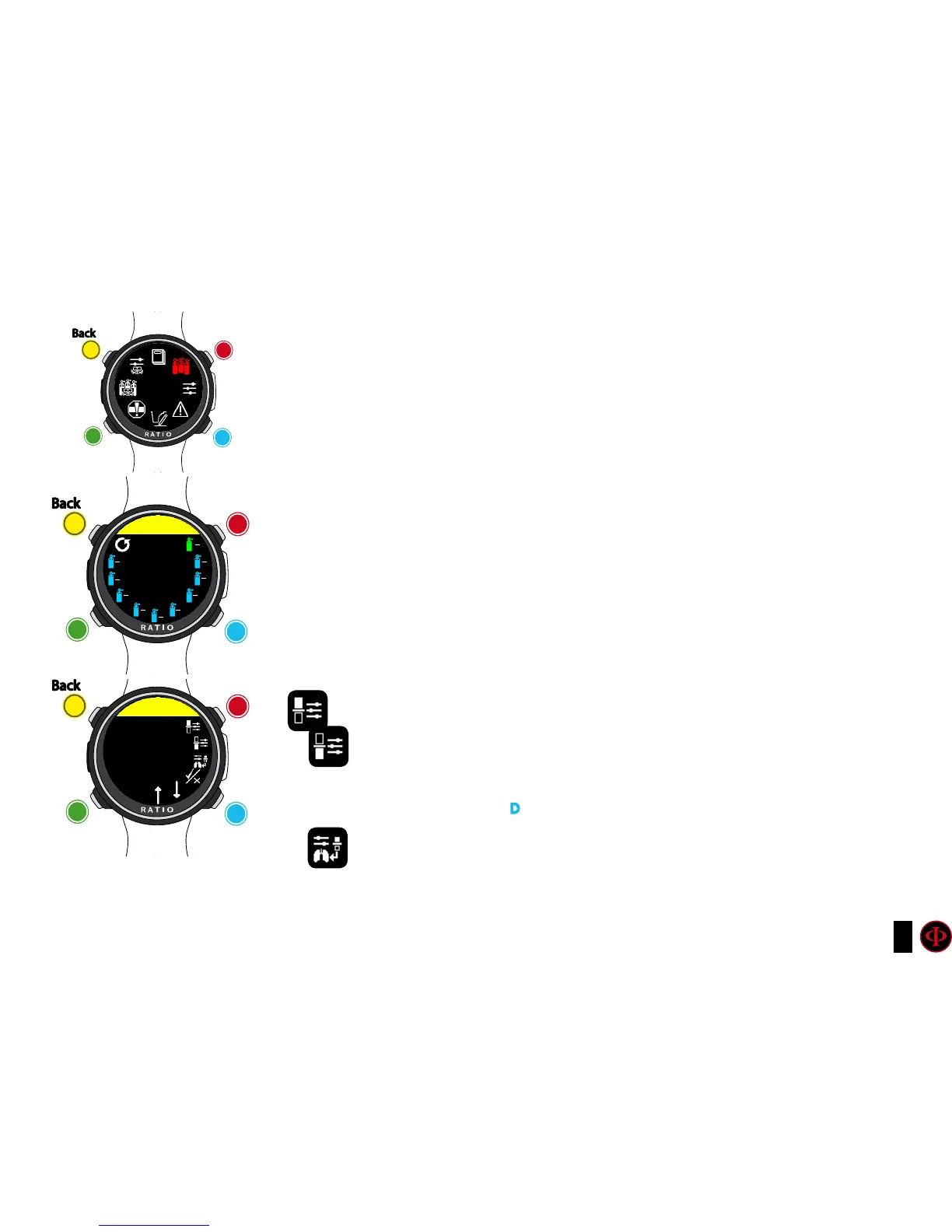
To navigate the menu follow the instructions in the picture on the left.
According to your iDive Color model you can set:
iDive Color Easy: up to 2 mixes Oxygen % from 21% to 99%
iDive Color Deep: up to 3 mixes
Mix 1: %O
2
from 18% to 99% %He from 0% to 50%
Mix 2-3: %O
2
from 18% to 99%
iDive Color Tech+: up to 10 mixes (%O
2
from 05% to 99%; %He from 0% to 95%)
WARNING: Diving with Enriched air mixes or with Trimix requires a specific
training. Diving with EAN or Trimix without a suitable training or without the
due cautions is dangerous! If you have not received the specific training do not
change the MIX settings and do not dive with EAN or Trimix!
Set mixes are considered in the decompression calculations. Do not set mixes
that are different from the mixes that you will use in your dive!
O2%: It Indicates the Oxygen % contained inside the mix.
HE%: It Indicates the Helium % contained inside the mix.
ATTENTION: The mix cannot be higher than 100%
(e.g. if He% is 0 press D if you set He% at 95% the O2%will be automatically set at 5%)
PpO2: (Partial O2 pressure): It indicates the maximum PPO2 whith which you
intend to use the mix.
clockwise
counter-
clockwise
Enter
Back
b
C
A
D
MIXES
TAbLE
clockwise
or
+
Use B and D to select the setting, use C to enter the
setting you want to change.
(Once you selected the setting with C)
Use B and D to change the value of the setting and press
C to conrm the changes.
counter-
clockwise
or
-
Enter
or
Conrm
Back
b
C
A
D
MIXES
MIX 1
MIX: 21/00
21
00
50
00
99
00
18
45
17
50
15
55
10
50
05
70
10
70
15
70
MOD: 56.4
ENAbLED
clockwise
or
+
counter-
clockwise
or
-
Enter
or
Conrm
Back
b
C
A
D
MIX 1
O2
21



 To Next Page