52
WARNING: This manual DOES NOT replace an adequate diving training !
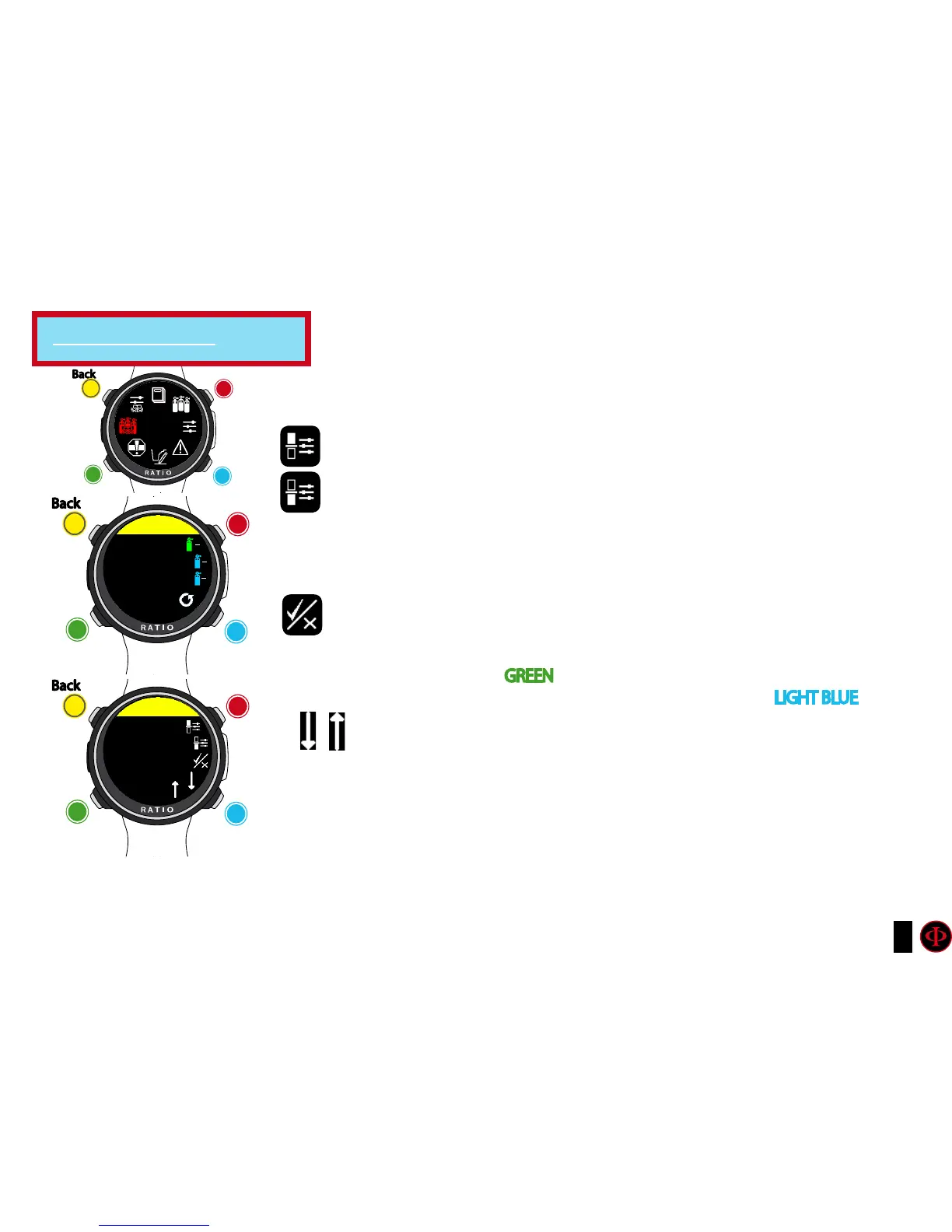
DILS TABLE (Diluents Table)(for iDive Color Tech+ only)
ATTENTION: The diluents are active ONLY if the DIVE SET -> ALGO is BUL/CC
or VPM/CC
ATTENTION: The diluent 1 is always the starting one.
O2%: Indicates the Oxygen % contained inside the mix.
Min. 7% Max. 100%
HE%: Indicates the Helium % contained inside the mix.
Min. 0% Max. 95%
MOD: Indicates maximum depth for the mix you have created.
The MOD is automatically calculated anytime that the O2% or HE%
are modificated
ENABLE / DISABLE: It indicates if the mix has to be used as decompressive
or not. If set on YES the device considers the mix change in the calculation
of decompression at the depth indicated by the MOD (Enabled tanks
are shown in GREEN
If set on NO the Mix table is deactivated (shown in LIGHT BLUE )
GO TO PREVIOUS MIX and GO TO NEXT MIX
Attention: Enable the Rebreather mode (CCR) only for dives with rebreather.
The CCR mode is not suitable for dives in open circuit!
Attention: Diving with Rebreather requires a specific training. Diving with
Rebreather without a suitable training or without the due caution can cause
injuries or death.
Refer to your Rebreather instructor to get instructions on how to
set the correct diluents.
clockwise
counter-
clockwise
Enter
Back
b
C
A
D
DILS
TAbLE
clockwise
or
+
Use B and D to select the setting, use C to enter the
setting you want to change.
(Once you selected the setting with C)
Use B and D to change the value of the setting and press
C to conrm the changes.
counter-
clockwise
or
-
Enter
or
Conrm
Back
b
C
A
D
DILS TAbLE
DIL 1
MIX: 21/00
21
00
15
35
10
50
MOD: 65.9
OFF
clockwise
or
+
counter-
clockwise
or
-
Enter
or
Conrm
Back
b
C
A
D
DIL 1
O2
21
For iDive Tech+ only



 To Next Page