65
WARNING: This manual DOES NOT replace an adequate diving training !
GAUGE Mode
ATTENTION: To use the iDive in GAUGE mode an adequate training is necessary!
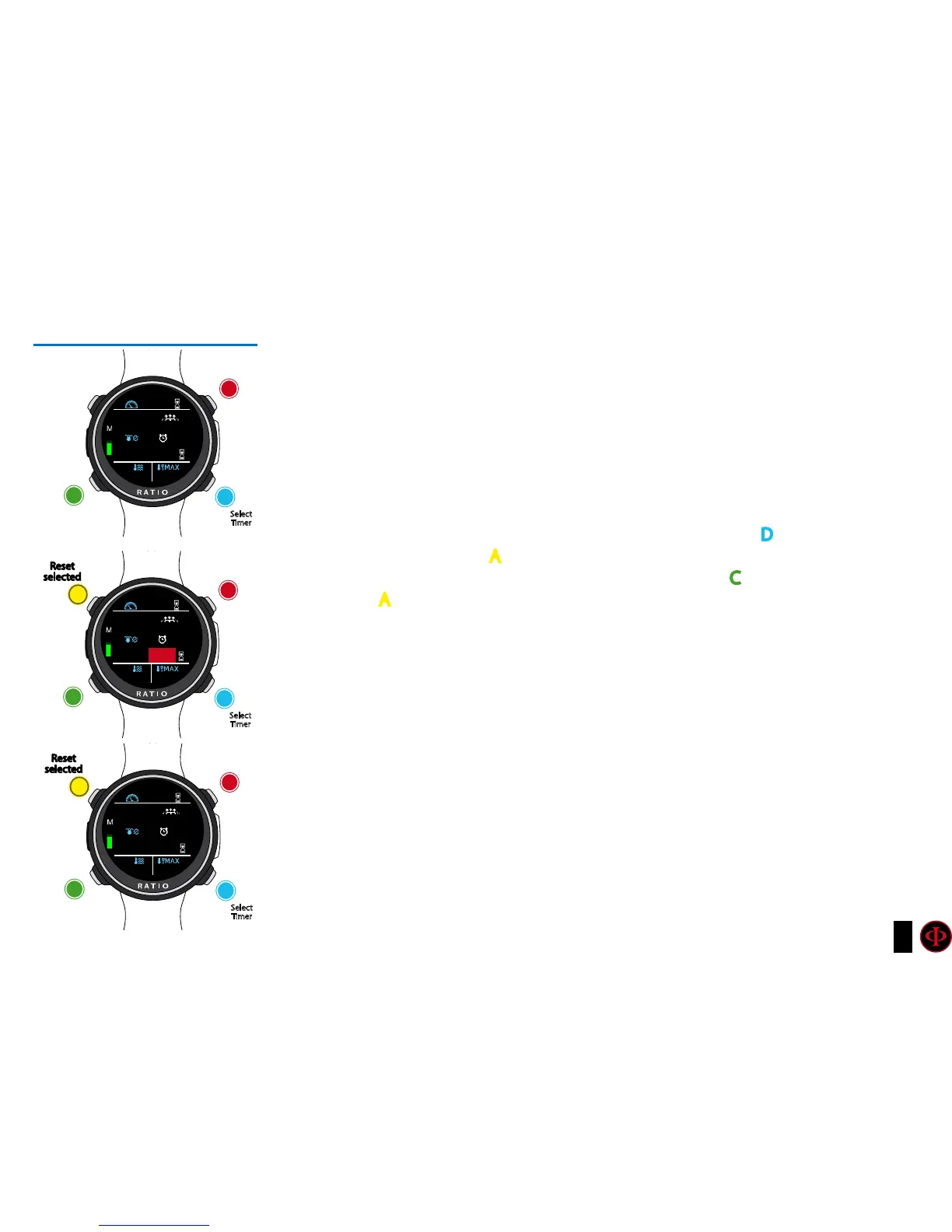
During a dive in GAUGE mode the iDive shows:
Current Depth (Top-left): In mt or ft.
Run Time (Top-right): Elapsed time from the beginning of the dive
Ascent speed (Top-right): Currnet ascent speed in m/min (or ft/min).
Resettable Timer (center-right): mm:ss resettable timer (press D to select
(highlighted in red) and A to reset.)
AVG Depth (center-left): Resettable Average depth (press C to select (highlighted in
red) and A to reset.)
Temperature (bottom-left): Current temperature.
Max depth (bottom-right): Maximum reached depth during the dive.
The iDive calculates in background the tissue saturation and desaturation also in GAUGE mode using a
“fake mix” with a high inert contents (10/60). This value is registered in the logbook.
If after a dive in GAUGE you want to to carry out a dive in OC using the iDive decompressive calculations, the
iDive will consider the new dive as the next repetitive of the day.
Please note:
Even if the iDive carries out the decompressive calculation in background, they cannot be visualized on the
screen and they don’t even affect the GAUGE mode.
Select
Timer
Select
Timer
Select
Timer
Select
AVG Depth
Select
AVG Depth
Select
AVG Depth
C
C
C
D
D
D
Compass
Compass
Compass
b
b
b
20:
15
20:
15
20:
15
2.9
2.9
2.9
19.3
19.3
19.3
29.8
29.8
29.8
25°
25°
25°
15.40
15.40
00.00
Reset
selected
Reset
selected
A
A
0
0
0



 To Next Page