43
WARNING: This manual DOES NOT replace an adequate diving training !
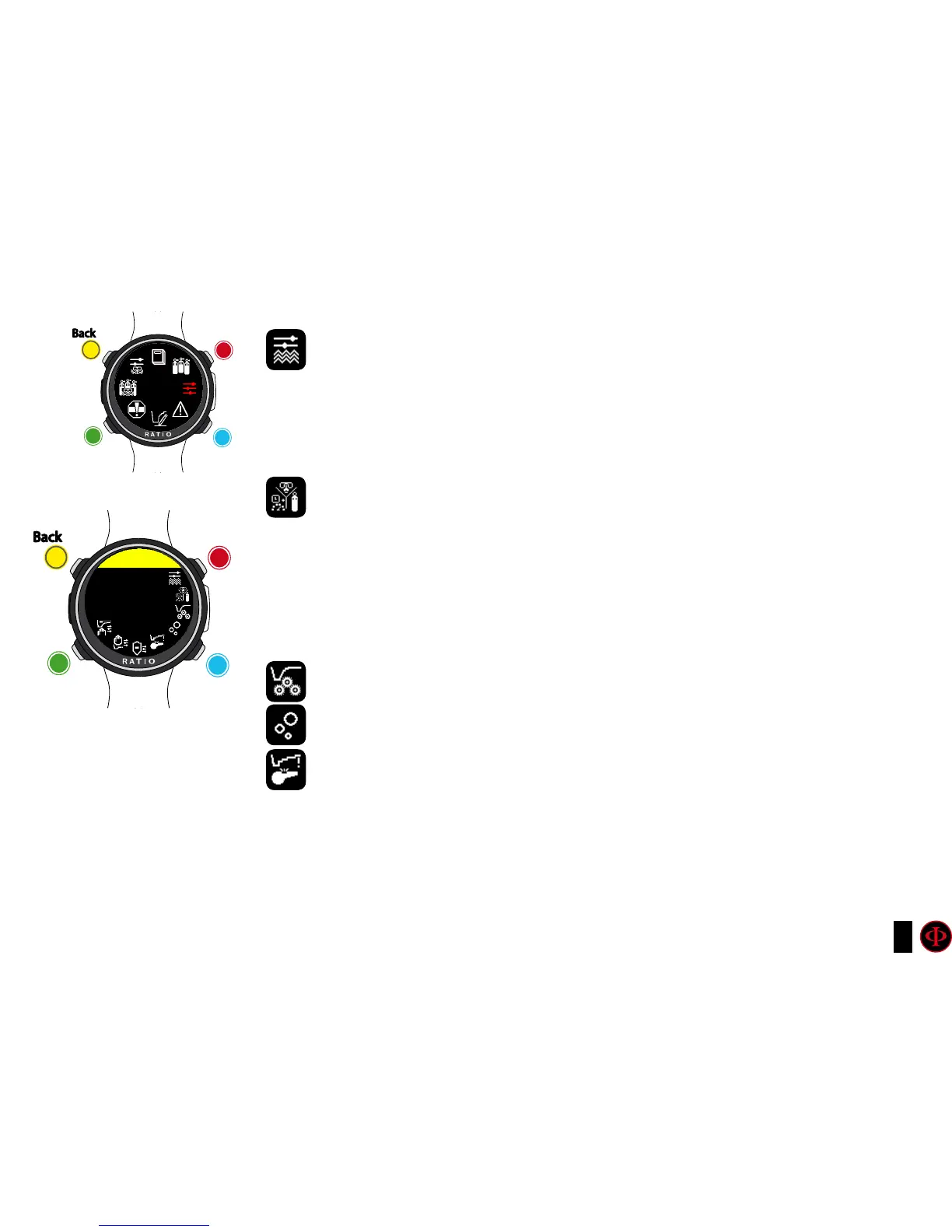
DIVE SET (I part)
WATER: (SALT/FRESH): It selects the kind of water (SALT= Salty, FRESH= fresh)
Did you know?
The dive computers measure the pressure and convert it depth using the water density as constant.
Without the SALT/FRESH setting the depth reading might be altered (If you dive in fresh water with
WATER=SALT setting the depth detected by the iDive Color will be lower than the real one, vice versa if you dive
in salt water with WATER=FRESH setting the depth detected will be higher than the real one.)
DIVE MODE: It sets your favourite kind of dive which will be activated by the iDive
Color when entering water. ATTENTION always check that the kind of dive matches
with the one actually carried out.
SCUBA: the iDive Color begins a dive with tanks
GAUGE: the iDive Color begins a dive in Gauge mode
FREE: the iDive Color begins a free dive.
it is NOT possible to set the FREE mode as main mode if at least 12 hours have passed from your last SCUBA or GAUGE
dive. The RATIO iDive Color sets automatically the SCUBA mode if trying to force the dive with the main mode set on
FREE.
ALGO, CONSERV: See following pages
DECO CTRL: (ON/OFF): If activated (ON) the iDive will not allow to carry out a new dive
during the 12 hrs after a dive in which there have been several deco violations.
ATTENTION: The Safety Stop is NOT considered to be mandatory in those dives carried out within the
safety curve. The Safety Stop violation doesn’t entail penalties in decompression during your next
dives and it is not considered to be a “deco violation”. So DO NOT deactivate the DECO CTRL if you
don’t want to carry out the Safety Stop.
clockwise
counter-
clockwise
Enter
Back
b
C
A
D
DIVE
SET
clockwise
or
+
Use B and D to select the setting, use C to enter the
setting you want to change.
(Once you selected the setting with C)
Use B and D to change the value of the setting and press
C to conrm the changes.
counter-
clockwise
or
-
Enter
or
Conrm
Back
b
C
A
D
DIVE SET
WATER
SALT



 To Next Page