57
WARNING: This manual DOES NOT replace an adequate diving training !
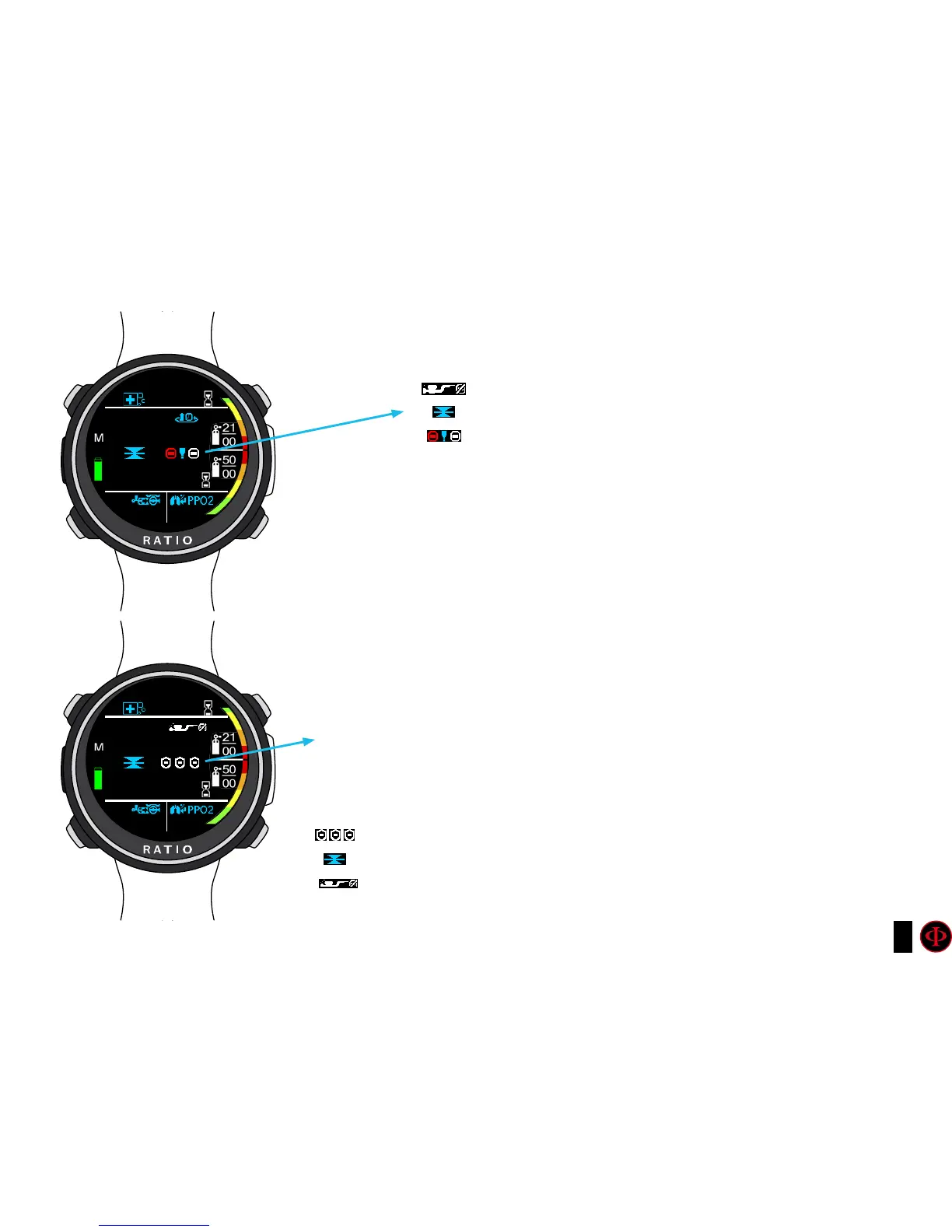
If mandatory deco stops are needed:
TTS: Time-to-surface. Total ascent time.
STOP: Next mandatory stop depth.
TIME: Minutes relating to the next safety stop (flashing in red)
35.23
20.23
5.8
4.5
10
99
2
3
6
5
0.41
0.41
21|00
21|00
Safety Stop: If the Safety Stop (recommended for any kind of dive) is activated,
it will be shown on the computer’s central line during the ascent starting from
a depth of 9 mt. (Safety Stop is automatically omitted if the dive required a
mandatory deco stop, even if the mandatory deco stop has been elapsed during
the ascent the Safety Stop is omitted). You can set depth and time of the Safety
Stop in DIVE SET 2 menu.
Safety Duration: Duration of the Safety Stop (minutes)
STOP: Depth of the Safety Stop.
NDL: No Decompression Limit.
Mandatory deco stop
Safety Stop



 To Next Page