64
WARNING: This manual DOES NOT replace an adequate diving training !
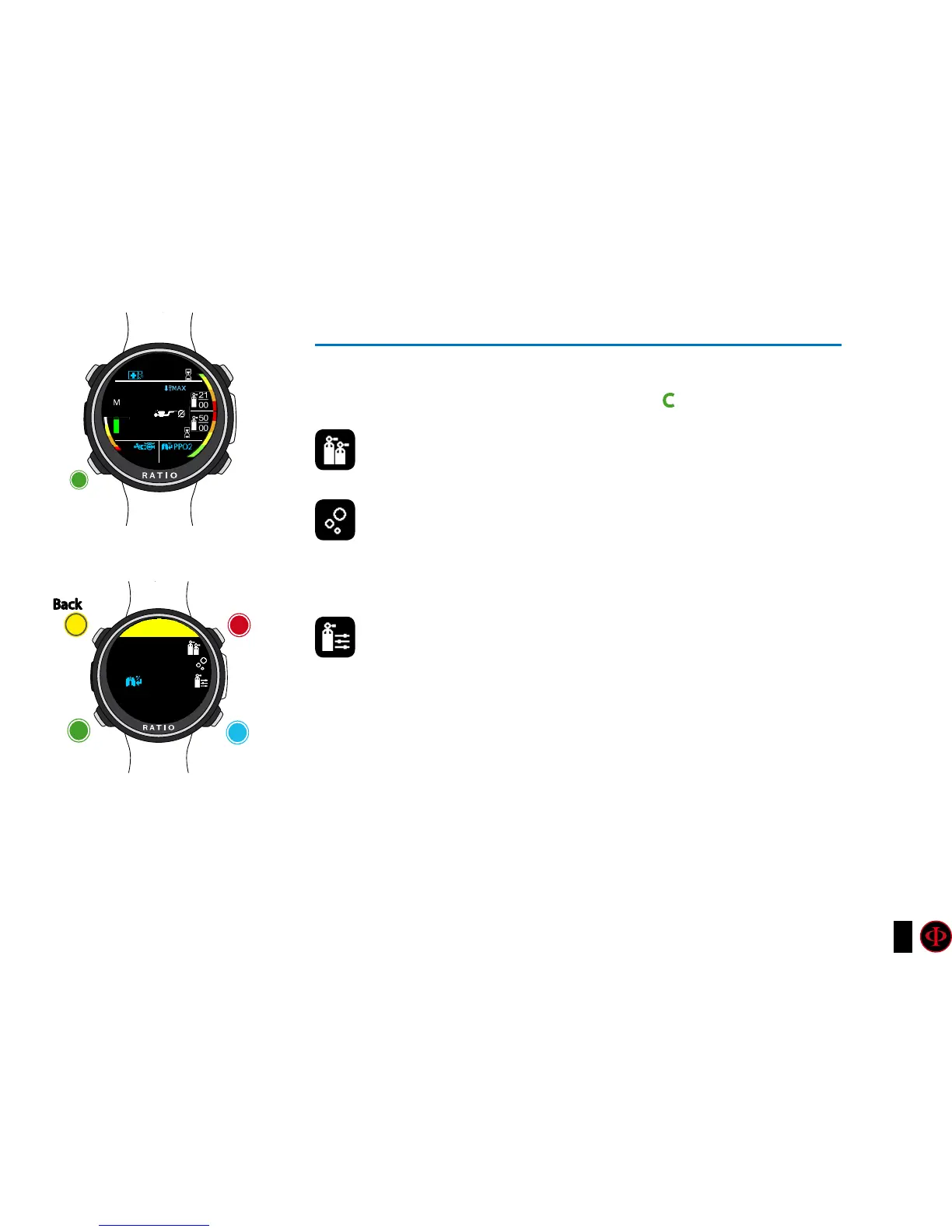
Settings change during the dive
To navigate this menu follow the instructions shown in the picture on the left
Alle the changes have to be confirmed pressing C button.
MIX: Manually change the current mix choosing form the
previously set mixes.
Conservativism:
GFL/GFH (R0 if VPM): (for iDive Tech+)I
t modifies the gradients Low
and High if BUL or the Critical Bubble radius if VPM.
Lv:(for iDive Easy and iDive Deep) It modifies the Portecion Level (0-5)
Manual Mix Modication
Allows you to manually modify the composition of the active mix
To know how to modify the parametres MIX and GFL/GFH (R0)(PS) make reference
to the section DIVE SET of this manual.
Attention: in the following pages we will explain how to modify the MIX and
the algorithm settings during the dive. However remember always that:
To modify the Gradients and the Critical Bubble Radius a suitable training
is necessary! To use more than one Mix when diving a suitable training is
necessary! DO NOT modify these parametres if you have not received such
training!
MENU
C
clockwise
or
+
counter-
clockwise
or
-
Enter
or
Conrm
Back
b
C
A
D
10.
23
9
.5
15
.2
99
0.4121|00
SETUP
21|00
1.00
15:32



 To Next Page