44
WARNING: This manual DOES NOT replace an adequate diving training !
DIVE SET for iDive Color Easy and Deep
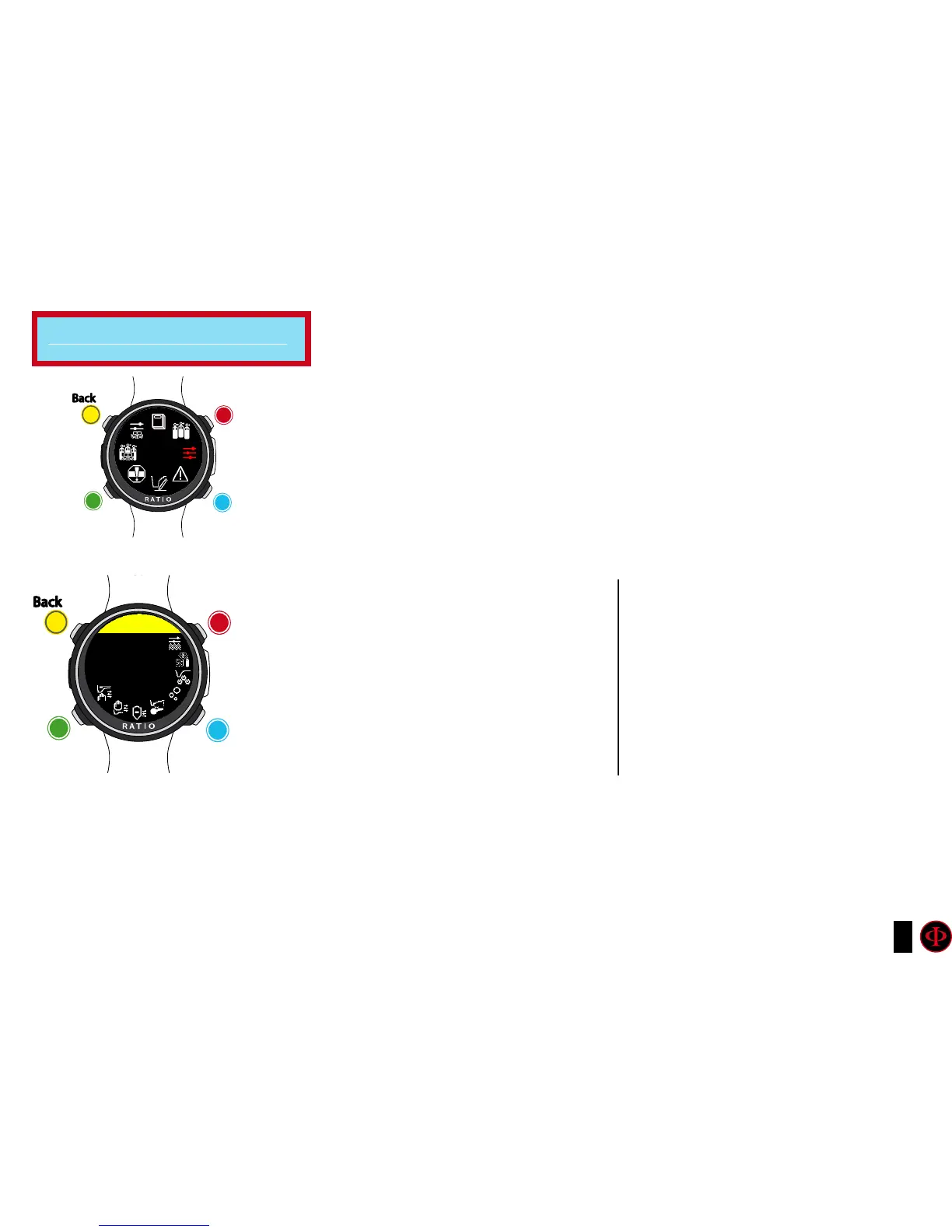
To navigate the menu, follow the clues in the picture.
ALGO (Algorithm:) Select the decompressive algorithm you want to use for your dive:
BUH: Bühlmann ZHL-16 B (for iDive Color Easy and iDive Color Deep)
VPM: VPM-B (not for iDive Color Easy)
Attention: if you have a RATIO iDive Color Tech+
CONSERV (Conservatism Level): The RATIO iDive Color Easy and iDive
Color Deep conservatism can be changed on pre-set levels from 0 to 5.
The levels matches with the following tables:
Do you know what?:
A higher conservatism will make the device makes its calculation in a more precautionary way .
Generally speaking, it is recommended to increase the conservatism if you feel an excessive tiredness after your
last dive.
A hyperbaric doctor can advice you on how to set the conservatism according to your clinic status.
Bühlmann Lv4 and Lv5 are usually suggested for tech dives, a proper training is required.
Bühlmann ZHL-16 B (gradients)
GFL/GFH
0 = 93/93
1 = 90/90
2 = 80/80
3 = 75/75
4 = 30/90
5 = 20/89
minimum conservatism
max linear conservatism
minimum conservatism
max linear conservatism
VPM -B (Critical bubble radius)
0 = 0.5
1 = 0.55
2 = 0.6
3 = 0.7
4 = 0.8
5 = 0.9
For iDive Easy and iDive Deep
clockwise
counter-
clockwise
Enter
Back
b
C
A
D
DIVE
SET
clockwise
or
+
Use B and D to select the setting, use C to enter the
setting you want to change.
(Once you selected the setting with C)
Use B and D to change the value of the setting and press
C to conrm the changes.
counter-
clockwise
or
-
Enter
or
Conrm
Back
b
C
A
D
DIVE SET
CONSERV
PS: 0



 To Next Page