35
WARNING: This manual DOES NOT replace an adequate diving training !
Compass settings (COMPASS)
DECLINATION: The declination is meant to compensate the difference
between the geographic and the magnetic north; this factor
.can be found visiting dedicated web sites.
DIRECTION: EAST/WEST. The direction is meant to indicate the direction of
the magnetic field’s declination.
Do you know what?:
You can deepen your knowledge about the compass’ Direction and Declination on:
https://en.wikipedia.org/wiki/Magnetic_declination
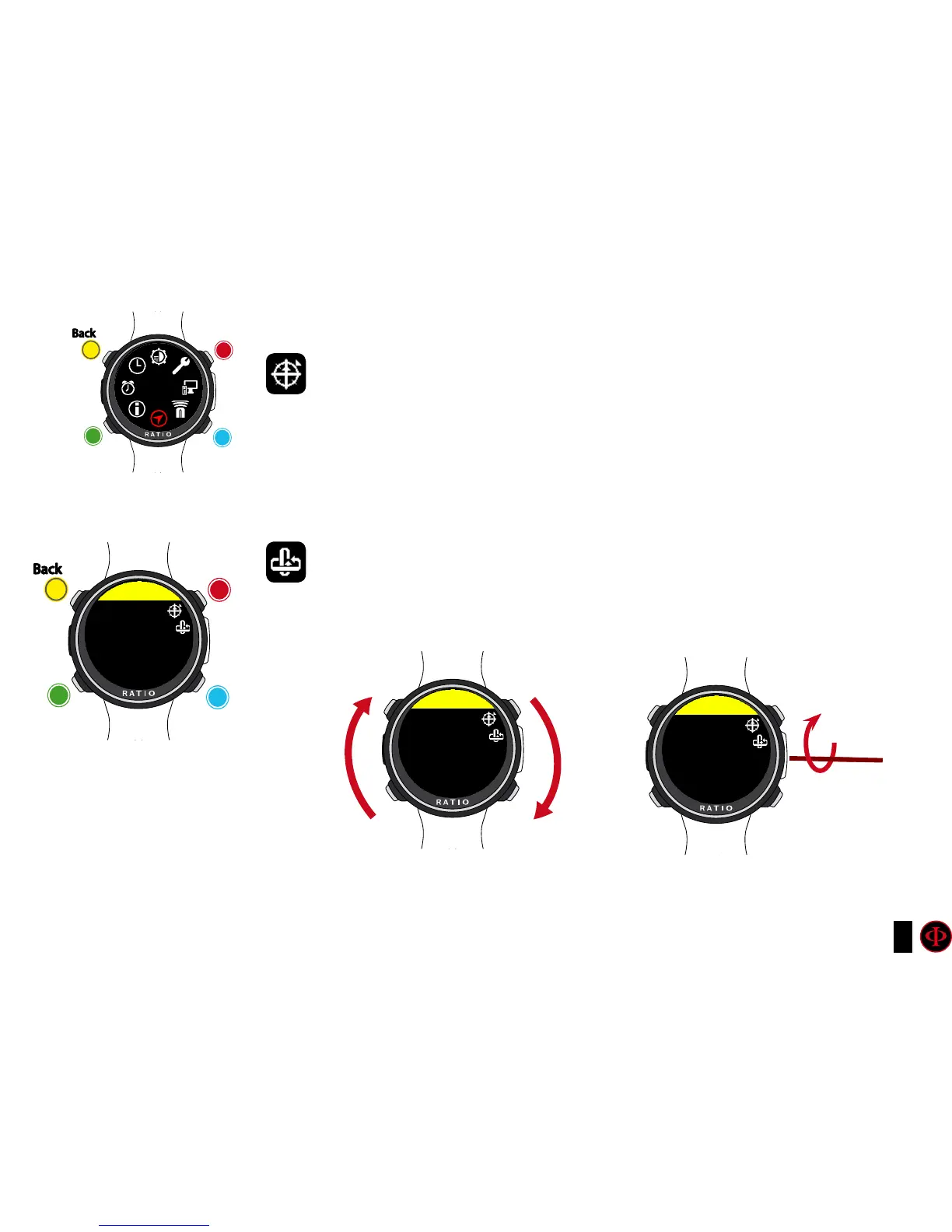
CALIBRATE: Calibrate the compass. (see pictures below)
clockwise
clockwise
or
+
Use B and D to select the setting, use C to enter the
setting you want to change.
(Once you selected the setting with C)
Use B and D to change the value of the setting and press
C to conrm the changes.
counter-
clockwise
counter-
clockwise
or
-
Enter
Enter
or
Conrm
Back
Back
b
b
C
C
A
A
D
D
COMPASS
COMPASS
SET
DECLIN. 0.0
DIRECT. EAST
Rotate slowly and constantly on a
flat surface.
Rotate slowly and constantly on
the horizontal axis.
COMPASS
ROTATE
COMPASS
TILT



 To Next Page