48
WARNING: This manual DOES NOT replace an adequate diving training !
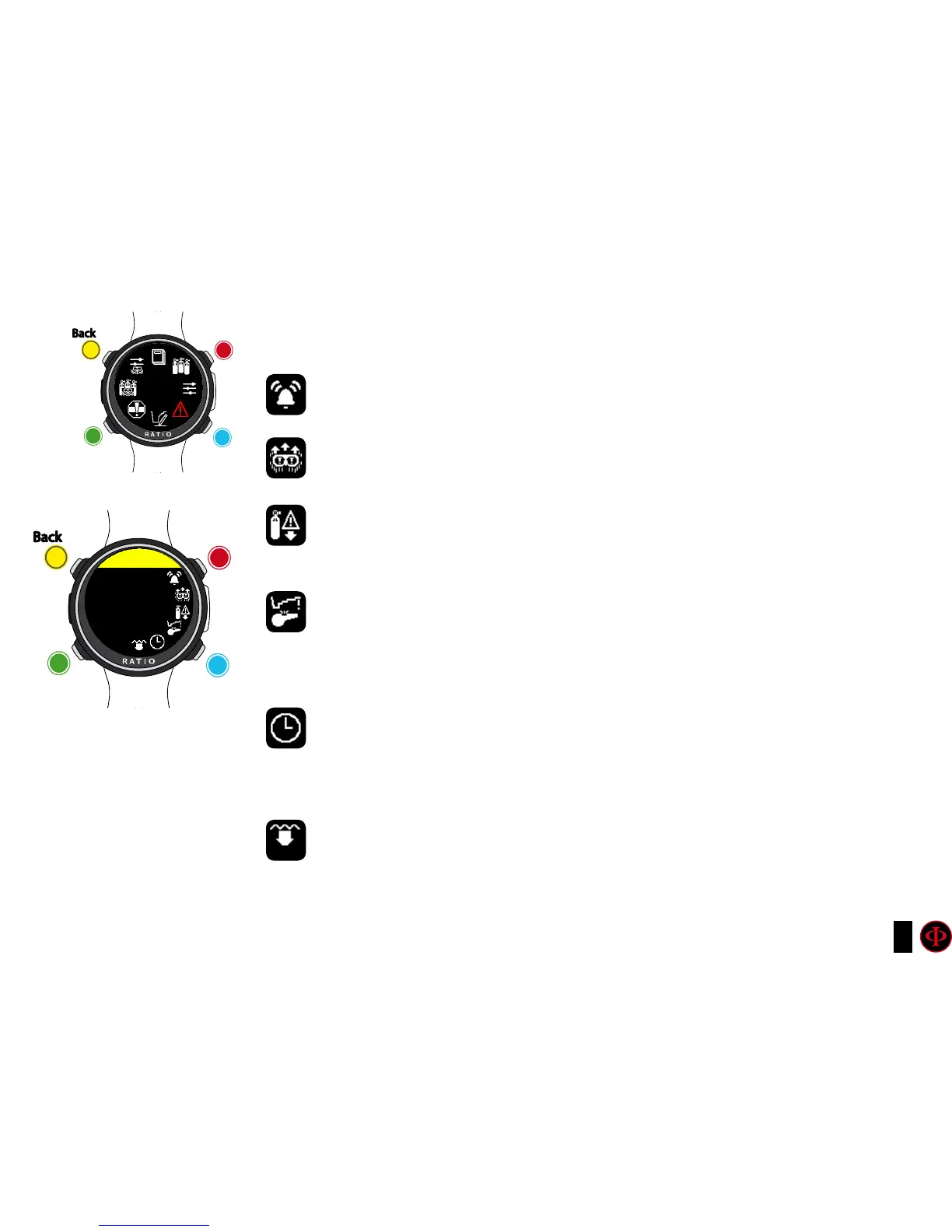
ALARM (Dive Alarms)
To navigate the menu follow the instructions in the picture on the left.
BUZZER (ON/OFF): Activates/deactivates the acoustic alarm. (“beep”)
ASCENT SPEED (ON/OFF): Activates/deactivates the alarm in case of fast ascent.
MOD (ON/OFF): Activates/deactivates the alarm in case of passing the MOD of the
mix you are currently breathing
DECO VIOL (Deco Violation): Activates/deactivates the alarm of violation of a
compulsory decompression stop. if a DEEP STOP or a SAFETY stop is violated the alarm
is not activated since they are not compulsory.
DIVE TIME: Indicates the time in minutes (max. 360 minutes) that once it is passed the
acoustic alarm is activated. (Attention: for this kind of alarm it is not possible to activate
the visual alert). If it is set at 0 the alarm is deactivated.
DIVE DEPTH: Indicates the depth in meters that once it is passed the acoustic alarm is
activated. (Attention: for this kind of alarm it is not possible to activate the visual one). If it
is set at 0 the alarm is deactivated.
clockwise
counter-
clockwise
Enter
Back
b
C
A
D
ALARMS
clockwise
or
+
Use B and D to select the setting, use C to enter the
setting you want to change.
(Once you selected the setting with C)
Use B and D to change the value of the setting and press
C to conrm the changes.
counter-
clockwise
or
-
Enter
or
Conrm
Back
b
C
A
D
ALARMS
bUZZER
ON



 To Next Page