29
WARNING: This manual DOES NOT replace an adequate diving training !
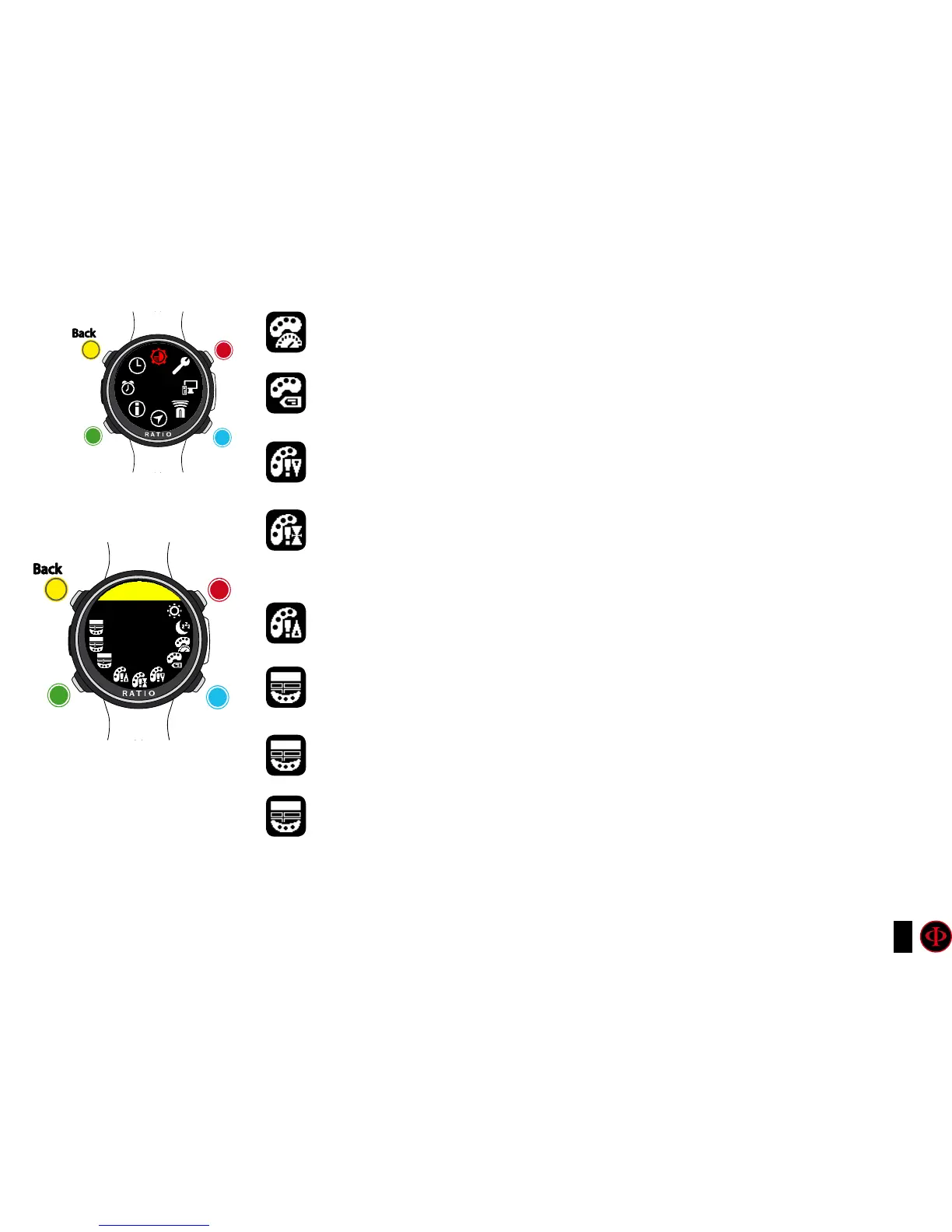
DATA COLOR: Set the color of the dive-data of the iDive Color
LABEL COLOR: Set the color of the labels shown in dive-mode.
ALARM LOW COLOR: Set the color for the low priority or low risk warnings.
ALARM MED COLOR: Set the color for the medium priority or medium risk
warnings.
ALARM HIGH COLOR: Set the color for the hight priority or high risk warnings..
MENU TITLE COLOR: Set the Menu headlines color.
MENU ITEMS COLOR: Set the different menu’s parametres color.
MENU SEL COLOR: Set the color of the selected enrty inside a menu.
Do you know what?:
If you have any doubts on your device’s setting, you can set the company’s parametres from the menu DEFAULT
clockwise
clockwise
or
+
Use B and D to select the setting, use C to enter the
setting you want to change.
(Once you selected the setting with C)
Use B and D to change the value of the setting and press
C to conrm the changes.
counter-
clockwise
counter-
clockwise
or
-
Enter
Enter
or
Conrm
Back
Back
b
b
C
C
A
A
D
D
DISPLAY
DISPLAY
bACK
LIGHT
15



 To Next Page