54
WARNING: This manual DOES NOT replace an adequate diving training !
Compass (outside water)
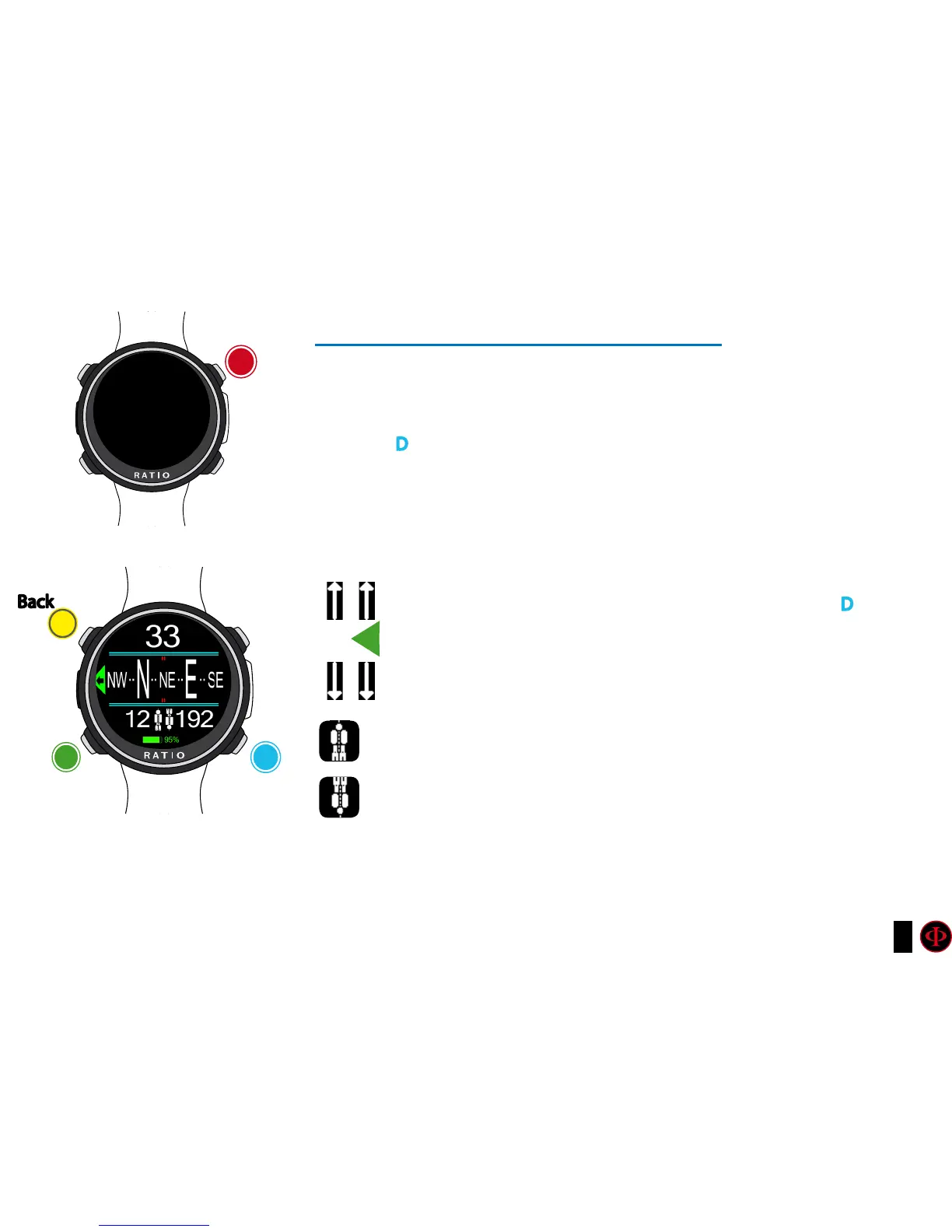
To navigate the menu follow the instructions in the picture on the left
Compass resolution: 1°
Compass accuracy: +/-1°
Press D
Button to memorise the current Route
When in “Compass” mode the iDive shows:
DIRECTION (on the top centre): the current direction expressed in
degrees (°)
GRAPHIC COMPASS (on the centre): graphic compass with route
indications.
Direction in route (+/- 5° in comparison with the one set with D)
It indicates the direction to follow to find the route you have set
Reciprocal direction (+/- 5° in comparison with the set reciprocal route )
Current set route
Reciprocal of the set route
Do you know what?:
The RATIO iDive compass is compensated by accelerometres. The iDive can compensate your arm’s grade
automatically up to an angle of 85° from the horizontal position.
ATTENTION:
The Compass works correctly
only if its calibration has been done
correctly. See COMPASS menu
Watch
12:30
Compass
b
Back
A
C
Set the
route
Apps
D



 To Next Page