Instructions for Use RAUMEDIC
MPR2 logO
Manufacturer: zwo-400EN
RAUMEDIC AG, Hermann-Staudinger-Strasse 2, 95233 Helmbrechts, Germany Rev. 9 2020-09-22
Page 18 of 99
3.1.2 Preparation of the invasive pressure measurement
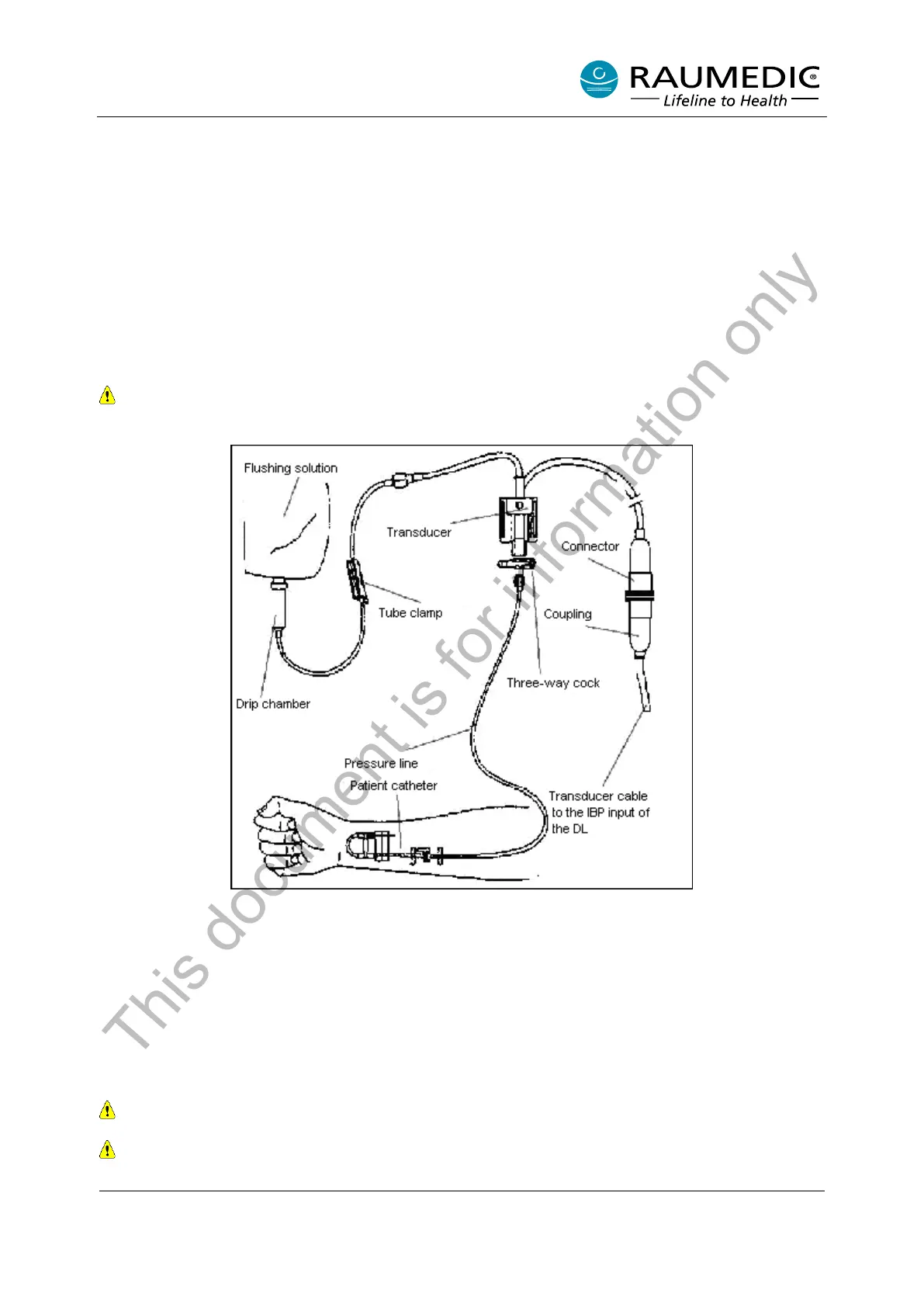
3.1.2.1 Preparation of the invasive pressure measurement with external transducer
• Prepare the monitor set in keeping with the instructions of the manufacturer. Ensure that no air is locked
in the hose system.
• Connect the Datalogger transducer cable to the transducer; plug the connector with the yellow mark
into port P1 or P2/T2 of the MPR2.
• Position the transducer at the height of the measuring location.
• Connect the patient catheter to the pressure hose.
• Adjust the transducer to zero.
• Use the three-way cock to open the hose to the patient.
In conjunction with external transducers, use the “Conventional zeroing“ option on the MPR2
only.
Figure 5: Pressure measurement with external transducer
3.1.2.2 Preparation of the invasive pressure measurement with micro-chip precision pressure
catheter
• Please observe the instructions of the catheter manufacturer in the instructions for use for micro-chip
precision pressure catheters! Prepare the micro-chip precision pressure catheter in keeping with the
instructions of the catheter manufacturer.
• Connect the ICP-Temp cable or the PTO cable to the catheter; plug the connector with the yellow mark
into the port P1 or P2/T2 of the MPR2.
When required, choose another measuring point.
Select the “Zeroing RAUMEDIC Catheter” zeroing option when the RAUMEDIC precision pressure
catheter has been connected!
This document is for information only



 To Next Page