Instructions for Use RAUMEDIC
MPR2 logO
Manufacturer: zwo-400EN
RAUMEDIC AG, Hermann-Staudinger-Strasse 2, 95233 Helmbrechts, Germany Rev. 9 2020-09-22
Page 43 of 99
Check the display of 20 mmHg on
the third-
acknowledge this step.
180 seconds time to press the next
button. In case of
a timeout the
system changes to step 1.
Step 5:
The ICP1 pressure signal is now
switched by the analogue output
Out1. Now you can carry out other
settings, or you can leave the
screen by pressing OK
Step 6:
to return to the overview. Any
potentially modified alarm settings
are thus activated as well.
Set alarm limits to a maximum of 350 mmHg on third-party systems, if monitoring is required.
4.4.2.4 Invasive pressure measurement – Graphics
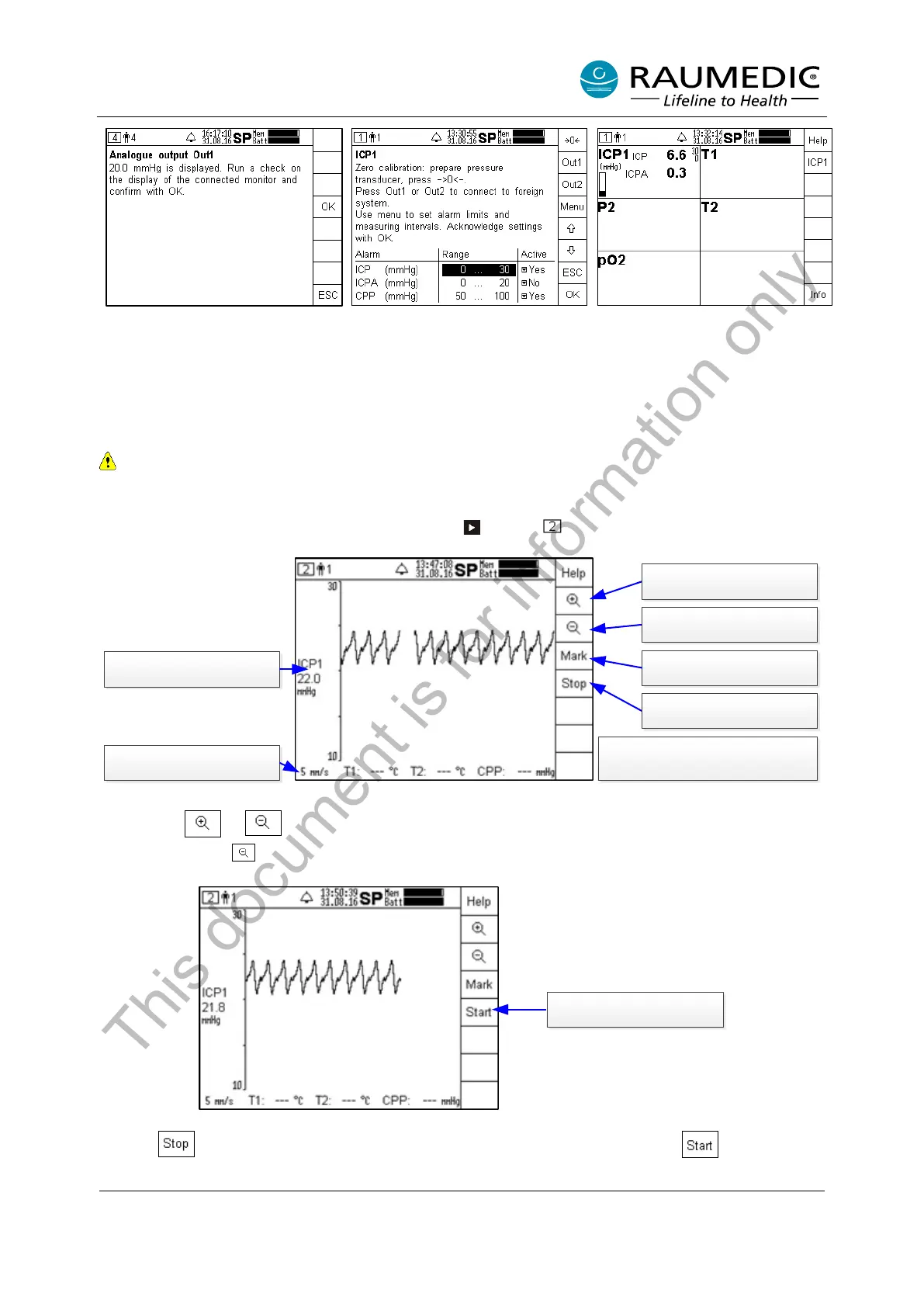
In order to skip to the graphics screen, press the key . Screen will be accessed.
Freeze curve
Increase recording speed
Four recording speeds are available:
1, 5, 10 und 30 mm/s
Reduce recording speed
Numeric display
Mean value ICP1
Recording speed
Set marker
Use the key or to switch over the plotting speed. 30 mm/s correspond to approx. 3 s per display
width. Use the key to reduce the plotting speed, increasing the time basis of the curve.
Press Start to continue
recording process
Use the key to freeze the current curve, which is released by pressing the key .
This document is for information only



 To Next Page