Instructions for Use RAUMEDIC
MPR2 logO
Manufacturer: zwo-400EN
RAUMEDIC AG, Hermann-Staudinger-Strasse 2, 95233 Helmbrechts, Germany Rev. 9 2020-09-22
Page 41 of 99
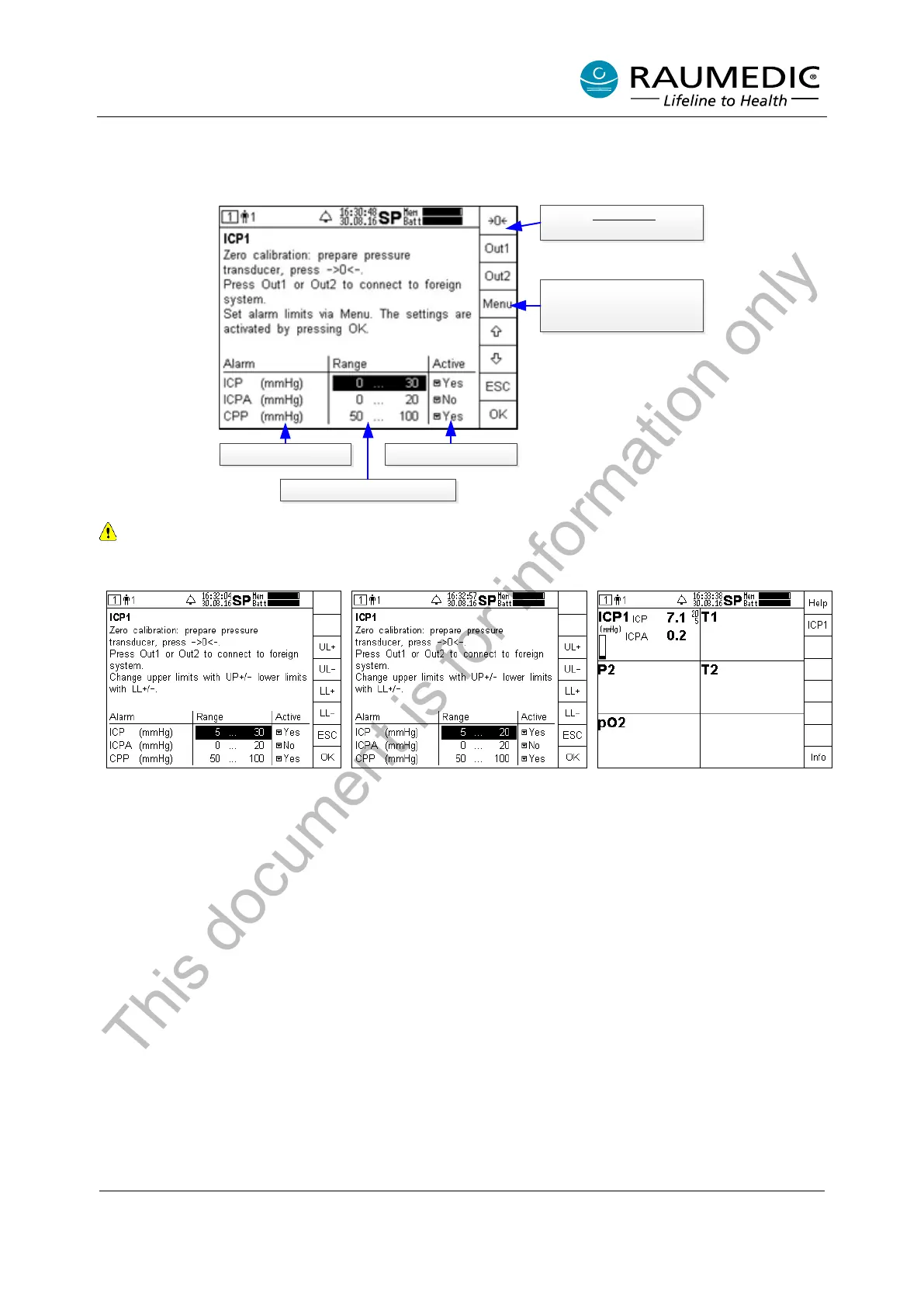
4.4.2.2 Changing the limiting alarm value settings of invasive pressure measurement
On the example of the ICP, reset the limiting values. The settings of the limiting values of the other ICPA
and CPP measured values are carried out correspondingly.
Parameter
Range with alarm limits
Alarm activation
Key for conventional
zeroing.
Press the Menu key, if you
want to modify the
highlighted field.
Do not set the limiting values to extreme values which could render the alarm system useless.
4.4.2.2.1 Changing the limiting value
Increasing the lower limiting value:
Keep the LL+ key pressed until the
requested value is reached.
Lowering the upper limiting value:
Keep the UL- key pressed until the
requested value is reached. Press
OK to acknowledge the settings.
Leave the window by pressing OK,
if no other changes are required.
You will now access the overview
of the measured values. The new
limiting values
will be displayed,
provided Yes has been activated
for the parameter Active.
If you want to change other settings or repeat a setting, press the ICP1 key or the key of another measuring
location again.
This document is for information only



 To Next Page