Instructions for Use RAUMEDIC
MPR2 logO
Manufacturer: zwo-400EN
RAUMEDIC AG, Hermann-Staudinger-Strasse 2, 95233 Helmbrechts, Germany Rev. 9 2020-09-22
Page 35 of 99
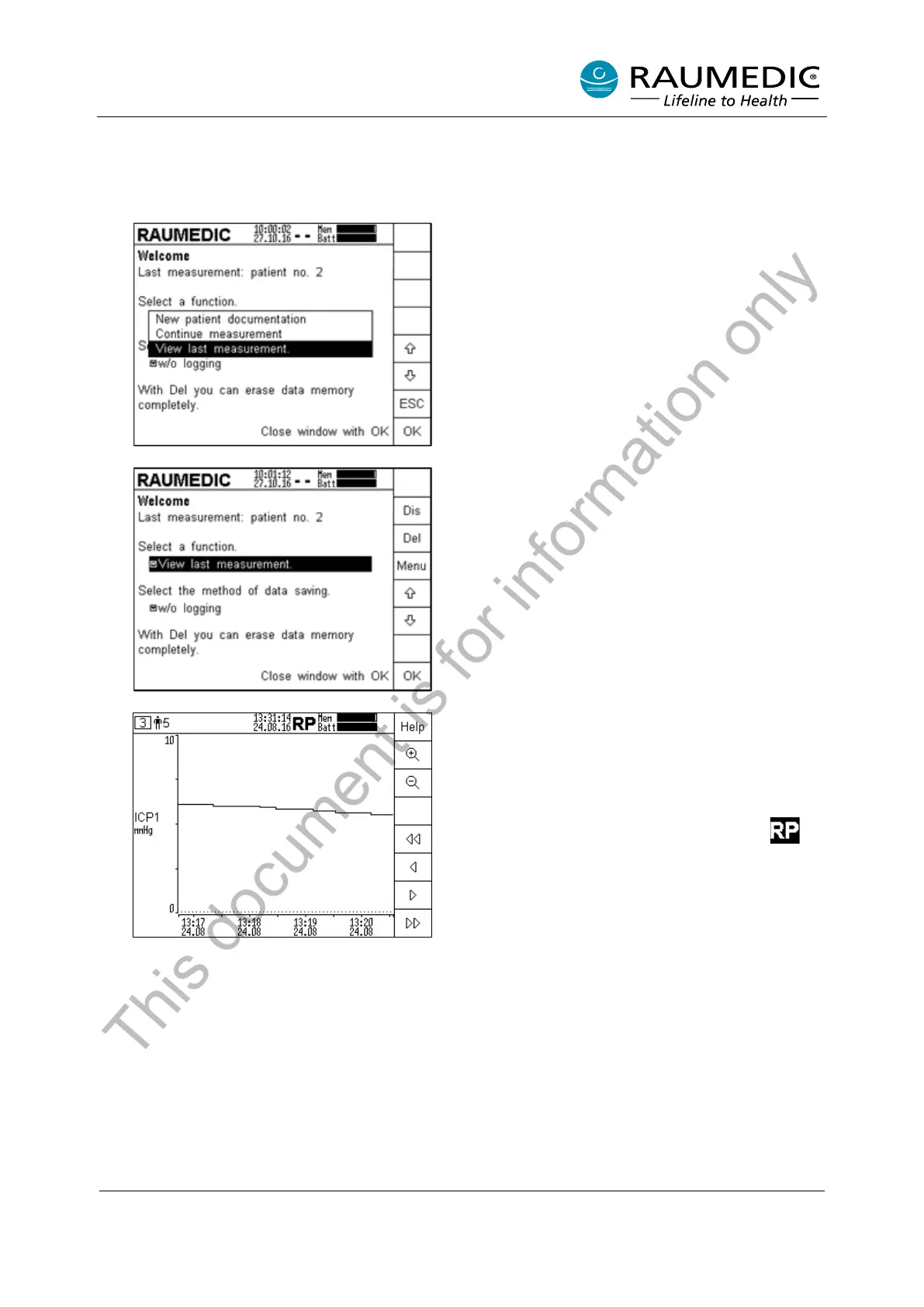
4.2.6 View last measurement
From firmware version 2.00.0053 the option now exists of viewing the trend data of the last
measurement. Prerequisite for this is that data have been saved and the device memory has not
already been deleted.
Open Function menu. Using the arrow keys select
the function "View last measurement". Confirm
with OK. This function is only available if data are
stored on the device.
Confirm the selected Function with OK. This
function is only available if data are stored on the
device.
The trend data of the last measurement are
displayed on the device. Display of measurement
curves (data from SP memory mode) is not
possible.
The function "View last measurement" is indicated
by the reverse highlighted flashing symbol
in
the status line. In addition, the alarm LED flashes
yellow in th
is operating mode, so that the user
recognizes that the device is not in monitoring
mode.
This document is for information only



 To Next Page