Instructions for Use RAUMEDIC
MPR2 logO
Manufacturer: zwo-400EN
RAUMEDIC AG, Hermann-Staudinger-Strasse 2, 95233 Helmbrechts, Germany Rev. 9 2020-09-22
Page 62 of 99
4.6.2 Device diagnostics
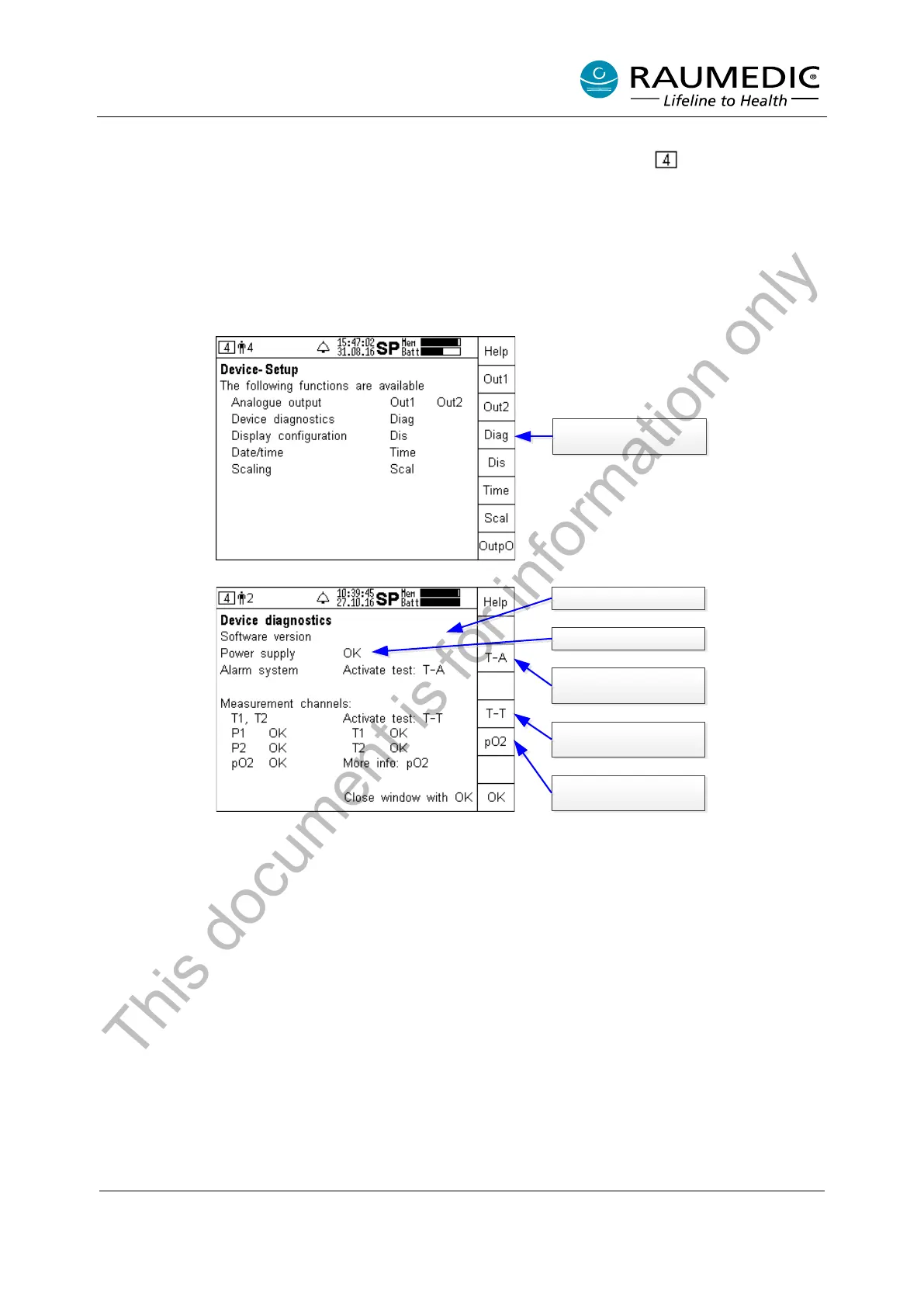
In order to diagnose the apparatus, use the Forward key to skip to the screen Device setup. After
having pressed the Diag F key, the Device diagnostics is accessed.
Here the following information is rendered:
Software version
Power supply OK
By pressing the key (F key T-A), a test run of the alarm system can be released, thus checking the acoustic
and optical function of the alarm signal.
By pressing the key (F key T-T), you can run a test of the temperature channels in T1, T2. Other information
on the pO2 functions can be retrieved by pressing the key (F key pO2).
Press Diag F key to access
appartus diagnostics
Current Softwareversion
Power supply check
F key to s tart the alarm
system check
F key to s tart the test of the
temperature channels
Retrieve further information
on pO2
Software version
The current status of the MPR2 firmware is software version 2.10.0068 HW2.
This version of the software is intended for devices with the hardware level 2 without ECG applied
part.
Devices of earlier delivery date can have a lower version of the software. With respect to the firmware, the
MPR2 can be updated. Please get in touch with the manufacturer to check the availability of a new firmware
version
This document is for information only



 To Next Page